Make the decommissioning process easier with a customizable checklist template.
Available for free in Google Sheets, Excel, and PDF, it’s designed to help you track critical tasks from preparation through final completion.
What Is a Decommissioning Checklist Template?
A decommissioning checklist template is a structured document that guides organizations through the systematic process of safely retiring and shutting down assets, systems, infrastructure, or facilities that are no longer needed or have reached the end of their operational life.
By using a template, teams can maintain consistency, accountability, and a clear audit trail across decommissioning projects of any scale, whether retiring IT hardware, decommissioning industrial equipment, or closing down an entire facility.
Download Spreadsheet Daddy’s Free Decommissioning Checklist Template
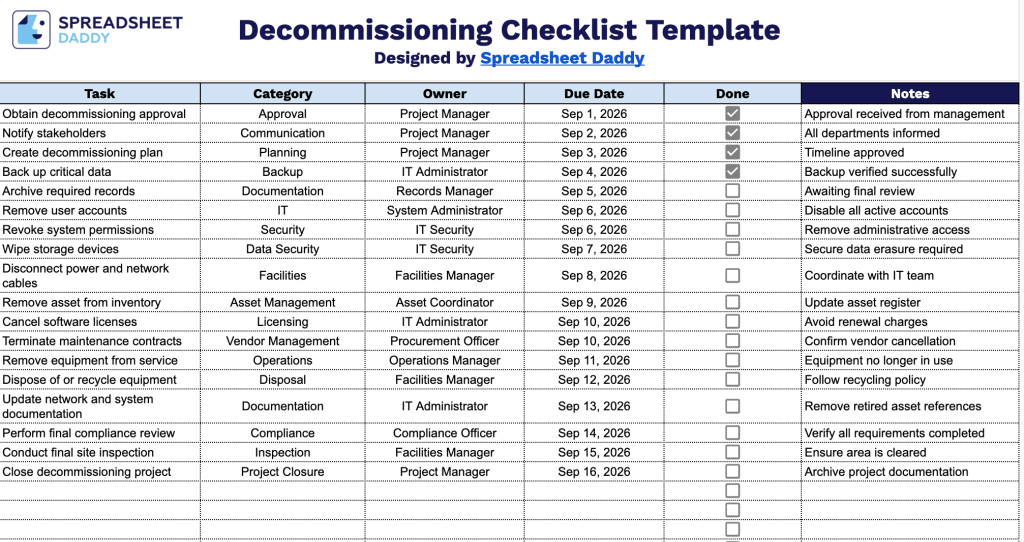
Our Decommissioning Checklist Template helps you plan and track every step of retiring equipment, systems, or assets, from initial approval through final disposal and project closure.
What’s included
- Structured task-tracking table with six key columns: The checklist is organized into Task, Category, Owner, Due Date, Done, and Notes columns, giving you a clear framework to log every decommissioning step, assign responsibility, set deadlines, and track completion status in one place.
- Interactive checkbox column for progress tracking: The “Done” column includes clickable checkbox cells for each row, letting you mark tasks as complete at a glance without typing or manually color-coding, making it easy to see decommissioning progress in real time.
- Category field for grouping related tasks: A dedicated Category column lets you tag each task (e.g., hardware, software, security, facilities) so you can sort or filter the checklist by task type and manage different phases of the decommissioning process more efficiently.
- Owner and Due Date fields for accountability: Each row includes space to assign a named owner and a specific due date, helping teams stay accountable and ensuring nothing falls through the cracks during a multi-step decommissioning project.
Add or remove columns to fit your own workflow and requirements.
Select your preferred format below to download a free, ready-to-use Decommissioning Checklist Template:
How to Use Our Decommissioning Checklist Template
1. Get the Decommissioning Checklist in Excel or PDF, or save a personal version to Google Sheets for easy editing.
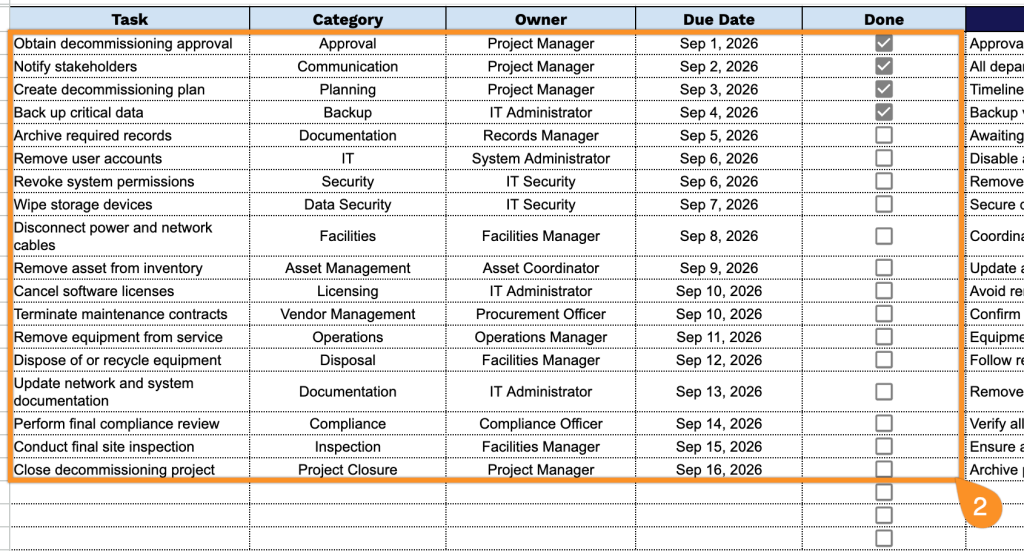
2. Record each decommissioning task, assign it to the responsible team member, specify the task category and target completion date, then mark the checkbox once the item has been completed and verified.
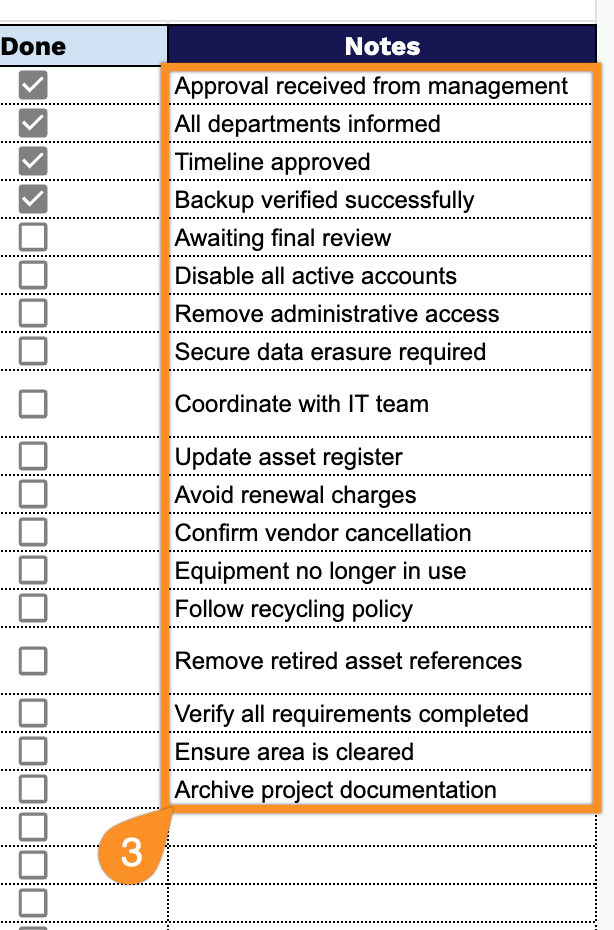
3. Use the Notes section to document important observations, risks, follow-up actions, outstanding issues, or any additional information related to the production decommissioning process.