Don’t start from a blank page. Use our professionally designed Lessons Learned Template to track what worked well, what didn’t, and the actions to take moving forward.
Download it free in Google Sheets, Excel, or PDF.
What Is a Lessons Learned Template?
A lessons learned template is a structured document used by project teams to capture, organize, and reflect on key insights gained throughout the lifecycle of a project.
By standardizing how knowledge is recorded and shared, the template helps organizations avoid repeating past mistakes and build on successes across future projects.
Download Spreadsheet Daddy’s Free Lessons Learned Template
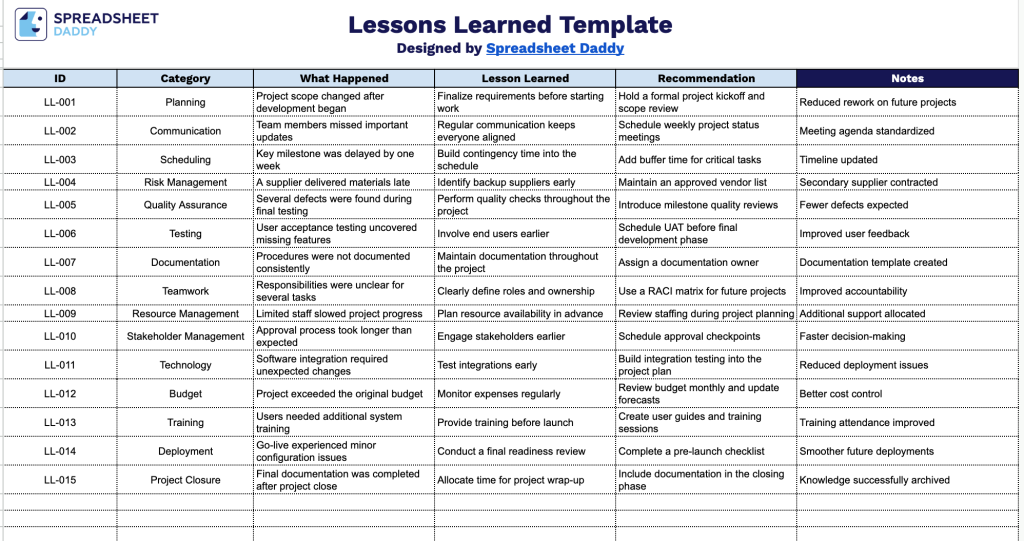
Our Lessons Learned Template gives you a simple, organized way to capture what happened on a project, the lessons drawn from it, and the recommendations to carry forward.
What’s included
- ID column for easy reference: Each entry gets its own identifier, making it simple to number, sort, or cross-reference specific lessons learned when discussing them in meetings or linking them to related reports.
- Category field for grouping related issues: This column lets you tag each entry by type (e.g., budget, communication, scheduling, scope), making it easy to filter or review lessons learned by theme across a project.
- What Happened section for capturing context: This field is where you document the specific event, issue, or situation that occurred, providing the background needed to understand why the lesson matters.
- Lesson Learned column for the key takeaway: This is where you summarize the insight or knowledge gained from the situation, turning a raw event into something actionable for future reference.
- Recommendation field for future action: This column captures the specific change or best practice to carry forward, ensuring the lesson translates into concrete improvements for upcoming projects, with an additional Notes field available for any extra context or follow-up details.
You can add or remove columns as needed to fit your own project structure.
Use the links below to grab a free editable Lessons Learned template in your preferred file type:
How to Use Our Lessons Learned Template
1. Get this free Lessons Learned template in Excel or PDF, or make a personal Google Sheets version for easy editing.
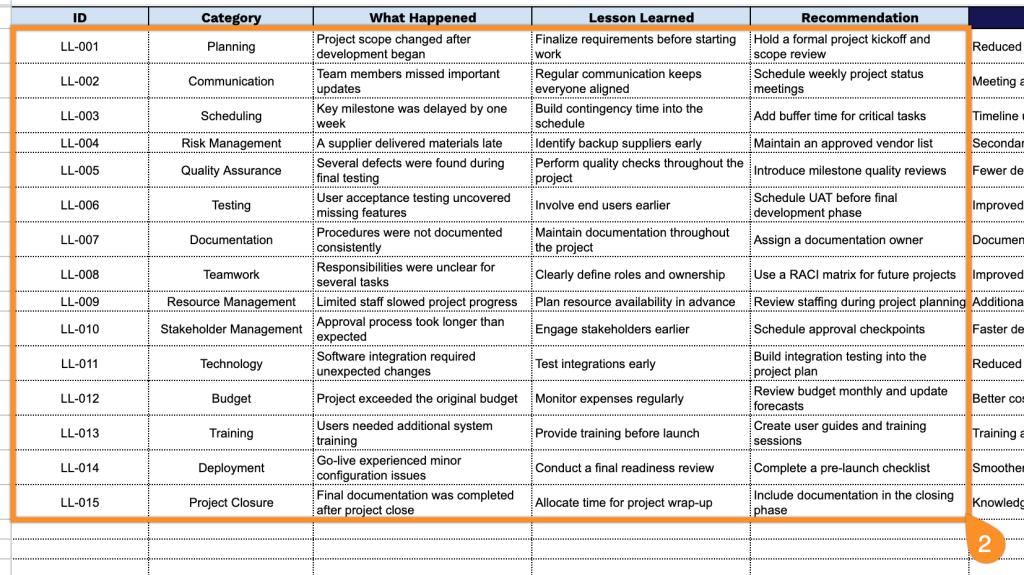
2. Document each lesson by entering its ID, category, a brief description of what happened, the lesson learned, and your recommendation.
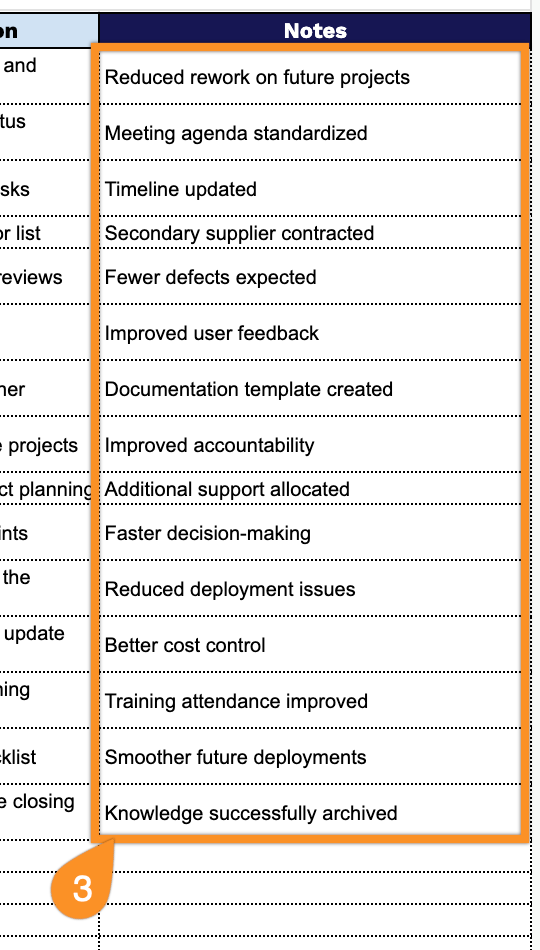
3. Use the Notes section to add supporting observations, follow-up comments, references, or any additional information that may be valuable for future project reviews.