Save time preparing for the month-end close with our free Month-End Close Checklist Template.
Available in Google Sheets, Excel, and PDF formats, this ready-to-use template makes it easy to organize accounting tasks, assign responsibilities, track progress, and ensure nothing is overlooked.
What Is a Month-End Close Checklist Template?
A month-end close checklist template is a structured financial tool used by accounting and finance teams to systematically complete all necessary tasks required to finalize a company’s books at the end of each month.
By standardizing the closing process, the template helps minimize errors, maintain compliance, ensure consistency across reporting periods, and provide a clear audit trail for internal and external stakeholders.
Download Spreadsheet Daddy’s Free Month-End Close Checklist Template
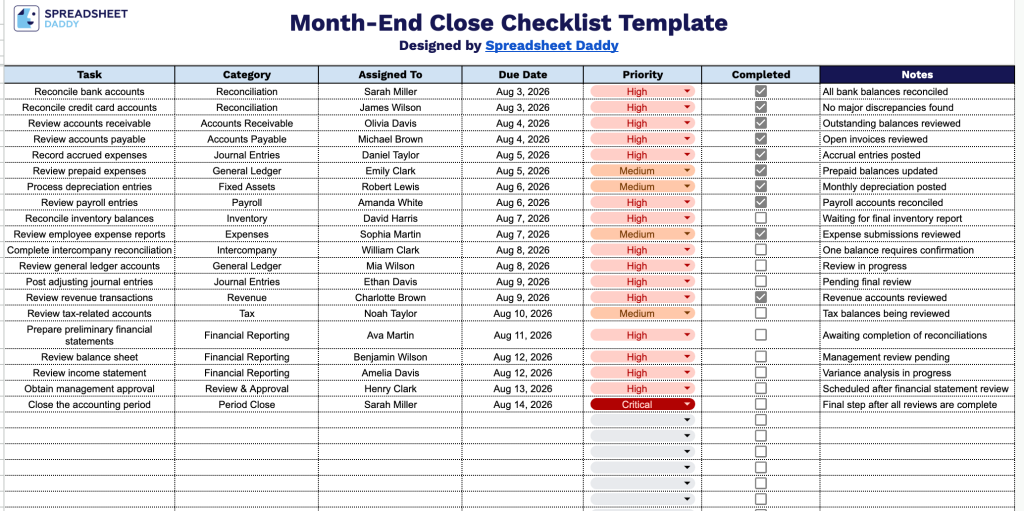
Our Month-End Close Checklist Template helps your team track every task in the closing process, from bank reconciliations to final period close, with clear ownership and due dates for each step.
What’s included
- Structured task-tracking columns: The template includes seven columns: Task, Category, Assigned To, Due Date, Priority, Completed, and Notes, giving you a complete framework to document every closing activity, who owns it, when it’s due, and how urgent it is.
- Interactive completion tracking: A checkbox field in the Completed column lets your team mark off each task as it’s finished, making it easy to see close progress at a glance without typing “yes” or “done” for every line.
- Flexible task categorization: The Category column lets you group tasks by function, such as Accounts Payable, Payroll, Reconciliations, or Reporting, so you can organize the close process in whatever way best fits your accounting workflow.
- Clear ownership and accountability: The Assigned To column lets you designate a specific team member for each task, ensuring nothing falls through the cracks during a busy close.
- Priority and deadline fields: Dedicated Due Date and Priority columns help you sequence tasks by urgency and keep the entire team aligned on what needs to get done first.
You can add or remove columns to fit your own workflow and reporting needs.
Use the links below to download a free, ready-to-use Month-End Close Checklist template in your preferred file format:
How to Use Our Month-End Close Checklist Template
1. Get the Month-End Close Checklist in Excel or PDF format, or duplicate it in Google Sheets for easy editing.
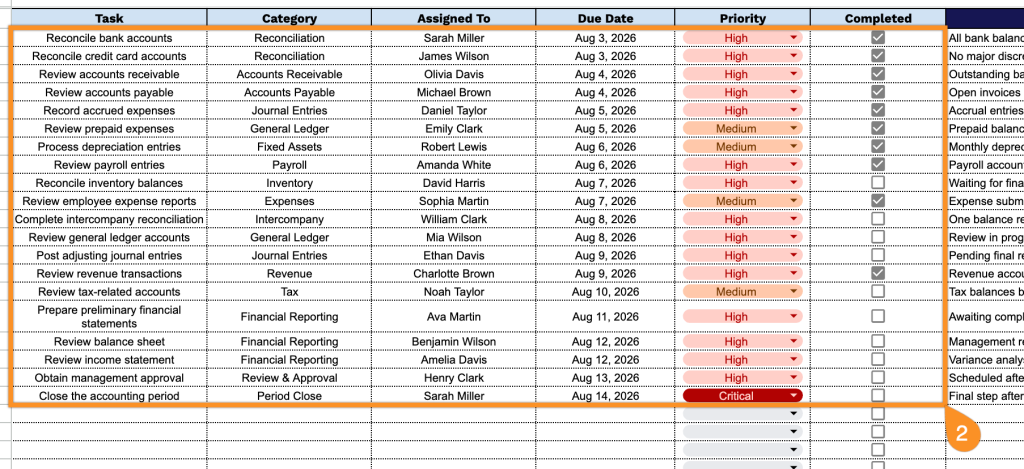
2. Enter each month-end close task, select the appropriate category, assign it to a team member, set a due date and priority level, and check off tasks as they’re completed.
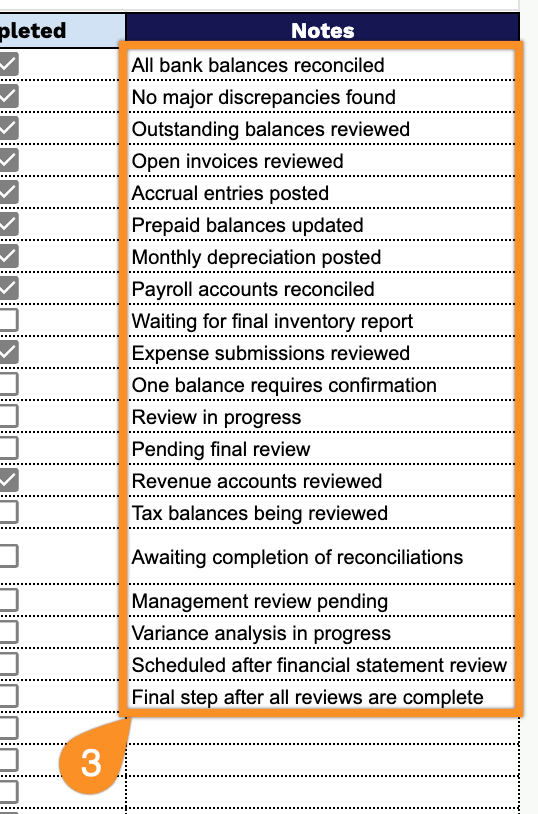
3. Use the Notes section to record important details, follow-up items, discrepancies, or special instructions related to the month-end close.