Make internal audits more structured and manageable with our free, ready-to-use Internal Audit Checklist Template.
Available in Google Sheets, Excel, and PDF, the template can be easily edited to help you review important controls, document audit results, identify issues, and ensure corrective actions are completed.
What Is an Internal Audit Checklist Template?
An internal audit checklist template is a structured document used by organizations to systematically evaluate and verify compliance of their internal processes, controls, and procedures with established policies, regulations, and standards.
By standardizing the audit process, the template helps organizations identify risks, gaps, and inefficiencies, ultimately supporting better governance, accountability, and continuous improvement.
Download Spreadsheet Daddy’s Free Internal Audit Checklist Template
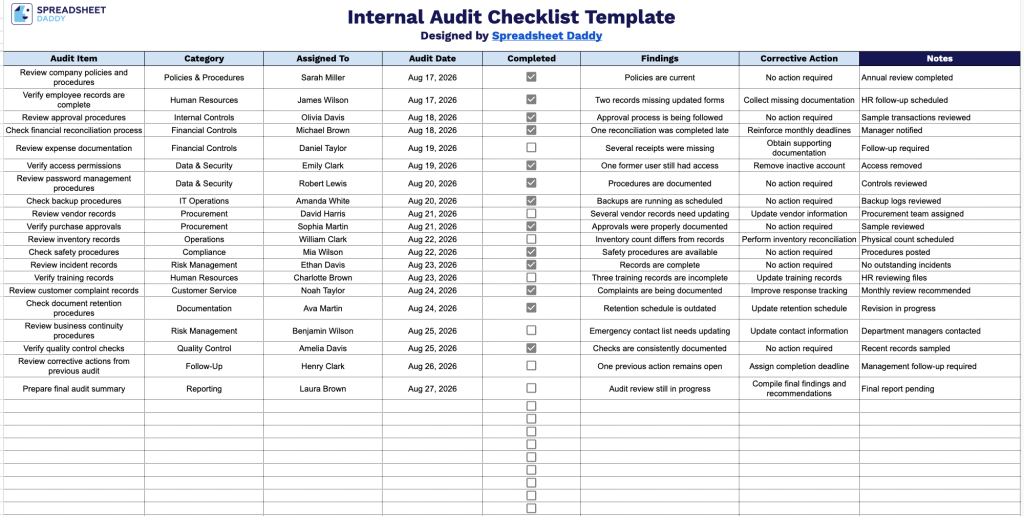
Our Internal Audit Checklist Template helps you track audit items, assignments, dates, findings, and corrective actions in one organized place.
What’s included
- Structured audit-tracking columns: The sheet includes eight dedicated columns: Audit Item, Category, Assigned To, Audit Date, Completed, Findings, Corrective Action, and Notes, giving you a clear, consistent framework for logging every inspection point from start to resolution.
- Interactive completion checkboxes: Each entry includes a clickable checkbox in the Completed column, letting you mark audit items as done at a glance without manually typing status updates.
- Dedicated findings and corrective action tracking: Separate fields let you document exactly what was discovered for each audit item and the steps taken to resolve it, creating a clear paper trail from issue to fix.
- Assignment and date fields for accountability: The Assigned To and Audit Date columns make it easy to track who is responsible for each item and when it was reviewed, keeping the audit process organized and on schedule.
You can add or remove columns as needed to fit your own audit requirements.
Choose your preferred file format below and download a free, ready-to-customize Internal Audit Checklist template:
How to Use Our Internal Audit Checklist Template
1. Get the Internal Audit Checklist as an Excel or PDF file, or duplicate it in Google Sheets for easy editing.
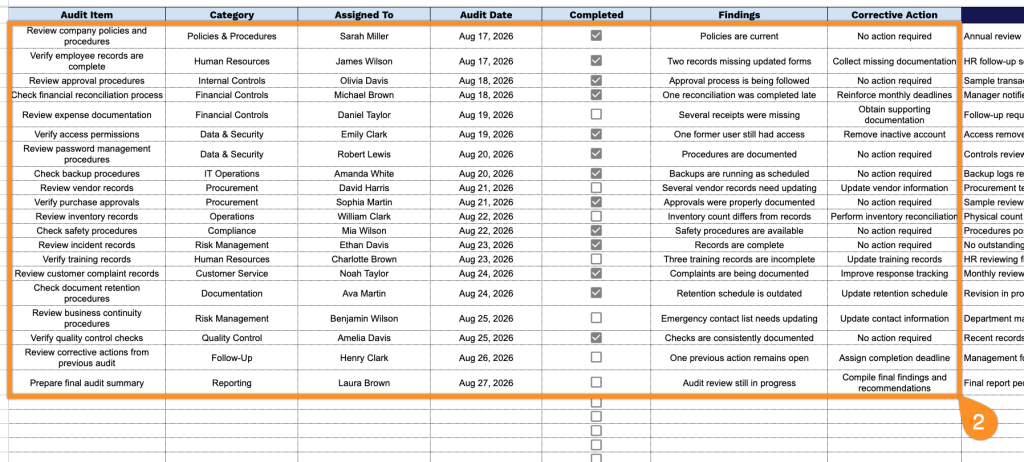
2. Enter the audit item, category, assigned team member, audit date, findings, and required corrective actions. Mark each checklist item as completed once the audit task has been reviewed and addressed.
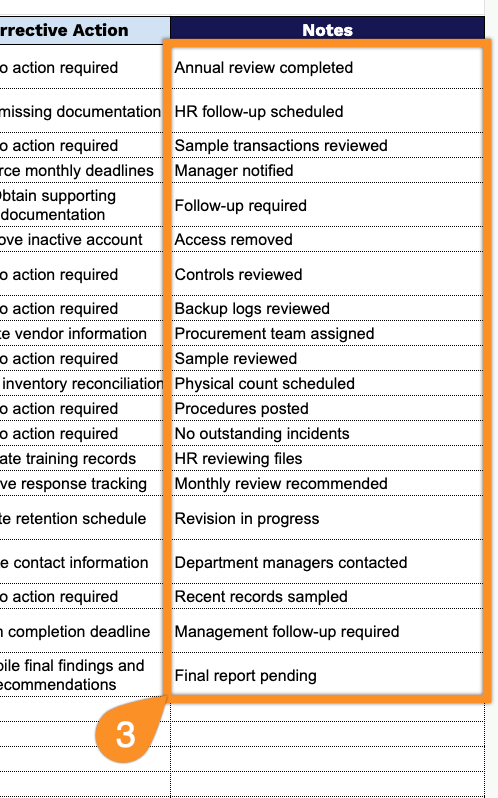
3. Use the Notes section to document important observations, recommendations, exceptions, or additional details related to the audit.