Save time creating a driver log from scratch with our free, professionally formatted Driver Log Book Template.
Available in Google Sheets, Excel, and PDF, it can be customized to fit your needs and makes it simple to organize mileage, routes, trip dates, driving hours, fuel information, and other vehicle records.
What Is a Driver Log Book Template?
A driver log book template is a standardized document used by commercial vehicle operators to record essential details of their driving activities.
The template simplifies the logging process by providing a structured, pre-formatted layout that ensures all required information is captured accurately and consistently, reducing errors and making audits or inspections more efficient.
Download Spreadsheet Daddy’s Free Driver Log Book Template
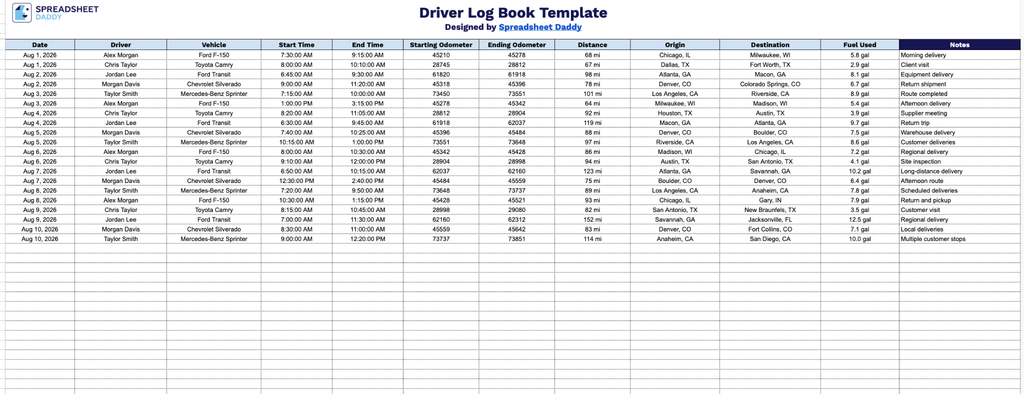
Our Driver Log Book Template gives you a simple, organized way to track daily vehicle trips.
What’s included
- Comprehensive trip tracking columns: The main table includes twelve dedicated fields: Date, Driver, Vehicle, Start Time, End Time, Starting Odometer, Ending Odometer, Distance, Origin, Destination, Fuel Used, and Notes, giving you a complete record of every trip from departure to arrival.
- Odometer and mileage tracking fields: Separate Starting Odometer and Ending Odometer columns work alongside a dedicated Distance column, making it simple to log exact mileage per trip for accurate reporting, reimbursement, or maintenance scheduling.
- Driver and vehicle identification fields: Dedicated Driver and Vehicle columns let you track which employee operated which vehicle on any given trip, useful for fleets managing multiple drivers or multiple vehicles.
- Time and route documentation: Start Time and End Time fields capture the duration of each trip, while Origin and Destination fields record exactly where the vehicle traveled from and to, supporting detailed trip history for audits or client billing.
- Fuel usage and notes tracking: A Fuel Used column allows you to monitor fuel consumption per trip for cost tracking, while the Notes field provides space to record any additional details, incidents, or exceptions worth documenting.
Add or remove columns as needed to fit your specific tracking requirements.
Select your preferred format from the options below to download a free, customizable Driver Log Book template:
How to Use Our Driver Log Book Template
1. Download the template in Excel or PDF, or save a personal Google Sheets copy for easy editing.
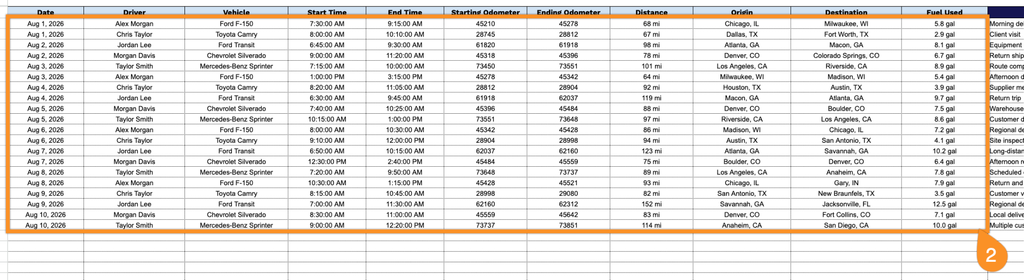
2. Record the key trip details, including the date, driver and vehicle, start and end times, beginning and ending odometer readings, total distance, starting point, destination, and fuel used.
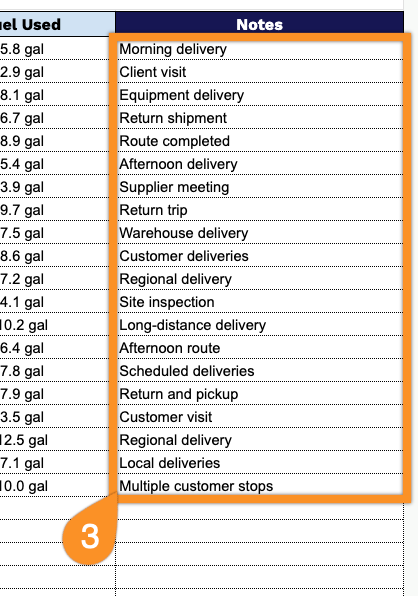
3. Use the Notes section to record important information about the trip, including delays, maintenance issues, route changes, or other special instructions.