Build a clear and organized communication strategy with our free Communications Plan Template.
Available in Google Sheets, Excel, and PDF, the template is easy to edit and helps you keep track of audiences, messages, channels, communication goals, and important deadlines.
What Is a Communications Plan Template?
A communications plan template is a structured framework that helps organizations outline how they will share information with their target audiences, ensuring consistent and strategic messaging across all channels.
By providing a standardized starting point, the template saves time, reduces miscommunication, and ensures that all stakeholders are aligned on how, when, and to whom information will be delivered.
Download Spreadsheet Daddy’s Free Communications Plan Template
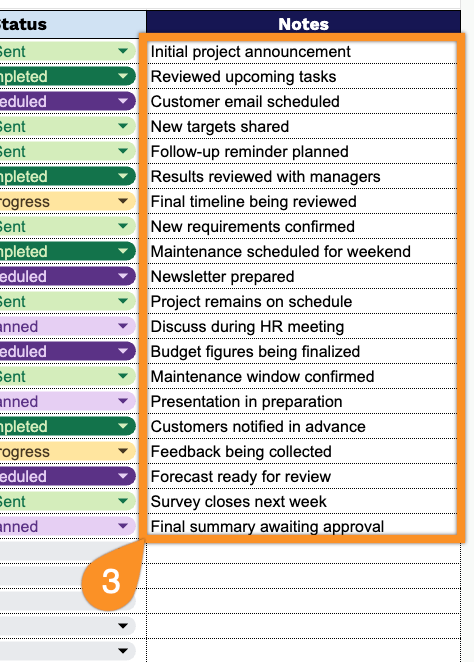
Our Communications Plan Template helps you organize and track project communications in one place.
What’s included
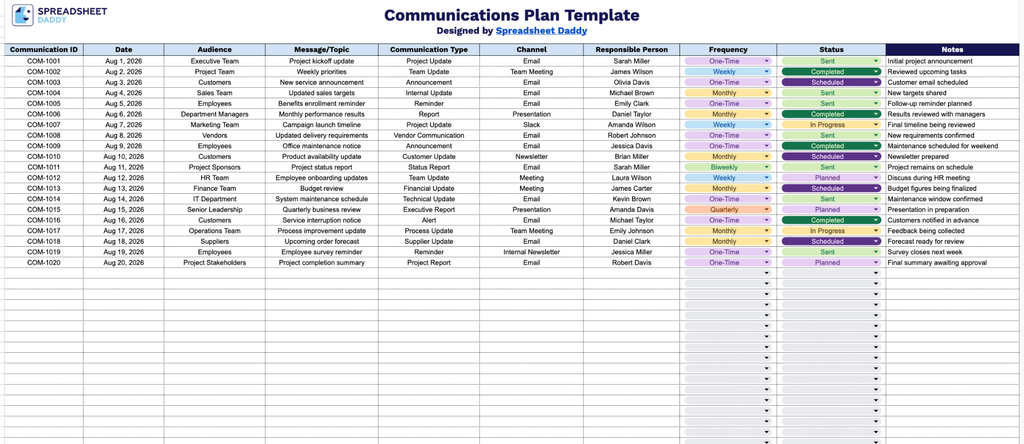
- Comprehensive communication tracking fields: The template includes ten dedicated columns: Communication ID, Date, Audience, Message/Topic, Communication Type, Channel, Responsible Person, Frequency, and Status, giving you everything you need to document the who, what, when, and how of each planned communication.
- Audience and message tracking: Dedicated Audience and Message/Topic columns let you clearly define who each communication is intended for and what content or key message it will deliver, keeping your outreach targeted and consistent.
- Accountability and scheduling fields: The Responsible Person and Frequency columns help assign ownership of each communication task and establish how often it should recur, whether it’s a one-time announcement or a recurring weekly update.
- Status tracking for progress monitoring: A Status column lets you mark each communication as planned, in progress, or completed, giving you an at-a-glance view of your overall communications plan.
- Dedicated Notes field for extra context: A Notes column gives you space to capture additional details, follow-up actions, or special considerations tied to any individual communication entry.
You can add or remove columns to match the specific needs of your project.
Pick the file format you prefer and download a free, editable Equipment Maintenance Log template:
How to Use Our Communications Plan Template
1. Download the Communications Plan template as an Excel or PDF file, or make your own copy in Google Sheets.
2. Enter the key details for each communication, including the communication ID, date, target audience, message or topic, communication type, channel, person responsible, frequency, and current status.
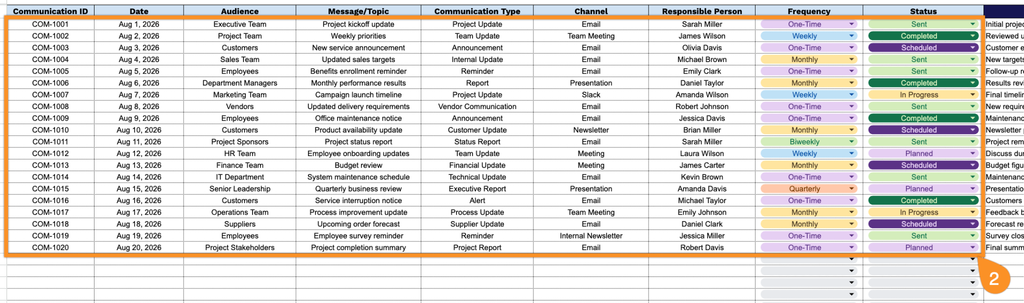
3. Use the Notes section to add any important context, follow-up actions, special instructions, or additional details related to the communication.