Manage your business or personal finances effortlessly using our free accounting template.
Available in Google Sheets, Excel, and PDF, it’s easy to edit and keeps all your financial data organized in one place.
What Is an Accounting Template?
An accounting template is a pre-formatted document or spreadsheet designed to help businesses and individuals track financial transactions, organize accounting data, and maintain consistent financial records.
They save time and reduce errors by providing a ready-to-use structure that ensures accurate calculations and professional presentation of financial information.
Download Spreadsheet Daddy’s Free Accounting Template
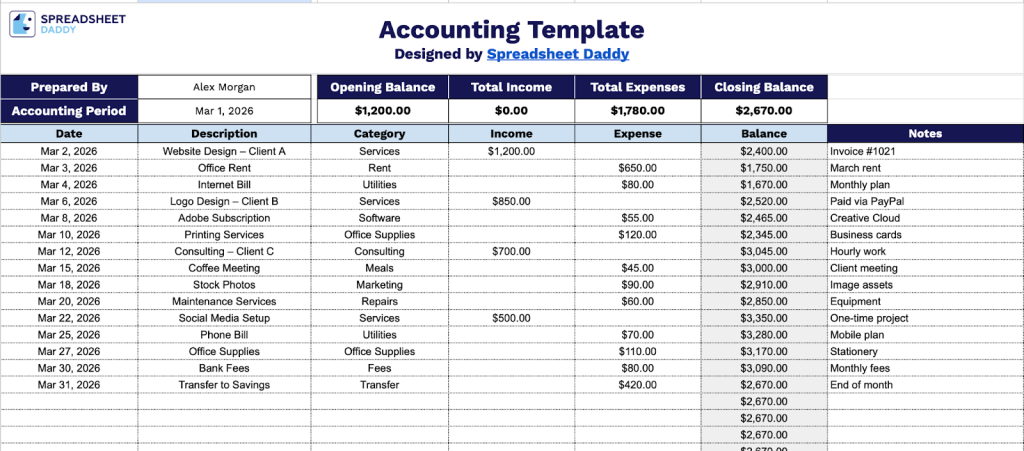
Our Accounting Template provides a clear framework for tracking your financial transactions over a specified period.
What’s included
- Comprehensive transaction-tracking system: The template features a detailed ledger with dedicated columns for Date, Description, Category, Income, Expense, Balance, and Notes, enabling you to record every financial transaction with complete context and perform real-time balance calculations for account monitoring.
- Automated financial summary dashboard: The header section includes dynamic fields that automatically calculate Total Income, Total Expenses, and Closing Balance for your specified accounting period, providing instant visibility into your financial performance without manual computation.
- Flexible categorization framework: Each transaction row includes a Category field that enables you to organize entries by expense type, revenue stream, or custom classifications, making it easy to analyze spending patterns and generate category-specific financial reports.
- Professional branding capabilities: The customizable header includes fields for “Prepared By” and “Accounting Period” designation, allowing you to personalize the template with your name or company information and specify the exact timeframe (monthly, quarterly, or custom) for organized financial record-keeping.
You can customize it by adding or removing columns to suit your specific bookkeeping needs.
Click below to get a free template that fits your accounting workflow, in the format you choose:
How to Use Our Accounting Template
1. Grab the Accounting template in Excel or PDF, or create your own version in Google Sheets.
2. Start by entering the preparer’s name, the accounting period, and the opening balance. As you record your income and expenses in the table, the template will automatically calculate the total income, total expenses, and the closing balance.

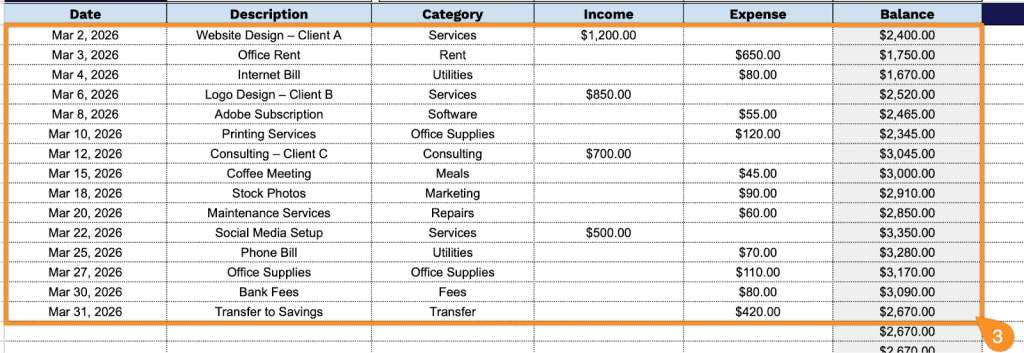
3. Complete the columns by entering all essential financial and tracking information:
- Date: Record the date when the financial transaction occurred or was posted to your accounts.
- Description: Enter a clear explanation of the transaction, including payee/payer name and purpose.
- Category: Assign the appropriate classification to organize this transaction (such as utilities, payroll, sales, or office supplies).
- Income: Input the amount received if this transaction represents money coming into your business or accounts.
- Expense: Input the amount paid if this transaction represents money going out of your business or accounts.
- Balance: This field is automatically calculated, showing your running account total after each transaction.
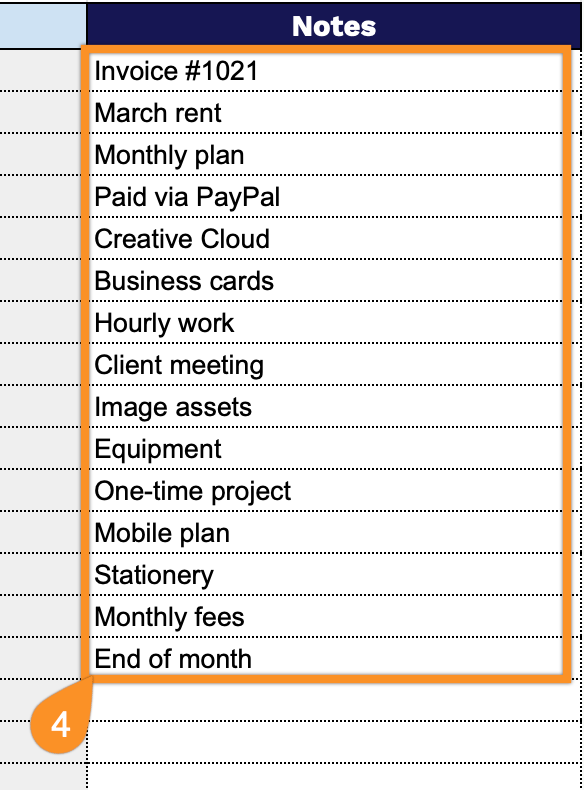
4. Use the Notes section to include any additional information or special instructions.