Need an easier way to manage your pay periods?
Our Bi-Weekly Budget Template is pre-formatted and ready to use.
Download it in Google Sheets, Excel, or PDF, customize it to your needs, and start tracking income and expenses with clarity and confidence.
What Is a Bi-Weekly Budget Template?
A bi-weekly budget template is a financial planning tool designed to help you manage income and expenses based on a two-week pay cycle, which is common for many employees who receive 26 paychecks per year.
This approach can make budgeting more intuitive if you’re paid bi-weekly, helping you avoid cash flow gaps and ensure all expenses are covered between paychecks.
Download Spreadsheet Daddy’s Free Bi-Weekly Budget Template
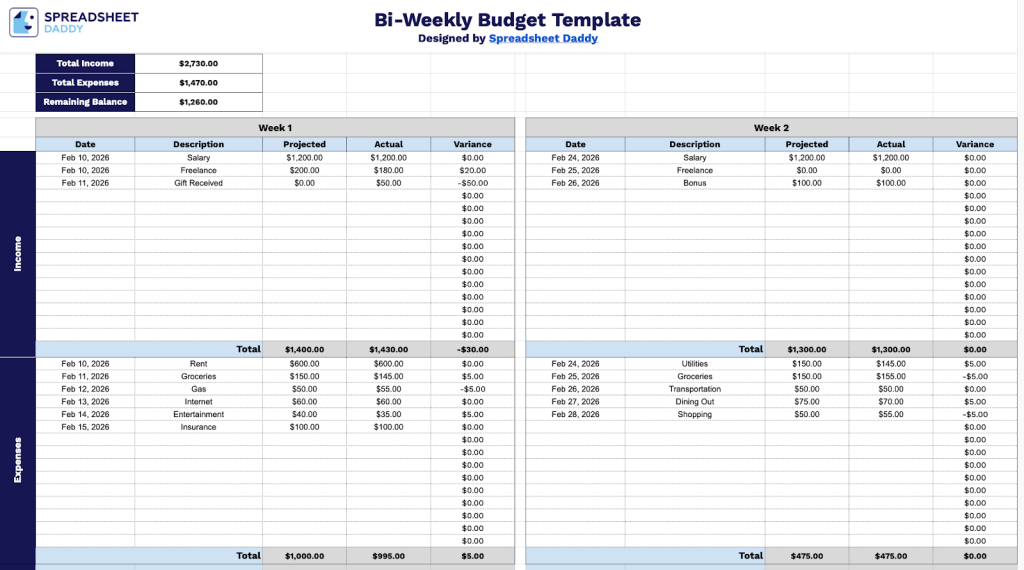
Our Bi-Weekly Budget Template helps you track your income and expenses across two-week periods, comparing your projected amounts against actual spending to monitor variances.
What’s included
- Dual-week tracking system: The template is divided into two separate weekly sections (Week 1 and Week 2), each with identical column structures including Date, Description, Projected, Actual, and Variance fields, enabling side-by-side comparison of financial activity across a two-week pay period for accurate budget management.
- Comprehensive income and expense categories: Each weekly section contains 15 pre-formatted rows for income entries and 15 rows for expense entries, with automatic variance calculations (Projected minus Actual) displayed in the rightmost column to help identify budget discrepancies and spending patterns at a glance.
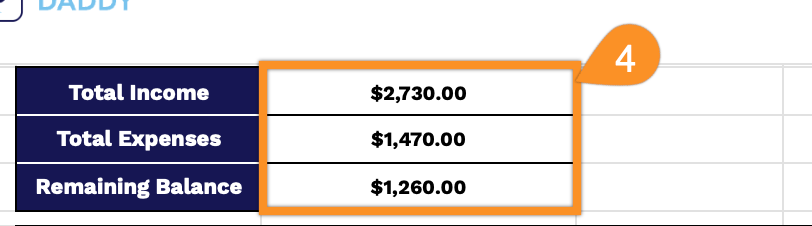
- Real-time financial summary dashboard: The top header displays three key metrics, including Total Income, Total Expenses, and Remaining Balance, that automatically update based on your entries, providing instant visibility into your overall financial position for the bi-weekly period without manual calculations.
- Built-in totaling functionality: Each weekly section includes automatic subtotal rows that sum all projected amounts, actual amounts, and variances separately for both income and expenses, streamlining the reconciliation process and ensuring mathematical accuracy across your bi-weekly budget tracking.
Customize it by adding or removing columns to fit your specific budgeting needs.
Choose your desired format and download the free Bi-Weekly Budget Template using the links provided:
How to Use Our Bi-Weekly Budget Template
1. Get the template in Excel or PDF format, or duplicate it in Google Sheets for personal use.
2. For each week, enter your income and expenses by adding the date, a short description of the transaction, and the projected and actual amounts. The template will automatically calculate the variance for each item.
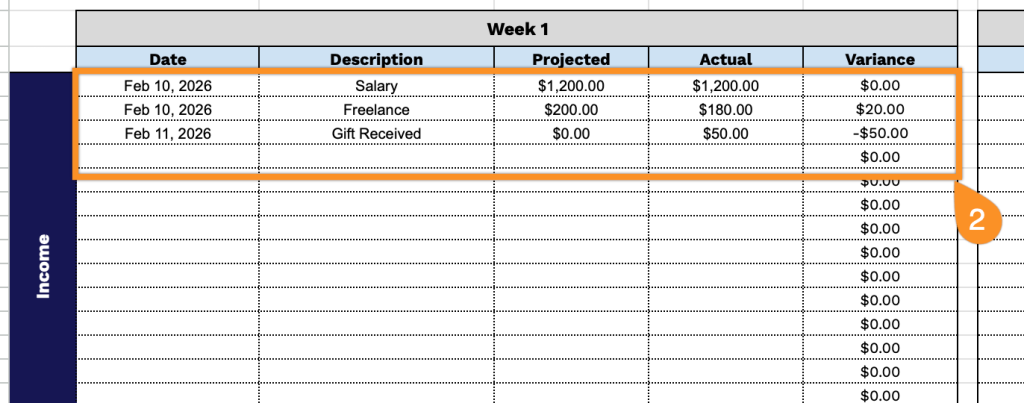
3. The sheet automatically totals the projected amounts, actual amounts, and variances for both the Income and Expenses sections in each week.

4. At the top of the template, you’ll see your Total Income, Total Expenses, and Remaining Balance update automatically based on the information you enter.