Struggling to organize your choices and make smarter decisions?
Our free Weighted Decision Matrix Template lets you quickly compare options based on multiple criteria.
Available in Google Sheets, Excel, and PDF, it’s fully editable and designed to help you prioritize decisions with clarity and confidence.
What Is a Weighted Decision Matrix Template?
A weighted decision matrix template is a structured tool that helps you evaluate and compare multiple options by scoring them against various criteria, each assigned a different level of importance (weight).
It’s beneficial for complex decisions where you need to balance multiple factors like cost, quality, risk, and timeline, ensuring more important criteria have greater influence on the final decision.
Download Spreadsheet Daddy’s Free Weighted Decision Matrix Template
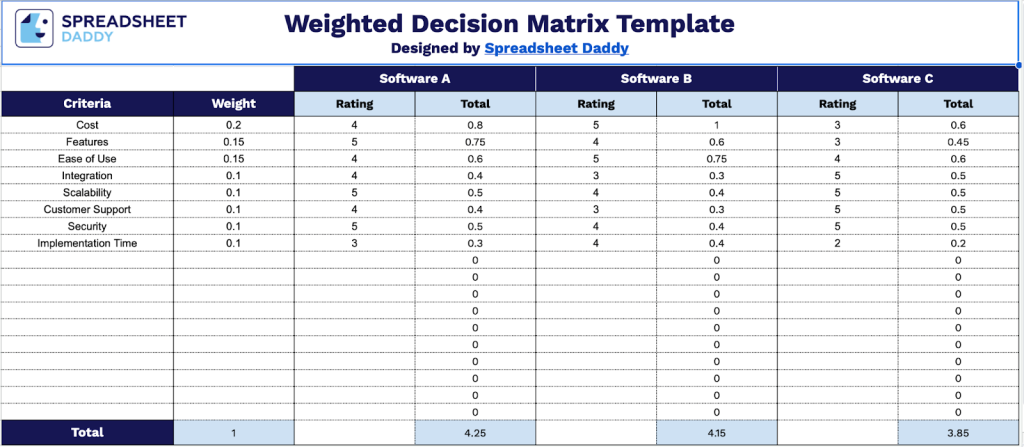
Our Weighted Decision Matrix Template helps you systematically compare multiple options by assigning importance weights to different criteria and calculating weighted scores for each alternative.
What’s included
- Structured evaluation framework: The template features a comprehensive grid layout with clearly defined columns for Criteria, Weight, and three separate item-comparison sections, each containing Rating and Total columns, to systematically evaluate multiple options against weighted criteria.
- Weighted scoring system: Each criterion row includes a dedicated Weight column where you assign importance values to different evaluation factors, which are then automatically multiplied by your ratings to calculate weighted totals, ensuring more important criteria have a proportional impact on final decisions.
- Automatic calculation totals: The bottom Total row aggregates all weighted scores for each item being compared, providing clear numerical outcomes that objectively identify which option scores highest based on your prioritized criteria and ratings.
The template lets you customize the evaluation framework by adding or removing columns to meet your specific decision-making needs.
Pick your preferred format and get your free blank Weighted Decision Matrix Template from the links below:
How to Use Our Weighted Decision Matrix Template
1. Choose Excel, PDF, or Google Sheets to start using this Weighted Decision Matrix template.
2. List the options you want to compare.

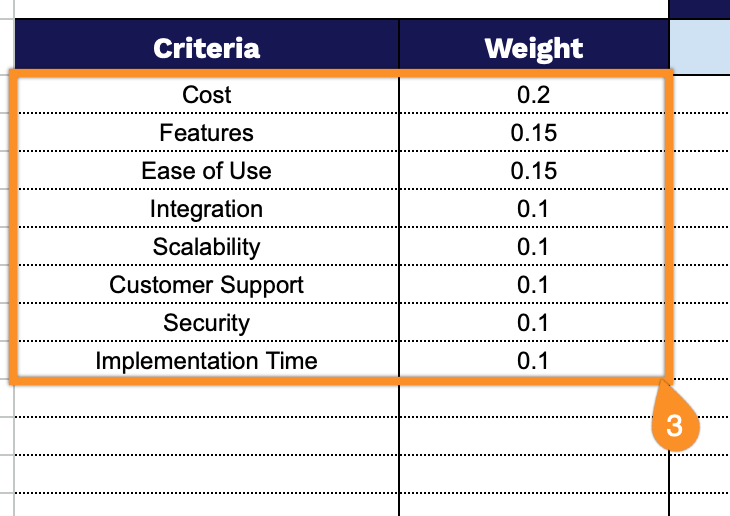
3. Set your criteria and assign a weight to each one based on importance.
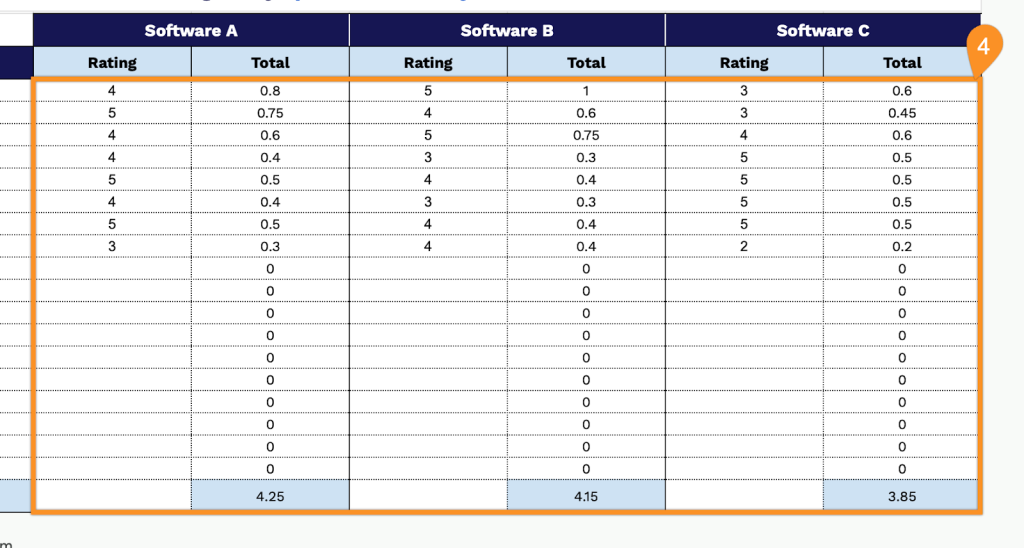
4. Rate each option against every criterion. The template will automatically calculate the totals and show which option scores highest.