Looking for a hassle-free way to manage your accounts?
Grab our free bookkeeping template, compatible with Google Sheets, Excel, and PDF.
It’s simple to use, customizable, and ideal for accurately tracking every income and expense.
What Is a Bookkeeping Template?
A bookkeeping template is a pre-formatted spreadsheet designed to help individuals and businesses systematically organize and track their financial transactions.
These templates serve as ready-to-use tools that eliminate the need to create accounting records from scratch, making it easier to maintain accurate financial records without specialized accounting software.
Download Spreadsheet Daddy’s Free Bookkeeping Template
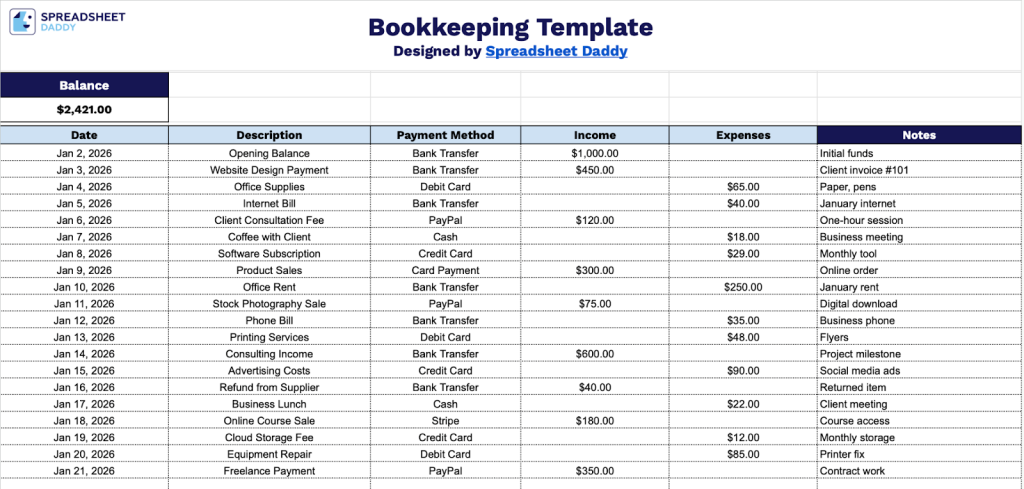
Our Bookkeeping Template helps you track your income and expenses in one organized place.
What’s included
- Comprehensive transaction tracking columns: The template features six essential columns, including Date, Description, Payment Method, Income, Expenses, and Notes, providing a complete framework to record every financial transaction with full context and payment details for accurate record-keeping.
- Real-time balance calculation: An automated balance field at the top of the template continuously updates to reflect your current financial position by calculating the difference between total income and expenses, giving you instant visibility into your cash flow status.
- Flexible payment method documentation: A dedicated Payment Method column lets you categorize and track how each transaction was completed (cash, check, credit card, bank transfer, etc.), which is essential for reconciling accounts and understanding payment patterns across your business operations.
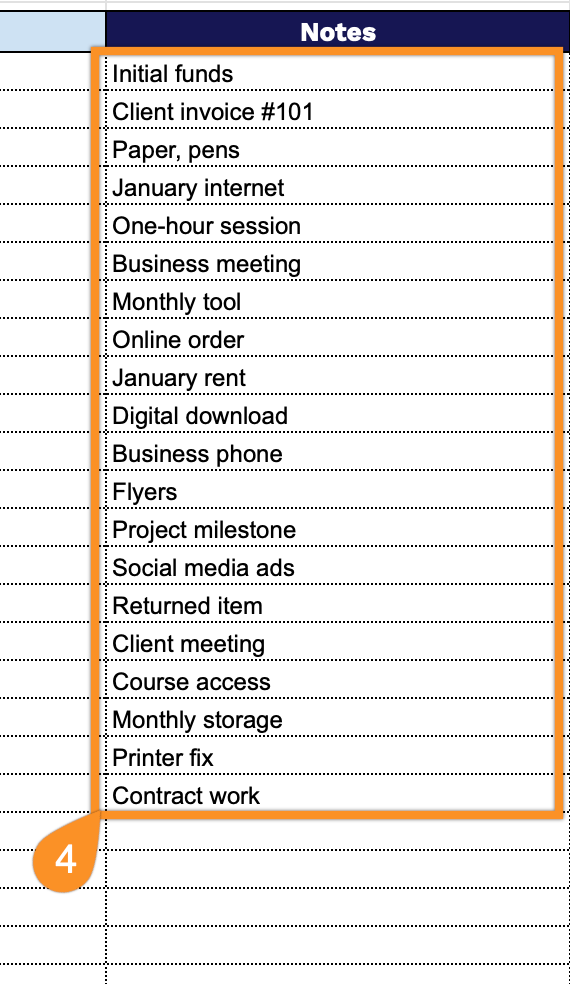
- Detailed notes section for context: The Notes column provides space to add transaction-specific details, reference numbers, vendor information, or any additional context that helps maintain clear audit trails and simplifies tax preparation or financial reviews.
- Clean, minimalist design for easy data entry: The template uses a simple, uncluttered layout with clear column headers and ample white space, making it easy to quickly input data, scan entries, and maintain organized financial records without visual distractions or complexity.
You can easily add or remove columns to customize it for your specific business needs.
It provides a simple way to monitor your cash flow and maintain accurate financial records.
Keep your bookkeeping accurate and tidy by downloading a free template from the options below:
How to Use Our Bookkeeping Template
1. Download our template as an Excel or PDF file, or use Google Sheets to create a personal version.
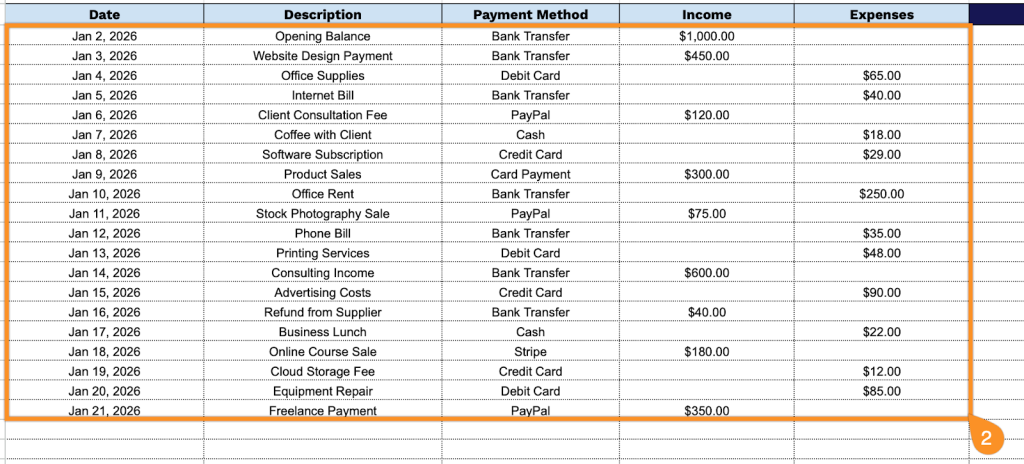
2. Complete the columns by filling in all required financial information:
- Date: Record the exact date when each financial transaction occurred.
- Description: Provide a clear, detailed explanation of the transaction, including the vendor name, purpose, or service rendered.
- Payment Method: Specify how the transaction was completed (cash, check, credit card, bank transfer, PayPal, etc.).
- Income: Enter the amount received for any money coming into your business or personal accounts.
- Expenses: Document the amounts paid for costs, purchases, or bills incurred.
3. The balance at the top automatically updates as you log your income and expenses, giving you a real-time snapshot of your finances.

4. Use the Notes section to add any essential details, reminders, or special instructions.