Manage your company’s expenses with confidence using our free Business Expense Template.
Professionally structured and easy to edit in Google Sheets, Excel, or PDF, it supports accurate expense tracking for budgeting, audits, and financial reporting.
What Is a Business Expense Template?
A business expense template is a pre-formatted spreadsheet used to track and record company expenditures systematically.
Using a standardized template ensures consistency in expense reporting and simplifies monitoring spending patterns and maintaining accurate financial records.
Download Spreadsheet Daddy’s Free Business Expense Template
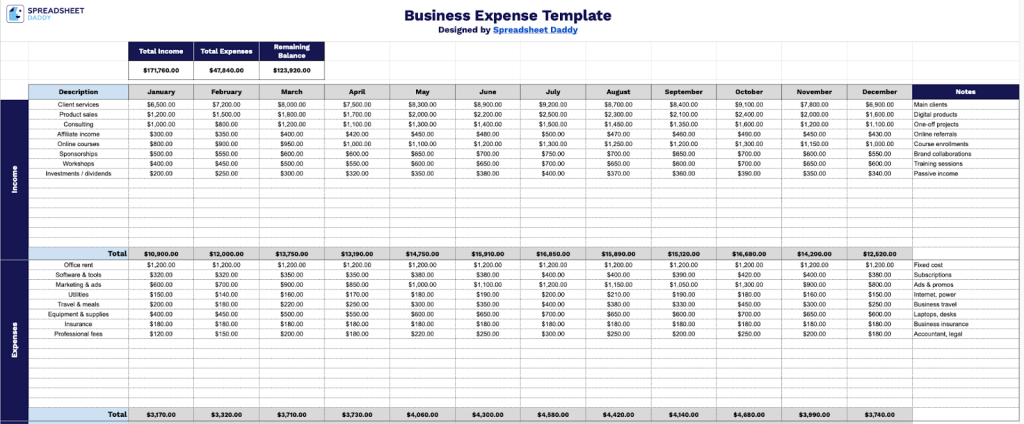
Our Business Expense Template helps you track income and expenses across different categories throughout the year.
What’s included
- Comprehensive monthly tracking grid: The template features a 12-column layout spanning January through December, with dedicated rows for income and expense line items, enabling you to track and compare financial activity across the entire fiscal year in a single view.
- Automated summary dashboard: The top section displays three key financial metrics, including Total Income, Total Expenses, and Remaining Balance, that automatically calculate and update based on your monthly entries, providing instant visibility into your overall financial position.
- Dual-category organization system: The template separates income and expenses into distinct sections, each with its own “Total” row that aggregates monthly figures, making it easy to analyze revenue streams and expenditure patterns independently or compare them side-by-side.
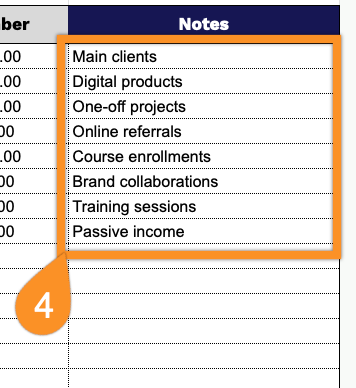
- Description and notes columns: Each line item includes a “Description” field for categorizing transactions (e.g., revenue sources or expense types) and a “Notes” column for adding context, reference numbers, or additional details for specific entries.
The flexible design lets you easily add or remove columns to meet your specific business needs.
Choose your preferred format below to download a free blank Business Expense Template.
How to Use Our Business Expense Template
1. Access the template in Excel or PDF, or duplicate it for use in Google Sheets.
2. Enter a clear description for each income and expense, then record the amounts for each month. The template will automatically calculate monthly totals so you can easily track your business finances throughout the year.
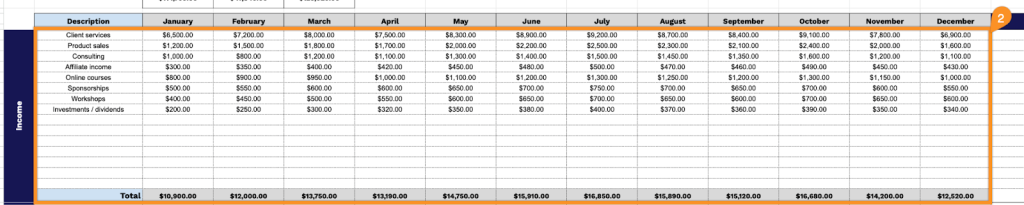
3. The template will automatically calculate your total income, total expenses, and remaining balance, giving you a clear overview of your financial performance.

4. Use the Notes column to record explanations for unusual expenses, reimbursement details, or tax-related information.