Simplify equity management with our free Cap Table Template.
Designed for Google Sheets, Excel, and PDF, it helps you track shares, investors, and ownership percentages with ease.
Fully editable and ready to use, no setup from scratch required.
What Is a Cap Table Template?
A cap table template is a spreadsheet tool used to track ownership stakes in a company, showing who owns what percentage of equity and how ownership is distributed among founders, investors, and employees.
This template helps startups and their stakeholders visualize the ownership structure, plan funding rounds, and understand how future investments or equity grants will affect everyone’s ownership percentages.
Download Spreadsheet Daddy’s Free Cap Table Template
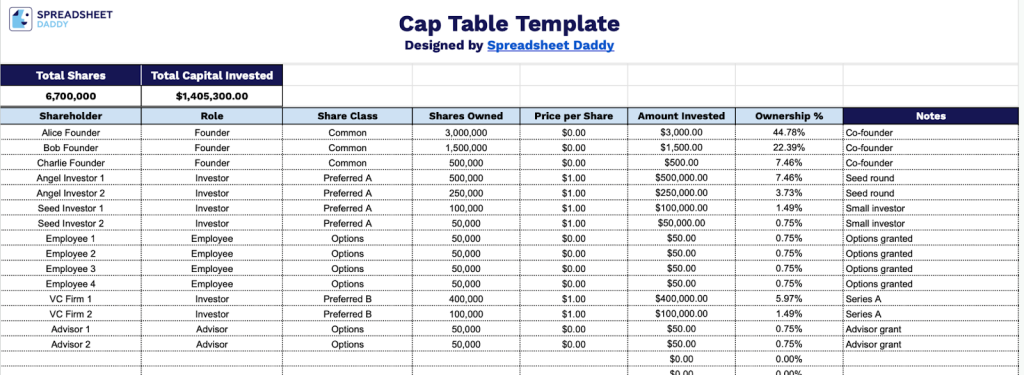
Our Cap Table Template provides a clear and organized way to track all shareholders, their roles, share classes, ownership percentages, and capital contributions in one place.
What’s included
- Summary header metrics: The top of the template features two prominently displayed summary cells, including Total Shares and Total Capital Invested, that automatically aggregate data entered across all shareholder rows, giving you an at-a-glance snapshot of your company’s full equity picture without any manual calculation.
- Structured shareholder entry rows: The main table includes 65+ pre-formatted rows, each containing dedicated columns for Shareholder name, Role (e.g., founder, investor, advisor), Share Class (e.g., common, preferred), Shares Owned, and Price per Share, allowing you to log every equity holder in your company in a single, organized view.
- Auto-calculated financial and ownership columns: The Amount Invested and Ownership % columns are formula-driven, automatically computing each shareholder’s dollar contribution and proportional stake based on the shares and price data you enter, eliminating manual math and reducing the risk of errors as your cap table grows.
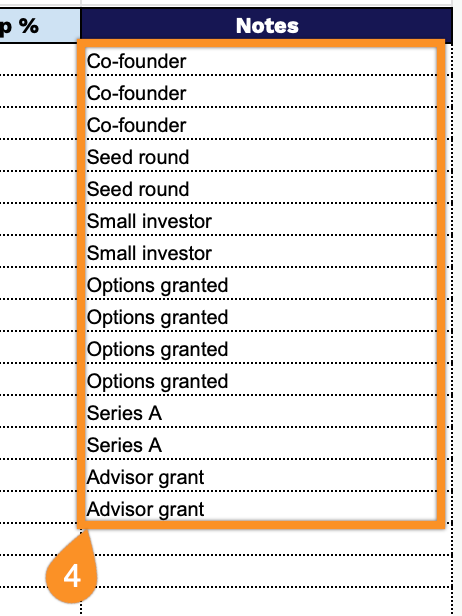
- Flexible Notes column: A dedicated Notes field accompanies each shareholder row, providing space to capture context such as vesting schedules, investment round details, convertible note terms, and other deal-specific information that doesn’t fit neatly into the structured columns.
It’s fully flexible, so you can add or remove columns to match your company’s specific needs and structure.
Grab your free blank Cap Table Template in the format that works best for you using the links below:
How to Use Our Cap Table Template
1. Download the Cap Table in Excel or PDF, or start a personal version in Google Sheets.
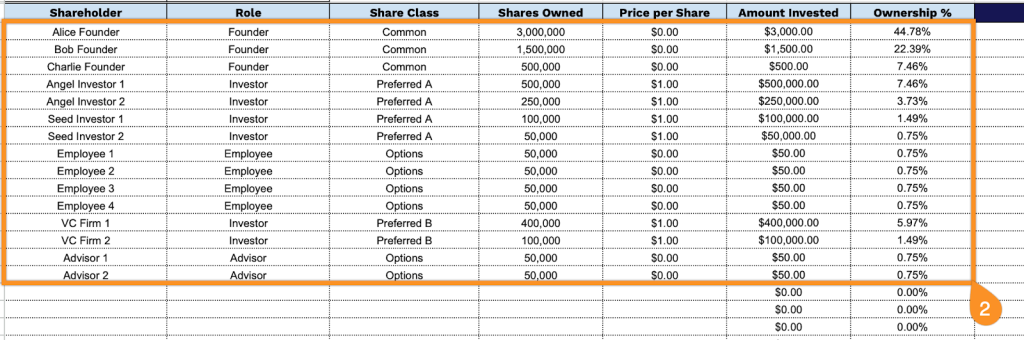
2. Complete the columns by entering all essential capitalization details:
- Shareholder: Enter the full legal name of each individual or entity holding equity in the company.
- Role: Specify the shareholder’s relationship to the company (Founder, Investor, Employee, Advisor, etc.).
- Share Class: Add the appropriate equity classification (Common Stock, Preferred Stock, Series A, Series B, etc.).
- Shares Owned: Record the total number of shares held by each shareholder.
- Price per Share: Document the per-share purchase price the shareholder paid for their equity stake.
- Amount Invested: This field calculates automatically by multiplying Shares Owned by Price per Share.
- Ownership %: The template calculates the columns automatically as the percentage of total outstanding shares held by each shareholder.
3. The top of the template automatically updates the Total Shares and Total Capital Invested as you fill in the table.

4. Record explanations for special transactions, option vesting schedules, shareholder agreements, or any unusual changes affecting ownership in the Notes section.