Looking for a quick and organized way to track church members?
Download our free Church Directory Template in Google Sheets, Excel, and PDF formats.
Designed for easy editing, it helps churches maintain accurate member records, improve communication, and keep important contact information accessible.
What Is a Church Directory Template?
A church directory template is a pre-designed document that helps congregations organize and compile essential information about their members, such as names, contact details, photos, and family information, into a structured and visually appealing format.
Rather than building a directory from scratch, a template provides a ready-made framework that can be customized to reflect the church’s branding, size, and specific needs.
Download Spreadsheet Daddy’s Free Church Directory Template
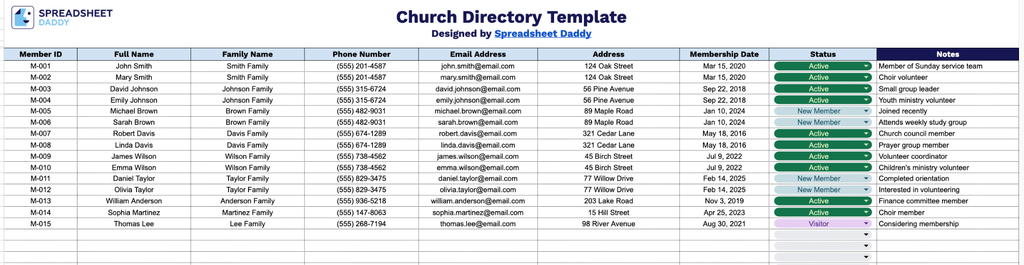
Our Church Directory Template provides a simple, organized way to track member information, including contact details, family groupings, membership dates, and status.
What’s included
- Comprehensive member information columns: The template includes nine dedicated fields: Member ID, Full Name, Family Name, Phone Number, Email Address, Address, Membership Date, Status, and Notes, giving you a complete record-keeping system for tracking every member and household in your congregation.
- Unique Member ID tracking: A dedicated Member ID column allows you to assign a unique identifier to each individual, simplifying cross-referencing, sorting, and lookups as your church directory grows.
- Family grouping capability: The separate Family Name column lets you group individual members under a shared household name, making it easy to organize records by family unit rather than just by individual.
It’s fully editable, so you can add or remove columns as needed to fit your church’s specific record-keeping needs.
Use the links below to access and download a customizable blank Church Directory template available in your preferred format:
How to Use Our Church Directory Template
1. Choose your preferred format and download the Church Directory template in Excel or PDF, or create a customizable Google Sheets version.
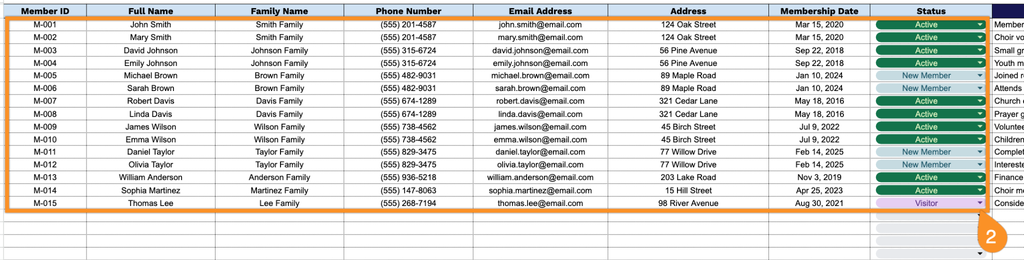
2. Fill in the directory with essential member information, such as ID number, name, family details, phone number, email, address, membership date, and status.
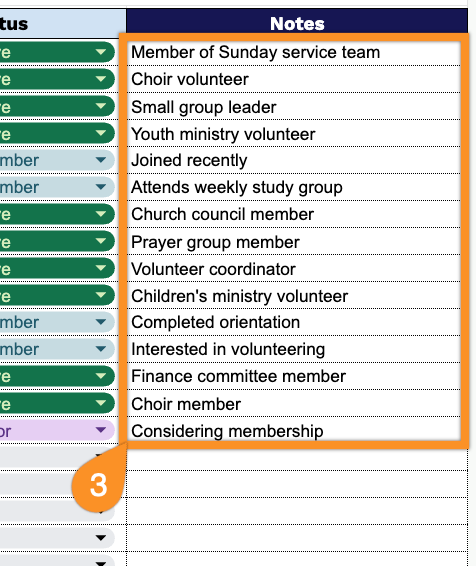
3. Use the Notes section to add additional information, such as volunteer roles, ministries, family notes, or any special details related to church members.