Need a ready-to-use time tracking sheet without building one yourself?
Download our free, professionally designed Clock-In/Clock-Out Sheet Template in Google Sheets, Excel, or PDF.
It’s fully editable and makes it easy to record employee clock-in and clock-out times, track work hours, and maintain accurate attendance records.
What Is a Clock-In/Clock-Out Sheet Template?
A clock-in/clock-out sheet template is a pre-formatted document used by businesses to track employee work hours, recording the exact times workers arrive and leave each shift.
This type of template can be used in paper or digital form and serves as an essential tool for maintaining accurate labor records, ensuring compliance with workplace regulations, and managing workforce productivity.
Download Spreadsheet Daddy’s Free Clock-In/Clock-Out Sheet Template
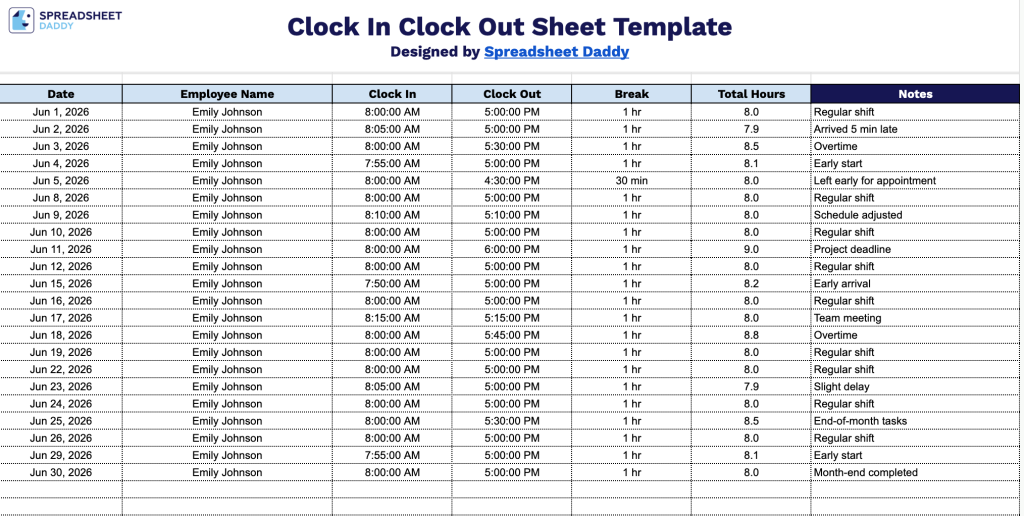
Our Clock-In/Clock-Out Sheet Template helps you track employee attendance and working hours in one organized place.
What’s included
- Single-sheet time tracking layout: The template is organized as one clean, print-ready sheet with a bold navy header row containing six labeled columns, including Date, Employee Name, Clock In, Clock Out, Break, and Total Hours, plus a full-width Notes column on the right for any shift-specific remarks or exceptions.
- Pre-built row structure for daily entries: The body of the sheet includes 40 blank, evenly spaced rows with dotted-line separators, giving you enough room to log a full month of individual employee shifts or multiple employees across a single workday without reformatting.
- Dedicated break and total hours tracking: Beyond basic clock-in and clock-out times, the template includes a standalone Break column to record time deducted from a shift, paired with a Total Hours column that reflects the net hours worked after break time is factored in, keeping payroll calculations straightforward and audit-ready.
The columns are fully customizable, so add or remove them to better fit the way your business tracks time.
Choose your preferred format and download a free blank clock-in/clock-out template using the links below:
How to Use Our Clock-In/Clock-Out Sheet Template
1. Download the Clock-In/Clock-Out Sheet in Excel or PDF format, or make a copy in Google Sheets for your own use.
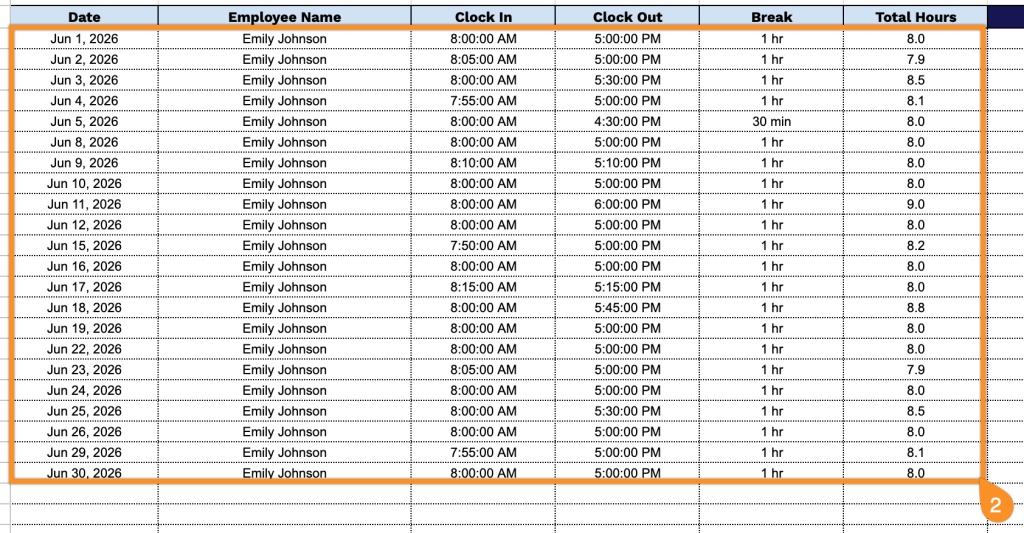
2. Enter the date, employee name, clock-in and clock-out times, break duration, and total hours worked.
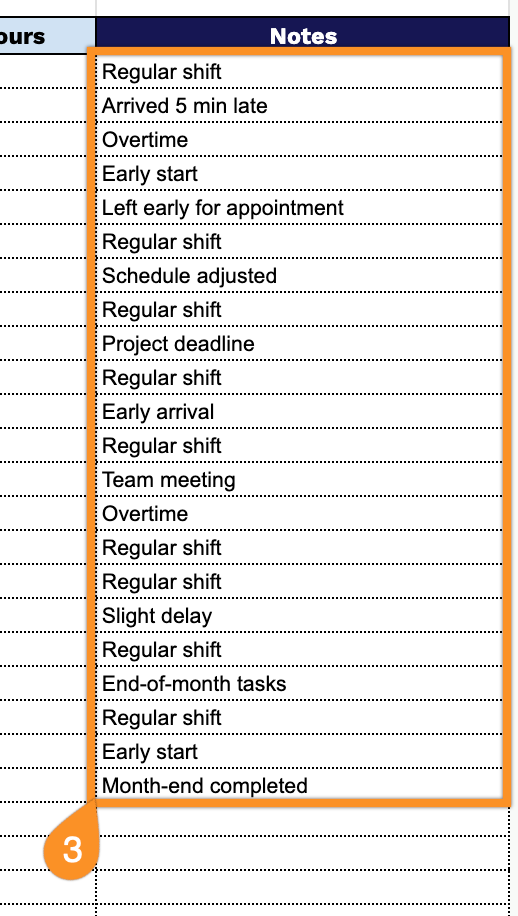
3. Use the Notes section to record any important details such as overtime, missed punches, schedule changes, or other circumstances affecting working hours.