Keep all your contacts organized with ease.
Download our free Contact List Template in Google Sheets, Excel, or PDF. Fully editable, it lets you track names, emails, phone numbers, and notes efficiently.
What Is a Contact List Template?
A contact list template is a pre-formatted document designed to organize and store contact information in a structured way.
These templates save time by providing a ready-made framework that you can customize to fit your specific needs, whether for business networking, event planning, or personal use.
Download Spreadsheet Daddy’s Free Contact List Template
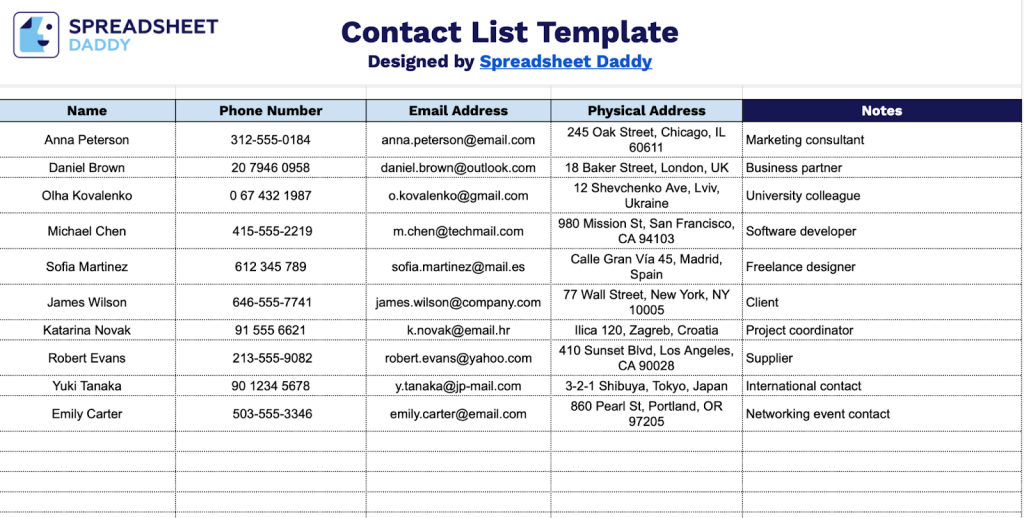
Our Contact List Template provides a simple way to organize and store information about your personal and professional contacts.
What’s included
- Essential contact information columns: The template includes five core data fields, including Name, Phone Number, Email Address, Physical Address, and Notes, providing a comprehensive framework for organizing and tracking all relevant contact details in a single, accessible location.
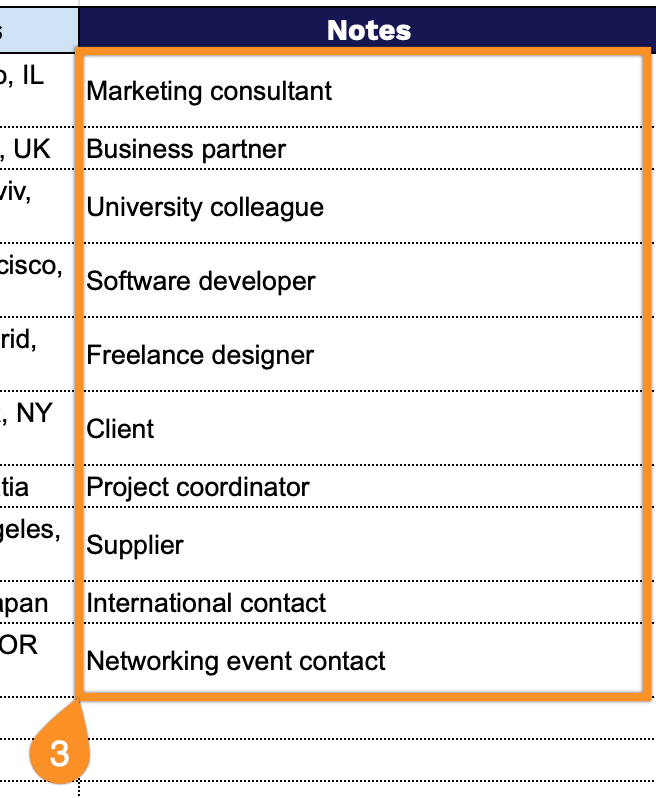
- Flexible Notes column for additional context: A dedicated Notes field lets you capture supplementary information, such as relationship type, preferred communication methods, birthdays, job titles, and other custom details that help you maintain meaningful connections with your contacts.
- Unlimited scalable rows: The spreadsheet structure accommodates an unlimited number of contact entries, making it suitable for growing databases, whether you’re managing personal networks, client lists, vendor contacts, or comprehensive business rolodexes.
- Simple, user-friendly layout: The straightforward columnar design with clearly labeled headers makes data entry easy and reference quick, requiring no special training or technical knowledge to maintain and update your contact information efficiently.
The template includes standard fields for names, phone numbers, emails, addresses, and notes, but you can easily customize it by adding or removing columns to fit your specific needs.
Use the links below to download a free blank contact list template in any format you like:
How to Use Our Contact List Template
1. Save this template in Excel or PDF, or open it in Google Sheets to customize your own version.
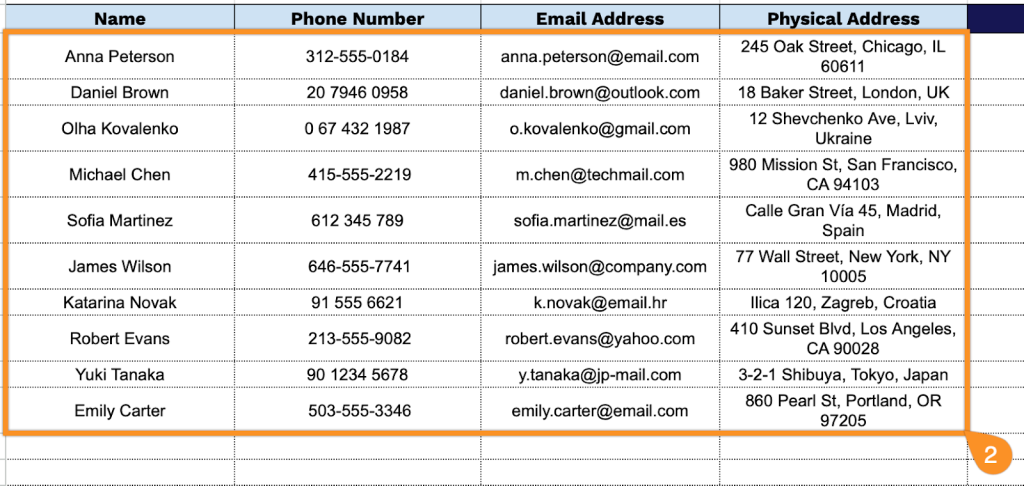
2. Complete the columns by entering all essential details for each contact:
- Name: Enter the full name of the individual or organization you wish to include in your contact list.
- Phone Number: Record the primary phone number, including the area code and country code, if applicable, for international contacts.
- Email Address: Provide the current email address where the contact can be reached for correspondence.
- Physical Address: Document the complete mailing address.
3. Use the Notes section to include any extra details.