Simplify your financial tracking with our professionally designed Cost Analysis Template.
It provides a clear framework for comparing projected and actual expenses, identifying cost overruns, and analyzing spending patterns.
Downloadable in Google Sheets, Excel, and PDF, the template is easy to edit and adaptable for businesses, projects, or personal budgeting.
What Is a Cost Analysis Template?
A cost analysis template is a structured spreadsheet that helps businesses systematically evaluate and compare project, product, or decision-related expenses.
By using this standardized format, companies can make more informed decisions, identify cost-saving opportunities, and ensure they’re accurately budgeting for their initiatives.
Download Spreadsheet Daddy’s Free Cost Analysis Template
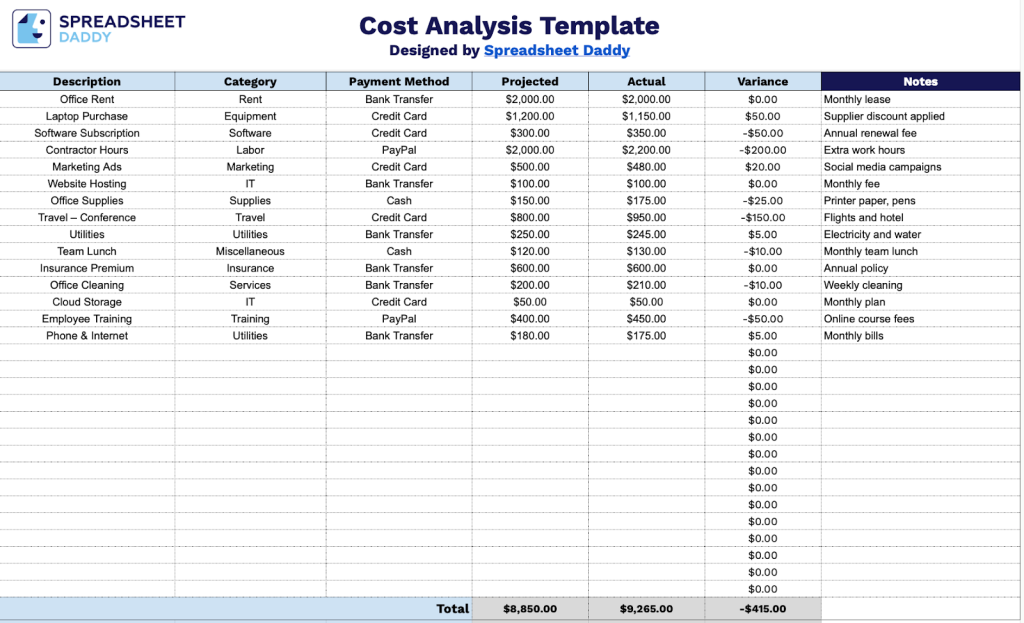
Our Cost Analysis Template helps you track and compare projected and actual expenses across all your business categories in a single, organized view.
What’s included
- Single-sheet cost tracking layout: The template is contained on one tab and features 30 blank data rows organized across six columns, including Description, Category, Payment Method, Projected, Actual, and Variance, giving you a clean, structured workspace to log and compare individual line-item costs in one view.
- Automatic variance calculation column: The Variance column is pre-configured to calculate the difference between your Projected and Actual cost figures for each row, instantly surfacing budget overruns or savings without any manual math required.
- Flexible categorization and payment-tracking fields: Each row includes dedicated Category and Payment Method columns, allowing you to segment expenses by department, project phase, or cost type, and record whether each expense was paid by credit card, check, cash, or another method for clean financial recordkeeping.
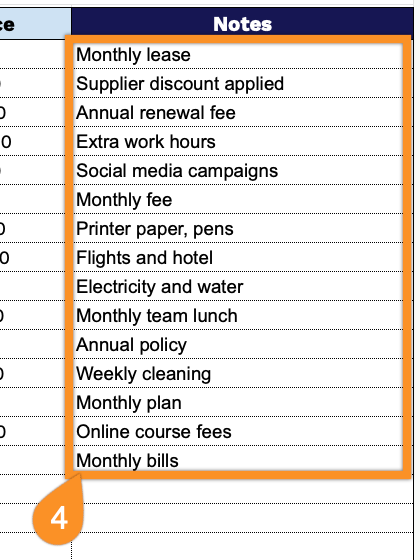
- Notes column for added context: The rightmost column provides a free-text Notes field on every row, giving you space to add vendor names, approval references, payment dates, or any other relevant details that provide context beyond the core cost figures.
The structure is fully flexible, so feel free to shape it to how your business actually works by adding or removing columns as needed.
Select your preferred version and download a free Cost Analysis spreadsheet template instantly:
How to Use Our Cost Analysis Template
1. Get the template in Excel or PDF format, or save a personal version to your Google Sheets account.
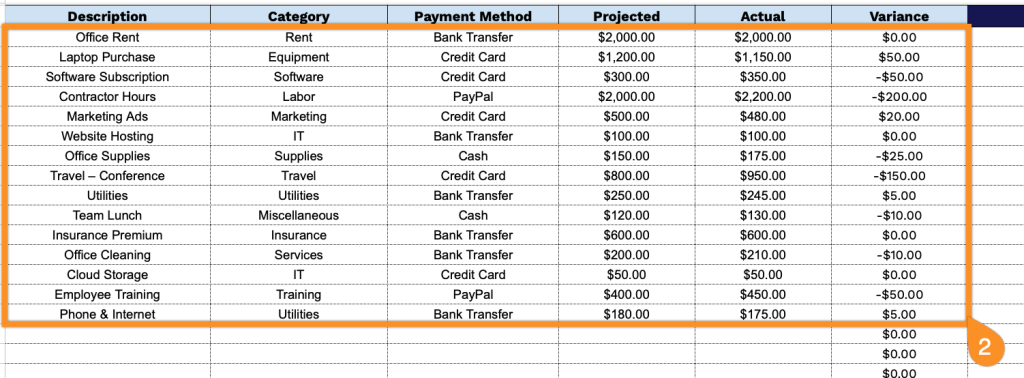
2. Complete the columns by entering all necessary financial information:
- Description: Enter a clear and specific description of each expense item or cost category for easy identification and tracking.
- Category: Add the appropriate expense classification (fixed costs, variable costs, operational expenses, marketing, materials, etc.).
- Payment Method: Specify how the expense was or will be paid (cash, credit card, bank transfer, invoice, etc.).
- Projected: Record the estimated or budgeted amount for this expense based on your financial planning.
- Actual: Document the real amount spent once the expense has been incurred or the payment has been processed.
- Variance: This field is calculated automatically by comparing Projected versus Actual amounts, showing whether you’re over or under budget for each line item.
3. At the bottom of the template, you’ll see automatic totals for Projected Costs, Actual Costs, and the overall Variance, so you can instantly compare what you planned to spend versus what you actually spent.

4. Use the Notes section to document explanations for cost overruns, savings, unexpected expenses, pricing changes, vendor issues, or any other relevant details that impact your financial analysis.