Don’t waste time designing a customer tracking system from scratch.
Download our free Customer Tracker Template in Google Sheets, Excel, or PDF and start organizing your customer information right away.
The editable layout helps you keep contact details, customer activity, follow-ups, and notes neatly organized.
What Is a Customer Tracker Template?
A customer tracker template is a structured document or spreadsheet used by businesses to organize and monitor key information about their clients, such as contact details, purchase history, communication logs, and account status.
Providing a clear, consistent format for recording and accessing customer data enables businesses to build stronger relationships, improve service quality, and make more informed decisions.
Download Spreadsheet Daddy’s Free Customer Tracker Template
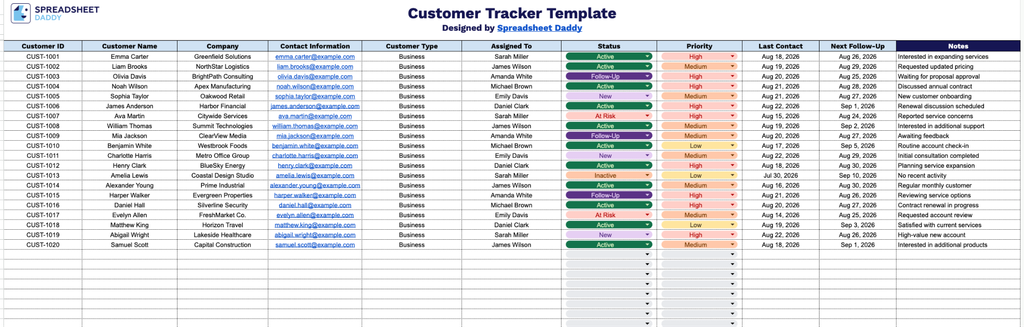
Our Customer Tracker Template gives you a clean, organized way to manage your customer relationships in one place, tracking key details like contact information, status, priority, and follow-up dates.
What’s included
- Comprehensive customer identification fields: Dedicated columns for Customer ID, Customer Name, and Company let you log and cross-reference every account at a glance, making it easy to search, sort, or filter your customer base as it grows.
- Built-in contact and classification tracking: A Contact Information column captures phone numbers, email addresses, and other details in one place, while the Customer Type field lets you segment records (e.g., lead, active client, VIP, vendor) for quick prioritization and reporting.
- Team accountability and workflow columns: The Assigned To, Status, and Priority columns make it simple to see who owns each account, where it stands in your pipeline, and which customers need urgent attention, keeping your team aligned without extra meetings.
- Follow-up scheduling fields: Last Contact and Next Follow-Up columns help you stay on top of communication cadence, so no customer relationship goes stale or falls through the cracks.
You can easily add or remove columns to fit your specific business needs.
Choose your preferred file format below and download your free Customer Tracker template:
How to Use Our Customer Tracker Template
1. Pick the format you prefer and download the Customer Tracker as an Excel or PDF, or duplicate it in Google Sheets.
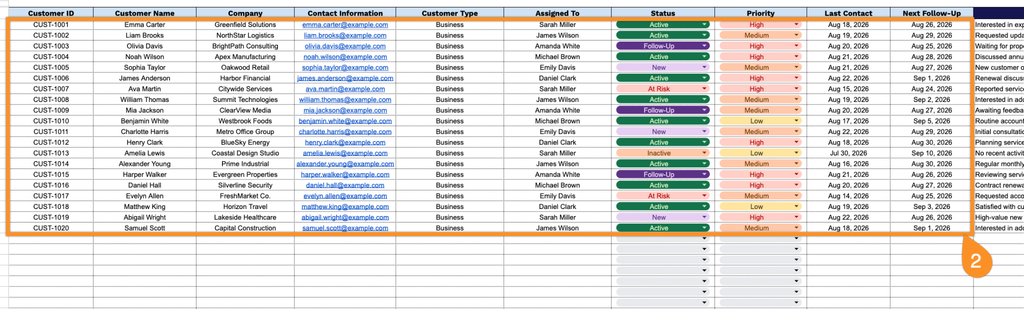
2. Enter key customer details, including the customer ID, name, company, contact information, customer type, assigned team member, current status, priority level, last contact date, and next follow-up date.
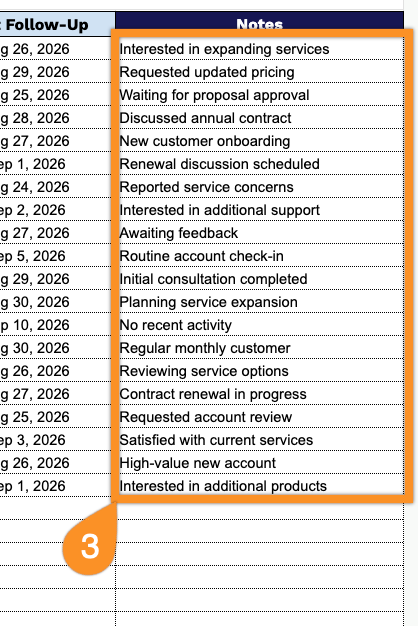
3. Add any relevant notes, special requirements, or additional details in the Notes section to keep all important customer information in one place.