If you need a ready-made way to document important decisions, our free Decision Log Template can save you time.
Available in Google Sheets, Excel, and PDF, it provides a structured format for recording key decisions, dates, responsible team members, reasons, and outcomes.
Easily customize it to fit your workflow and keep a clear, organized record of decisions.
What Is a Decision Log Template?
A decision log template is a structured document used to record and track important decisions made within a project or organization, capturing key details such as the decision made, the rationale behind it, the stakeholders involved, and the date it was made.
By maintaining a consistent record of decisions over time, a decision log template helps teams avoid revisiting resolved issues, supports better-informed future decisions, and provides a valuable audit trail for reviews or retrospectives.
Download Spreadsheet Daddy’s Free Decision Log Template
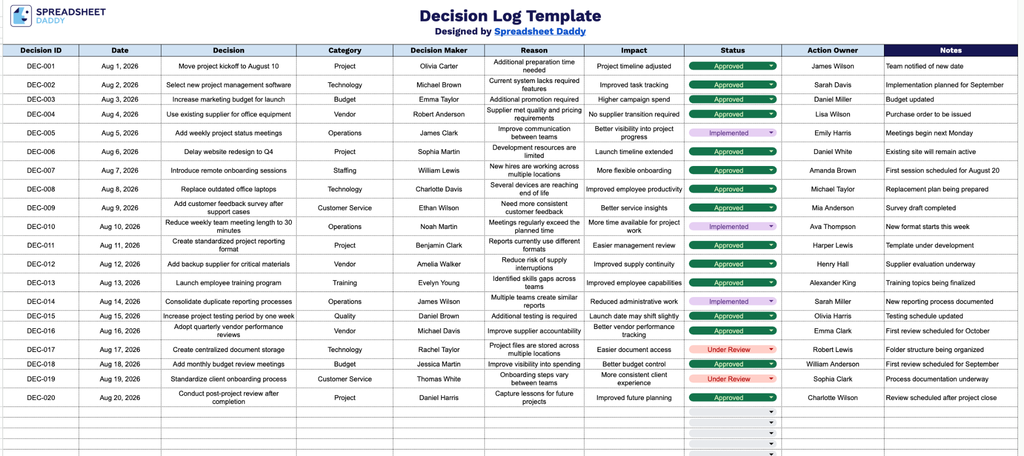
Our Decision Log Template gives you a clear, organized way to track key decisions, including who made them, why, and their impact.
What’s included
- Nine-column decision tracking grid: Each row captures a single decision across Decision ID, Date, Decision, Category, Decision Maker, Reason, Impact, Status, Action Owner, and Notes, giving you a complete audit trail of what was decided, why, by whom, and what happened next.
- Dedicated categorization and ownership fields: The Category column lets you group decisions by type (e.g., financial, operational, strategic), while the Decision Maker and Action Owner columns clearly separate who made the call from who’s responsible for executing on it, keeping accountability visible at a glance.
- Built-in rationale and impact tracking: The Reason and Impact columns prompt you to document the justification for each decision and its expected or actual outcome, so the log serves as a reference for future planning and post-decision reviews.
- Status column for at-a-glance tracking: A dedicated Status field lets you mark each decision as pending, in progress, completed, or revisited, making it easy to scan the log and see what still needs follow-up.
You can easily add or remove columns to fit your own workflow.
Choose your preferred format below and download a free blank Decision Log template:
How to Use Our Decision Log Template
1. Download the ready-to-use Decision Log in Excel or PDF, or duplicate it in Google Sheets for easy editing.
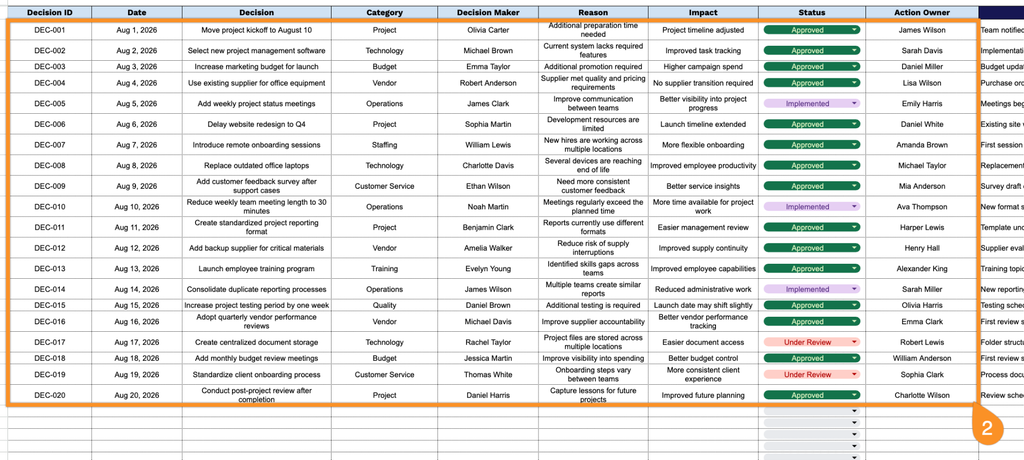
2. Record each decision by adding its ID, date, description, category, decision maker, rationale, expected impact, current status, and assigned action owner.
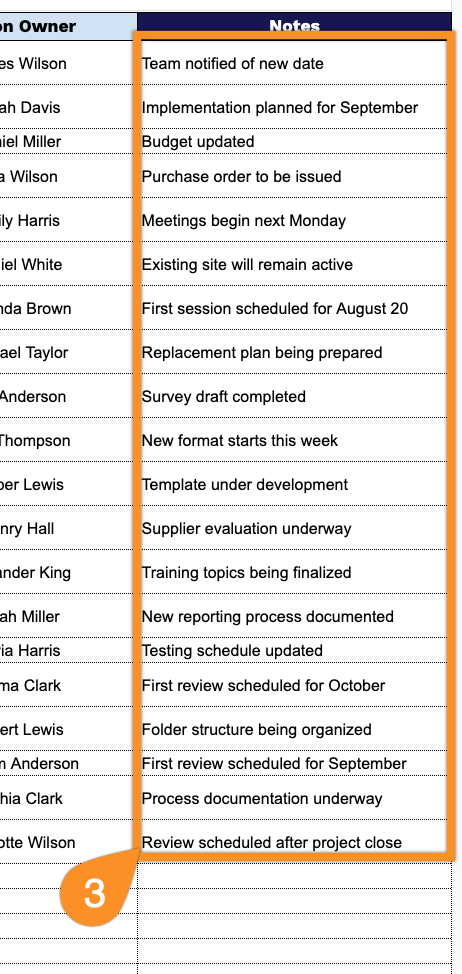
3. Use the Notes section to capture additional context, assumptions, risks, dependencies, or other important information related to the decision.