Don’t waste time building a defect tracking sheet from scratch.
Our free Defect Log Template provides a professional, customizable format for documenting issues, tracking corrective actions, and maintaining a clear record of defects from identification through closure.
What Is a Defect Log Template?
A defect log template is a structured document used by software development and quality assurance teams to systematically record, track, and manage bugs or issues found during testing.
By providing a consistent format for capturing defect information, the template helps teams communicate clearly, prioritize fixes efficiently, and maintain a full audit trail of issues throughout the software development lifecycle.
Download Spreadsheet Daddy’s Free Defect Log Template
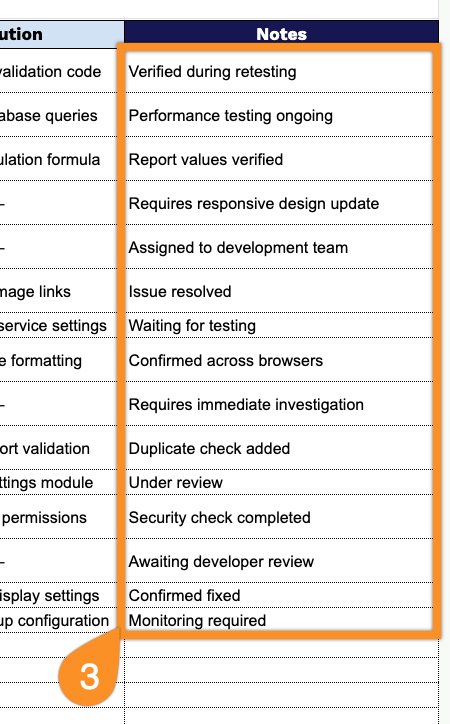
Our Defect Log Template provides a simple, organized way to track issues from discovery through resolution, including details such as severity, priority, assigned owner, status, and due dates.
What’s included
- Structured defect tracking columns: The template includes ten dedicated columns: Defect ID, Defect Description, Category, Severity, Priority, Assigned To, Status, Due Date, Resolution, and Notes, giving you a complete framework to log, categorize, and monitor every defect from discovery through resolution.
- Categorization fields: The Category and Severity columns let you classify each defect by type and by its impact on the product or project, making it easier to spot patterns and recurring problem areas.
- Prioritization support: A dedicated Priority column helps teams triage issues efficiently, ensuring that the most urgent or business-critical defects get addressed first.
- Accountability and progress tracking: The Assigned To, Status, and Due Date columns let you assign ownership of each defect to a specific team member, monitor its current progress, and set clear deadlines for resolution.
- Resolution documentation: The Resolution and Notes columns provide space to record how each defect was fixed and capture any additional context, creating a clear historical record for future reference or reporting.
You can add or remove columns to match your own workflow and reporting needs.
Pick your preferred format below to download a blank Internal Audit template:
How to Use Our Defect Log Template
1. Download a ready-to-use Defect Log template in Excel or PDF, or duplicate it in Google Sheets for easy customization.
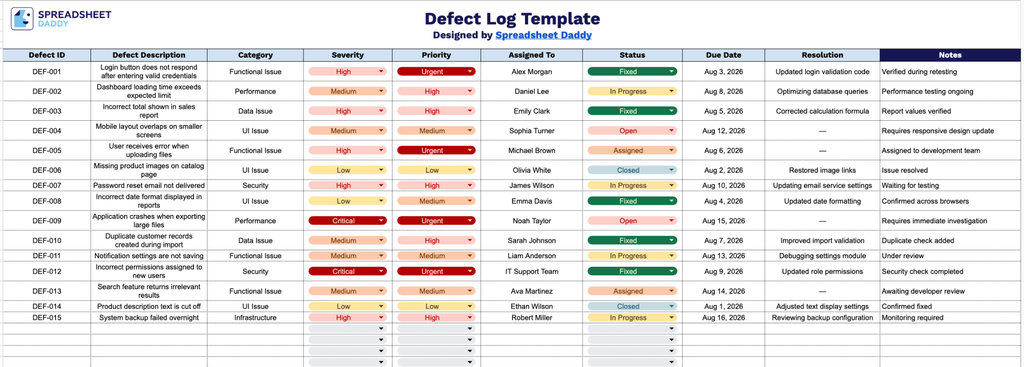
2. Record key defect details, including the defect ID, description, category, severity level, priority, assigned team member, current status, due date, and resolution notes.
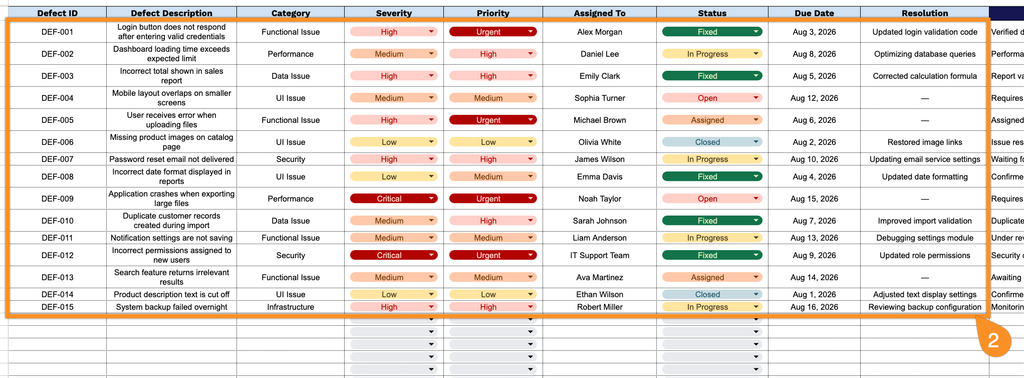
3. Use the Notes section to include additional observations, root cause details, testing results, or any special instructions related to the defect.