Looking for a simple way to organize your desk audit?
Download our free Desk Audit Template in Google Sheets, Excel, or PDF.
It’s easy to edit and provides a convenient structure for documenting audit information, findings, and review results.
What Is a Desk Audit Template?
A desk audit template is a structured document used by managers or HR professionals to systematically evaluate and verify the accuracy of an employee’s job description, duties, and classification without conducting an in-person review.
The template serves as a standardized tool to ensure fair and consistent assessments across roles and is often used to determine whether an employee’s position warrants reclassification, a salary adjustment, or an updated job description.
Download Spreadsheet Daddy’s Free Desk Audit Template
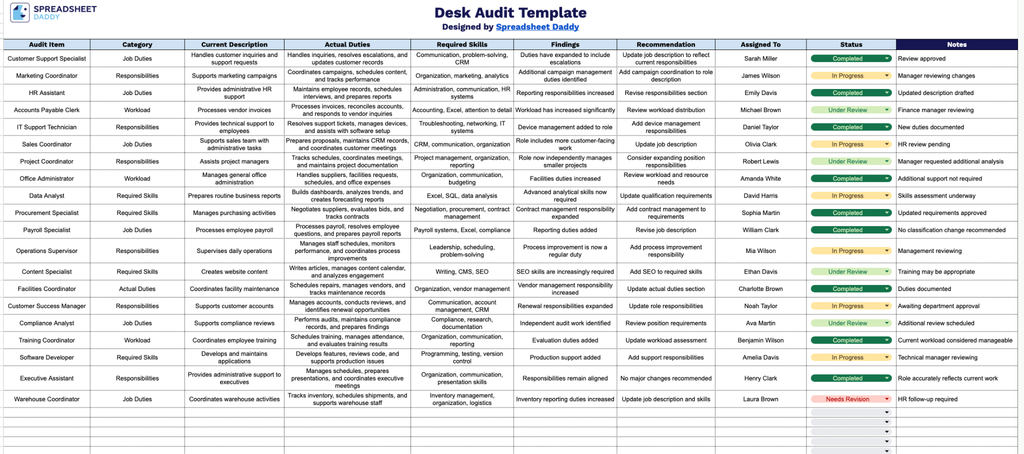
Our Desk Audit Template provides a simple, organized way to document job roles, compare actual duties with current descriptions, and track findings and recommendations in one place.
What’s included
- Ten-column audit framework: The sheet includes dedicated columns for Audit Item, Category, Current Description, Actual Duties, Required Skills, Findings, Recommendation, Assigned To, Status, and Notes, providing a complete structure for documenting and evaluating each position from the initial description through final action items.
- Job classification tracking fields: The Audit Item and Category columns let you log each role being reviewed and group it by department, job family, or classification type, making it easy to sort and compare positions during a broader compensation or org-wide desk audit.
- Side-by-side duty comparison: The Current Description and Actual Duties columns are placed side by side so you can directly compare what’s documented on paper with what the employee actually performs day-to-day, quickly surfacing gaps between job descriptions and real responsibilities.
- Findings and recommendation workflow: Dedicated Findings and Recommendation columns give reviewers space to record discrepancies uncovered during the audit and propose next steps, such as reclassification, title changes, or updated duty statements.
You can add or remove columns as needed to fit your own audit process.
Pick the file format you prefer below to access your free blank Desk Audit template:
How to Use Our Desk Audit Template
1. Access the Desk Audit template in your preferred format by downloading the Excel or PDF version or creating a personal Google Sheets copy.
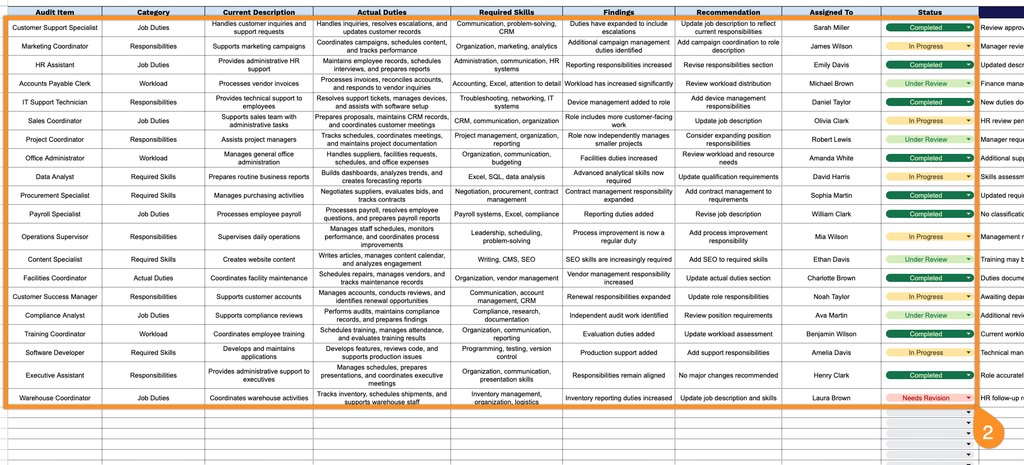
2. Enter key audit details, including the item being reviewed, category, current description, actual duties, required skills, findings, recommendations, assigned person, and current status.
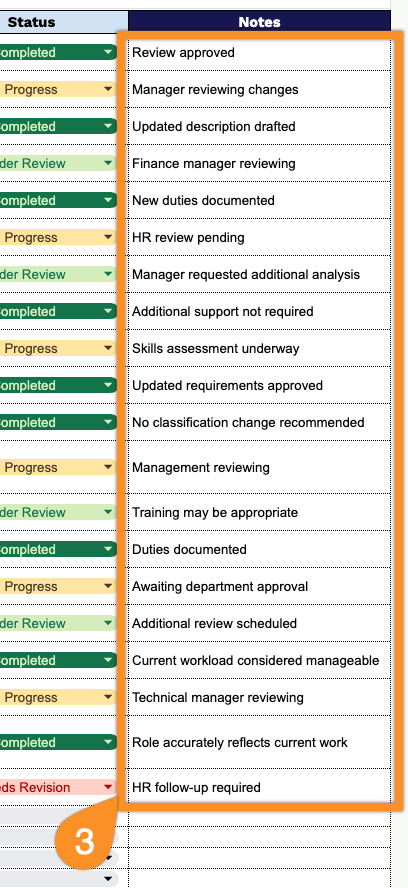
3. Use the Notes section to provide additional observations, supporting details, or follow-up information related to the desk audit.