Looking for a reliable due date template, but don’t want to build one from scratch?
Our free, professionally designed due date template is available in Google Sheets, Excel, Word, Google Docs, and PDF. It’s simple to customize and helps you track tasks, assignments, deadlines, and upcoming obligations with accuracy and ease.
What Is a Due Date Template?
A due date template is a pre-formatted document or tool designed to help individuals and teams track deadlines and important dates for tasks, projects, or deliverables.
These templates streamline deadline management by providing a consistent, reusable structure that can be customized for contexts such as project management, academic assignments, or bill payments.
Download Spreadsheet Daddy’s Free Due Date Template
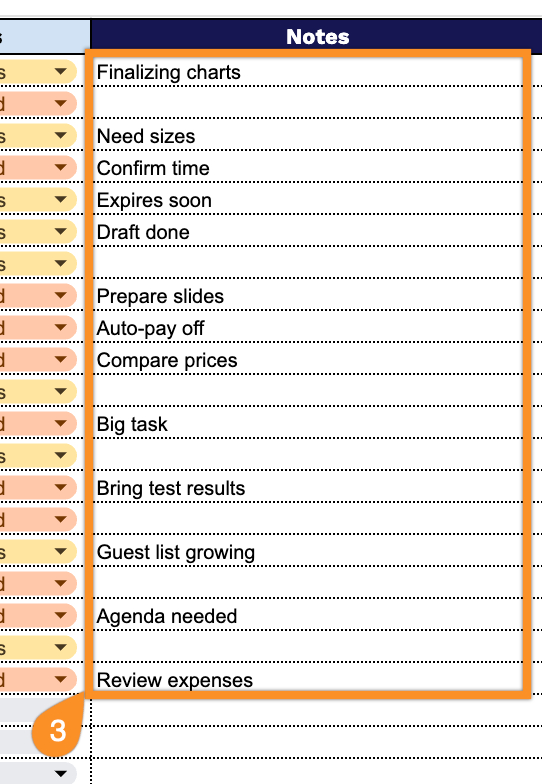
Our Due Date Template helps you organize and track your tasks, deadlines, and priorities in one central location.
What’s included
- Comprehensive task tracking columns: The template includes seven essential fields, including Task Name, Priority, Category, Start Date, Due Date, Days Remaining, Status, and Notes, enabling you to capture every critical detail about your tasks and deadlines in one centralized location for complete project visibility.
- Pre-formatted structure with ready-to-use rows: The spreadsheet includes dozens of pre-formatted rows, already set up for immediate data entry, eliminating setup time and letting you start managing your tasks and tracking deadlines right away.
- Automatic days remaining calculation: The Days Remaining column dynamically calculates the time left until each deadline by comparing the due date against the current date, helping you instantly identify urgent tasks and prioritize your workload without manual calculations.
- Clean, professional spreadsheet design: Features a streamlined layout with clearly labeled column headers, organized spacing, and a professional appearance, making it easy to view, sort, update, and share your task management system with team members or clients.
You can easily customize the template by adding or removing columns to fit your specific needs and workflow.
Select one of the links below to access a free blank due date template in your desired format:
How to Use Our Due Date Template
1. Download this due date template as an Excel or PDF file, or make your own copy in Google Sheets.
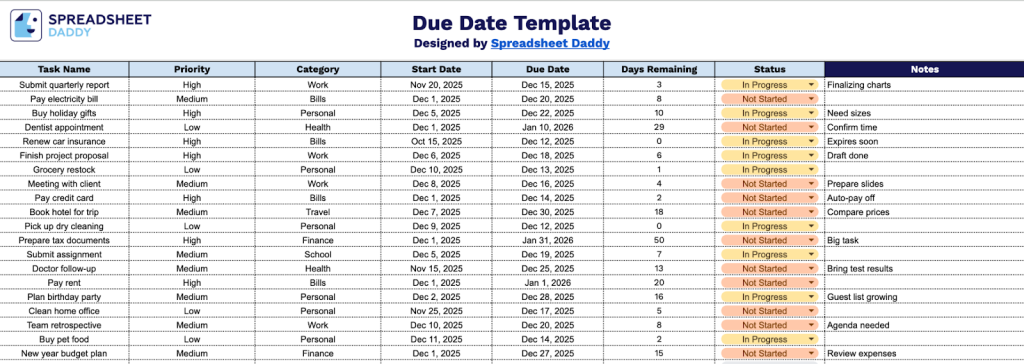
2. Complete the columns by entering all essential project information:
- Task Name: Enter a clear, descriptive title that identifies the specific task or deliverable.
- Priority: Assign an importance level (High, Medium, Low, etc.) to indicate task urgency.
- Category: Add the appropriate classification for the task (Development, Design, Marketing, Administration, etc.).
- Start Date: Record the date when work on this task begins or is scheduled to commence.
- Due Date: Specify the deadline by which the task must be completed.
- Days Remaining: This field automatically calculates the number of days remaining until the due date based on the current date.
- Status: Indicate the current progress state (Not Started, In Progress, Completed, On Hold, or Overdue).
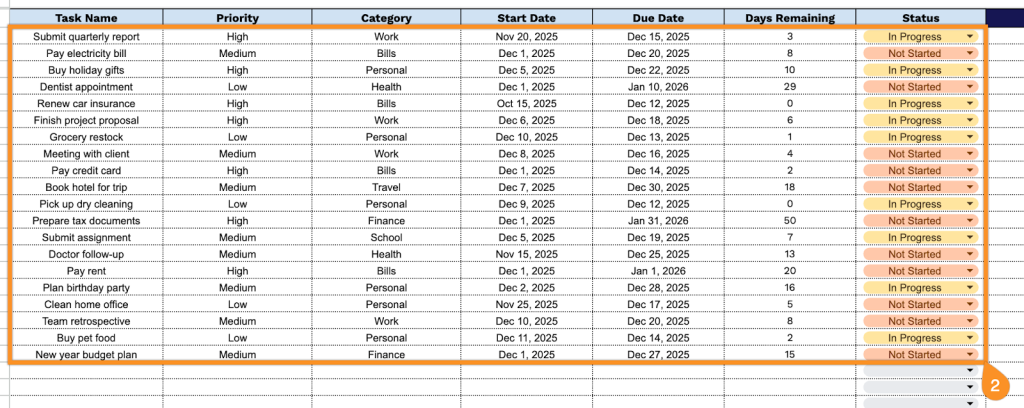
3. Use the Notes section to highlight any critical information or extra details relevant to the transaction.