Skip the hassle of building an email list from scratch.
Our free Email List Template is ready to use in Google Sheets, Excel, and PDF.
Easily add, organize, and track contacts so your email campaigns stay on point.
What Is an Email List Template?
An email list template is a pre-formatted document or spreadsheet used to organize and store email addresses in a structured way.
These templates help maintain organized records for email marketing campaigns, newsletters, and general communication.
Download Spreadsheet Daddy’s Free Email List Template
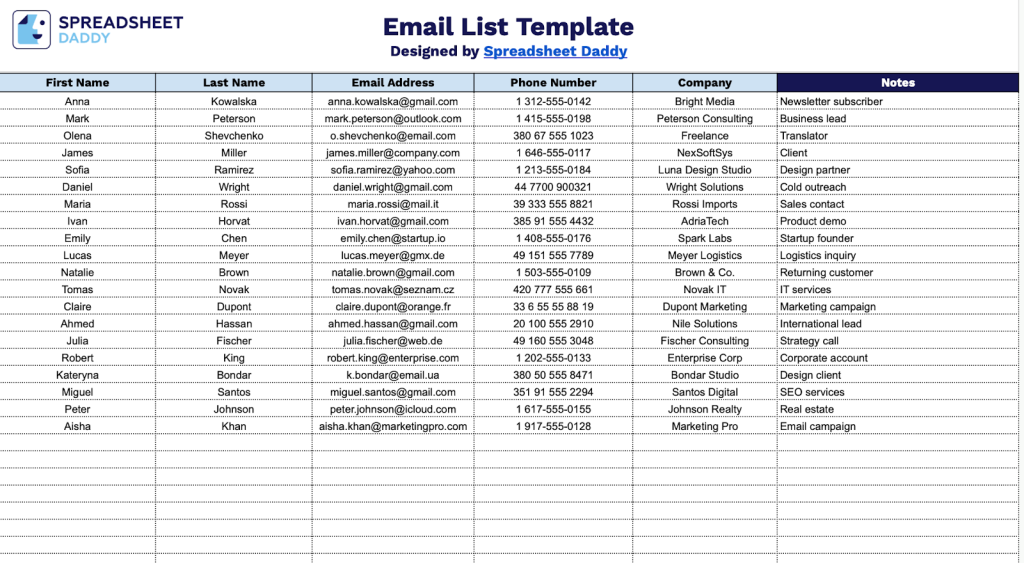
Our Email List Template provides a simple and organized way to manage your contact information in one place.
What’s included
- Six essential contact columns: The template includes dedicated fields for First Name, Last Name, Email Address, Phone Number, Company, and Notes, providing a comprehensive framework for organizing and managing your contact database with all critical information in one place.
- Structured data entry layout: Each column is clearly labeled with consistent header formatting, making it easy to input contact information systematically and maintain data quality across your entire list.
- Flexible notes field: The Notes column provides space for custom annotations, such as contact source, follow-up reminders, relationship status, communication preferences, or other relevant details specific to your outreach or management needs.
- Unlimited row capacity: The template’s expandable design accommodates contact lists of any size, from small team distributions to extensive marketing databases, allowing you to scale as your network grows.
You can easily customize it by adding or removing columns to fit your specific needs.
Choose one of the links below to get a free blank email list template in the format you need:
How to Use Our Email List Template
1. Get this template in PDF or Excel, or create a personal version in Google Sheets.
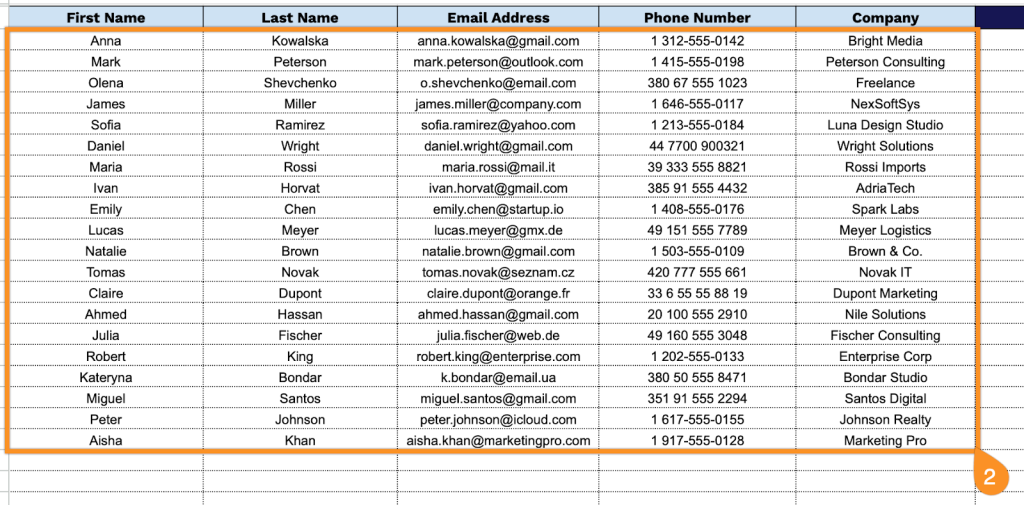
2. Complete the columns by entering all essential subscriber details:
- First Name: Enter the contact’s given name to personalize communications and maintain accurate records.
- Last Name: Record the contact’s family name for proper identification within your email list.
- Email Address: Specify the primary email where communications will be delivered.
- Phone Number: Include the contact’s telephone number for multi-channel outreach or urgent notifications.
- Company: Record the organization or business name associated with this contact for segmentation and targeting purposes.
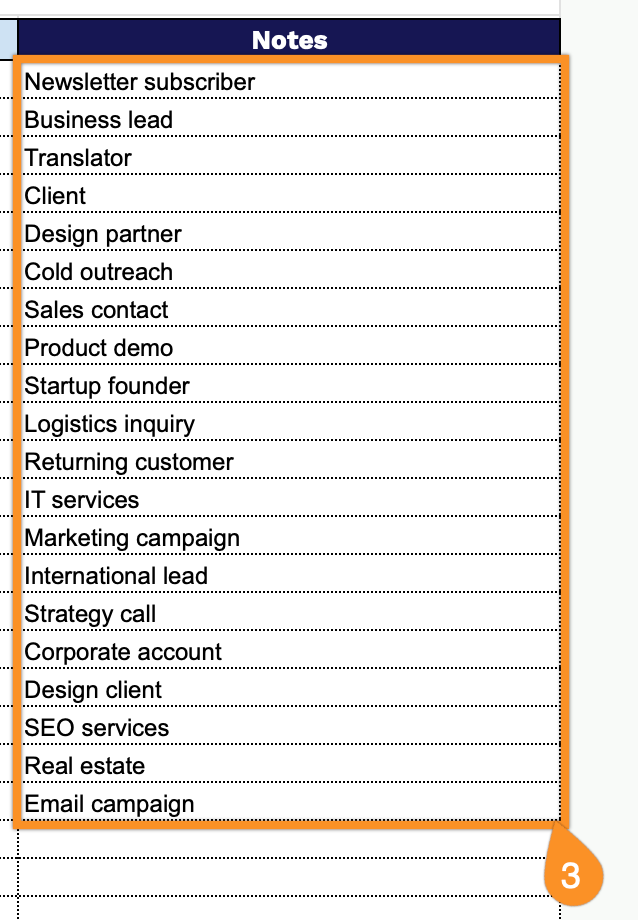
3. Use the Notes section to include any essential messages or special instructions for the recipient.