Need a clear record of a security deposit?
Our free Security Deposit Receipt Template makes it simple. Available in Word, Excel, Google Docs, and PDF, it’s easy to edit and perfect for accurate deposit tracking.
Explore more free professional receipt templates for all your documentation needs.
What Is a Security Deposit Receipt Template?
A security deposit receipt template is a standardized document landlords or property managers use to provide written proof that they’ve received a tenant’s security deposit.
It serves as an essential legal record that protects both parties by documenting the transaction and establishing clear expectations for the handling of the deposit at the end of the tenancy.
Download Spreadsheet Daddy’s Free Security Deposit Receipt Template
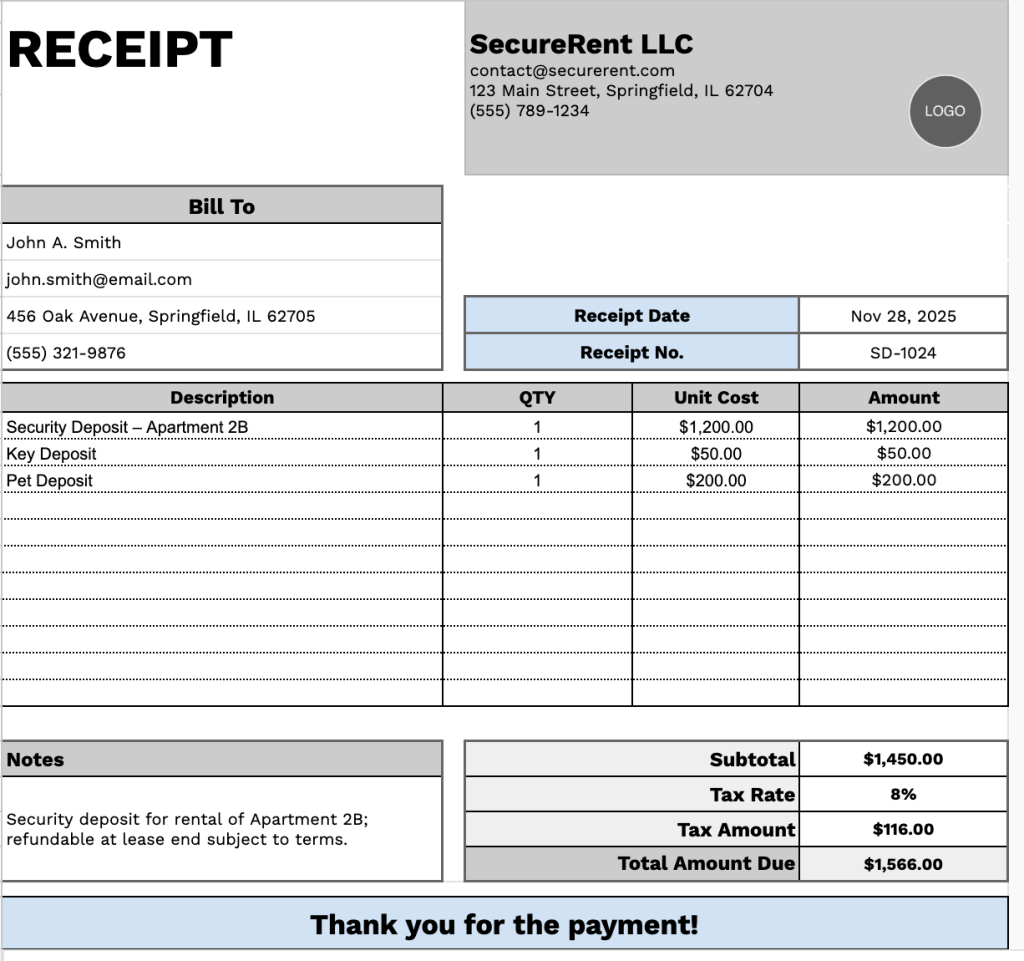
Our Security Deposit Receipt Template provides a clear and professional way to document deposits collected from tenants at the start of a rental agreement.
What’s included
- Customizable business information fields: The header section includes editable placeholders for company name, email address, physical address, and phone number, allowing you to quickly brand the receipt with your business details for professional documentation.
- Dedicated client billing section: A “Bill To” area features fields for the tenant’s or client’s name, email, address, and phone number, ensuring complete contact information is captured for both parties involved in the security deposit transaction.
- Multi-row itemized transaction table: An 11-row grid with four columns (Description, QTY, Unit Cost, Amount) enables a detailed breakdown of security deposit charges, partial refunds, deductions, or related fees, with each line calculating individual amounts based on quantity and unit cost.
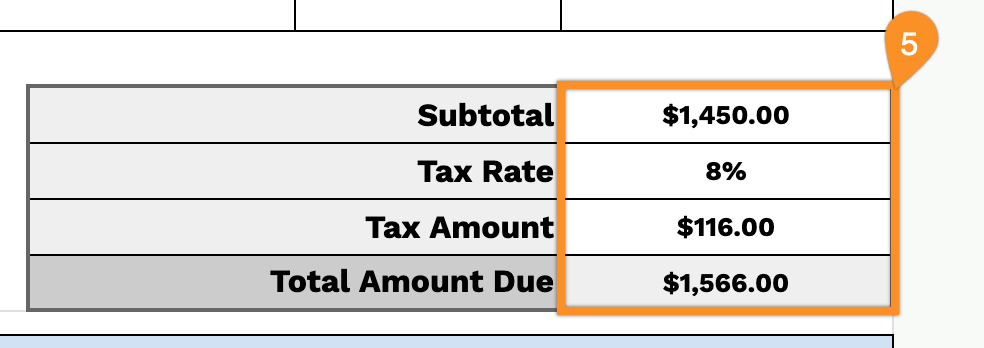
- Automated financial calculation panel: A right-aligned summary section displays the subtotal, an adjustable tax rate percentage field, the calculated tax amount, and the total amount due, providing transparent mathematical accuracy for all security deposit financial transactions.
- Receipt tracking and notes functionality: The top-right corner includes dedicated fields for receipt date and a unique receipt number for organized record-keeping, while a notes section at the bottom provides space for terms, conditions, deposit return timelines, or special instructions, concluding with a professional thank-you message.
You can customize it by adding or removing columns to match your specific rental requirements.
Download a free blank security deposit receipt template in your preferred format using the links below:
How to Use Our Security Deposit Receipt Template
1. Grab this security deposit receipt template in your preferred format: Excel, Word, or PDF, or customize it in Google Sheets or Google Docs.
2. Enter your company details at the top, including your company name, email, address, phone number, and logo.

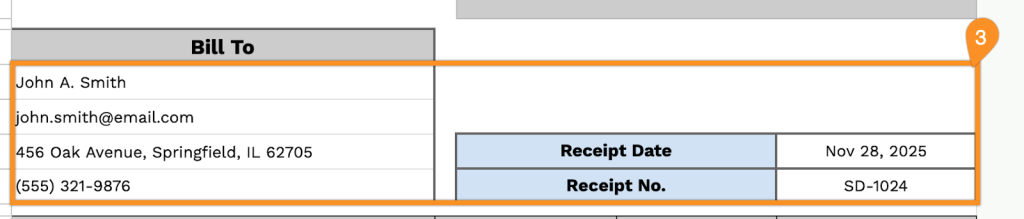
3. Fill in the tenant or customer information under “Bill To,” along with the receipt date and receipt number.
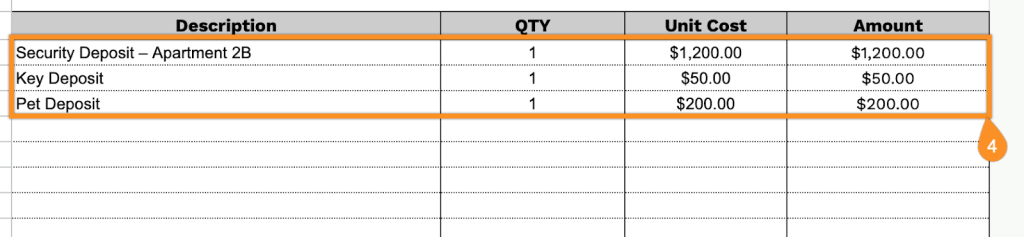
4. List the items or services related to the security deposit. Include the quantity and amount for each item, and the template will automatically calculate the line totals.
5. Specify any applicable tax rate. The template will automatically calculate the subtotal, tax amount, and total deposit due.
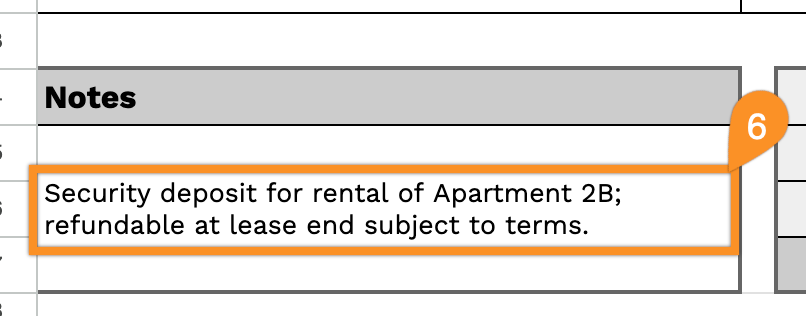
6. Use the Notes section to include important details, such as terms for deposit refunds, conditions for deductions, or special instructions.