Looking for an easy way to measure and improve employee productivity?
Our free Employee Productivity Tracking Template is available in Google Sheets, Excel, and PDF formats, allowing you to track workloads, monitor progress, and maintain detailed productivity records without having to start from scratch.
What Is an Employee Productivity Tracking Template?
An employee productivity tracking template is a structured document or digital tool used by managers and organizations to monitor, measure, and evaluate employees’ work output and performance over a given period.
By providing a standardized framework for recording and analyzing productivity data, the template helps organizations make informed decisions about workload distribution, performance reviews, and overall workforce management.
Download Spreadsheet Daddy’s Free Employee Productivity Tracking Template
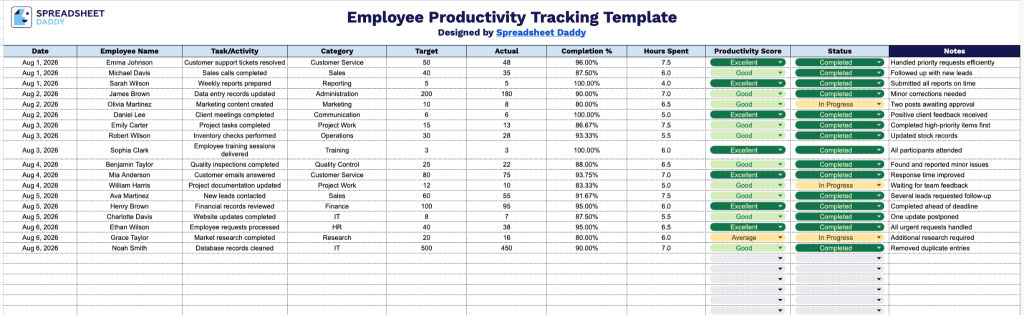
Our Employee Productivity Tracking Template helps you track daily employee tasks, targets, completion rates, and productivity scores in one organized view.
What’s included
- Comprehensive tracking columns: The sheet includes dedicated fields for Date, Employee Name, Task/Activity, and Category, providing a clear, organized record of who did what, when, and under which category of work.
- Target vs. actual performance tracking: Side-by-side Target and Actual columns let you log planned output against real results, with an auto-calculating Completion % column that instantly shows how close each task came to its goal.
- Time and productivity metrics: A Hours Spent column captures time investment per task, while the Productivity Score column gives you a quantifiable measure to compare efficiency across employees, tasks, or time periods.
- Status and notes for context: The Status column lets you flag where each task stands (e.g., in progress, complete, delayed), and the highlighted Notes column on the far right provides space to add context, blockers, or comments for each entry.
You can add or remove columns to fit the specific metrics you want to monitor.
Select your preferred format from the options below to access a free, ready-to-use Employee Productivity Tracking Template:
How to Use Our Employee Productivity Tracking Template
1. Pick the format you need and download the template in Excel or PDF, or create your own Google Sheets version for tracking daily productivity.
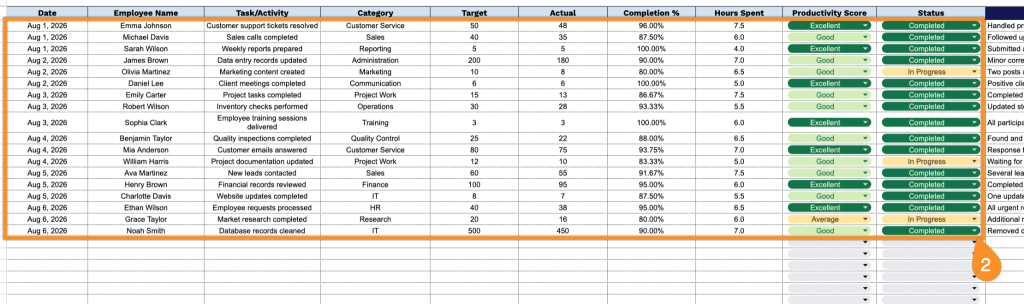
2. Enter key details such as the date, employee name, assigned task, activity category, target, actual results, hours spent, productivity score, and completion status. The template automatically calculates the completion percentage to help you evaluate performance and identify areas for improvement.
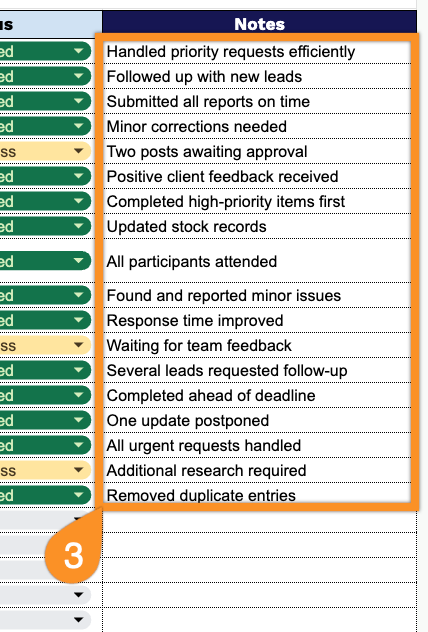
3. Use the Notes section to add important comments, feedback, observations, or any additional details related to employee performance and productivity tracking.