Keep fire extinguisher inspections simple with a ready-to-use checklist.
Our free template comes in Google Sheets, Excel, and PDF formats, so you can quickly record inspection details, identify equipment that needs attention, and maintain consistent fire safety records.
Customize the checklist to match your facility’s inspection routine.
What Is a Fire Extinguisher Checklist Template?
A fire extinguisher checklist template is a standardized document used by safety officers, facility managers, or inspectors to systematically verify that fire extinguishers are in proper working condition and compliant with safety regulations.
By using a consistent template, organizations can ensure routine inspections are never overlooked, maintain accurate service records, and demonstrate compliance with fire safety codes and standards during audits or emergencies.
Download Spreadsheet Daddy’s Free Fire Extinguisher Checklist Template
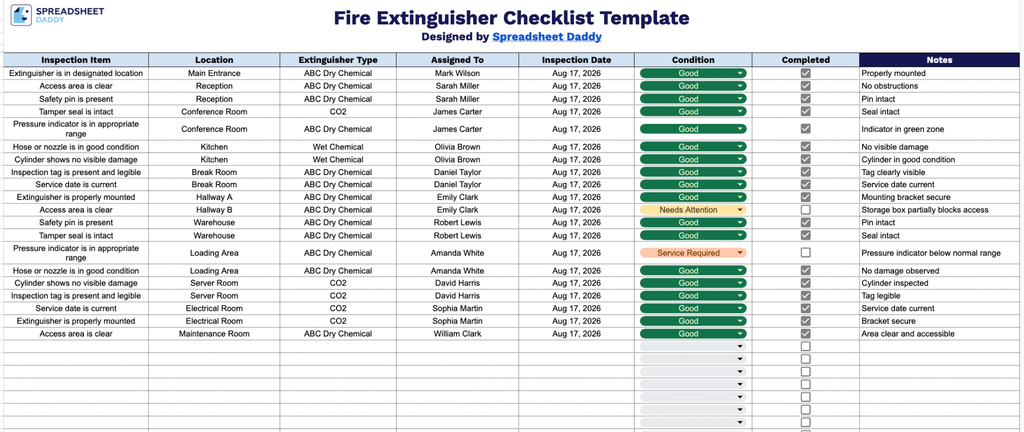
Our Fire Extinguisher Checklist Template helps you track inspections across multiple locations, covering details like extinguisher type, condition, assigned inspector, and completion status.
What’s included
- Inspection item tracking field: A dedicated column lets you list each fire extinguisher or inspection point individually, making it easy to keep a clear, itemized record across your facility.
- Location and extinguisher type fields: Editable columns let you note exactly where each extinguisher is located and its type (e.g., CO2, dry chemical, water), helping staff quickly identify the correct equipment during an emergency.
- Assigned to and inspection date fields: These columns let you record who is responsible for each inspection and when it was last performed, supporting accountability and helping you stay on top of your inspection schedule.
- Condition and completed status fields: A condition column lets you document the current state of each extinguisher, while a checkbox-based completed field lets you quickly confirm which inspections have been completed.
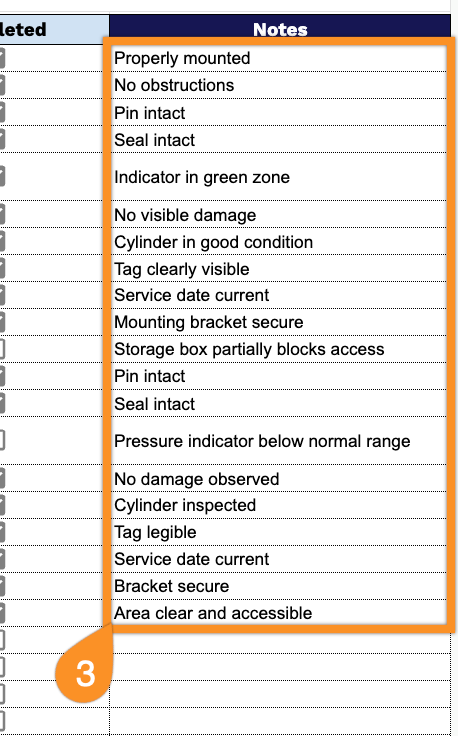
- Notes field for additional documentation: An open notes column gives you space to record any extra details, such as needed repairs, replacement dates, or follow-up actions required for a specific extinguisher.
You can add or remove columns as needed to fit your specific requirements.
Use the links below to download a free blank Fire Extinguisher Checklist in the format that works best for you:
How to Use Our Fire Extinguisher Checklist Template
1. Get the Fire Extinguisher Checklist in Excel or PDF, or duplicate it in Google Sheets for easy online editing.
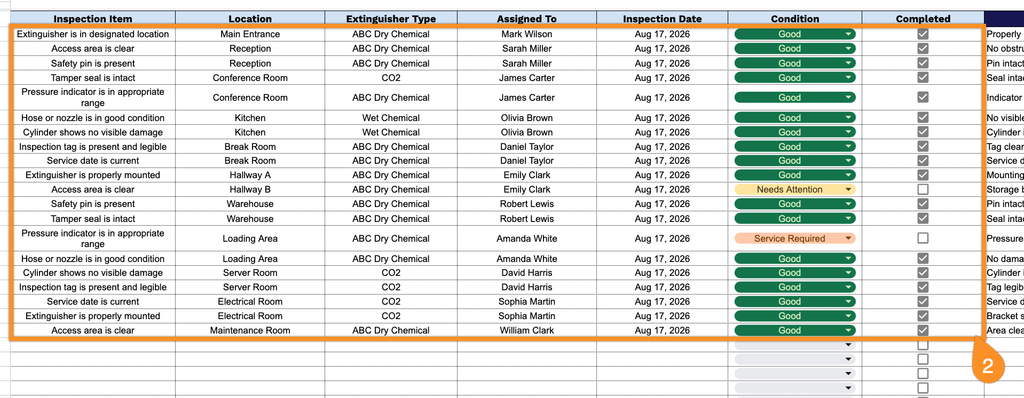
2. Enter the extinguisher location, type, assigned inspector, inspection date, and current condition. Record each inspection item and mark the checkbox once it has been completed.
3. Use the Notes section to record additional observations, required repairs, follow-up actions, or other important information related to the inspection.