Track food costs in seconds!
Our free Food Cost Template calculates totals automatically and helps you manage your kitchen expenses efficiently. Google Sheets, Excel, and PDF formats included.
What Is a Food Cost Template?
A food cost template is a spreadsheet tool that helps restaurants and food businesses calculate and track ingredient costs for menu items.
This essential tool enables business owners to price menu items profitably, monitor ingredient expenses, and identify opportunities to reduce waste or optimize recipes.
Download Spreadsheet Daddy’s Free Food Cost Template
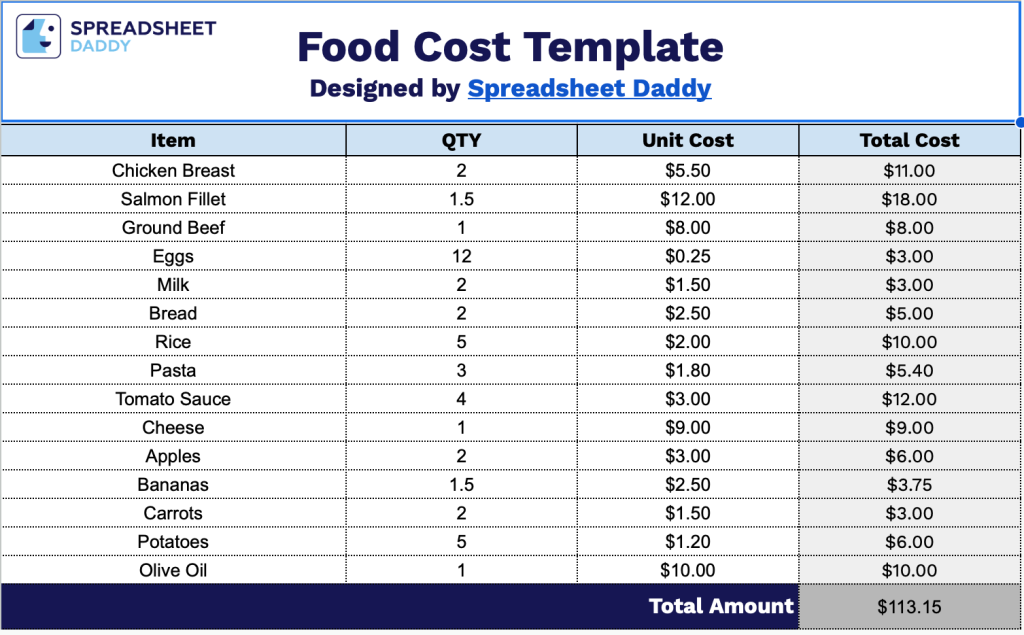
Our Food Cost Template helps you track ingredients and calculate total expenses for your grocery shopping or meal planning.
What’s included
- Itemized ingredient tracking table: The template features a comprehensive three-column layout with fields for Item (ingredient or component name), QTY (quantity used), Unit Cost (price per unit), and an auto-calculating Total Cost column that multiplies quantity by unit cost to show the expense for each ingredient line item.
- Pre-formatted cost calculation rows: Includes 30 pre-built blank rows with consistent formatting and embedded formulas, allowing you to quickly enter multiple ingredients without manual setup, with each row automatically calculating individual costs as you input quantity and unit price data.
- Automatic total cost summation: The bottom of the template includes a “Total Amount” field that automatically aggregates all individual ingredient costs from the itemized rows above, providing an instant calculation of your complete recipe or dish cost without requiring manual addition.
Adjust it by adding or removing columns to fit your specific tracking needs.
Click the links below to download a free blank Food Cost Template in the format that works best for you:
How to Use Our Food Cost Template
1. Grab the template in Excel or PDF format, or create a Google Sheets copy to edit.
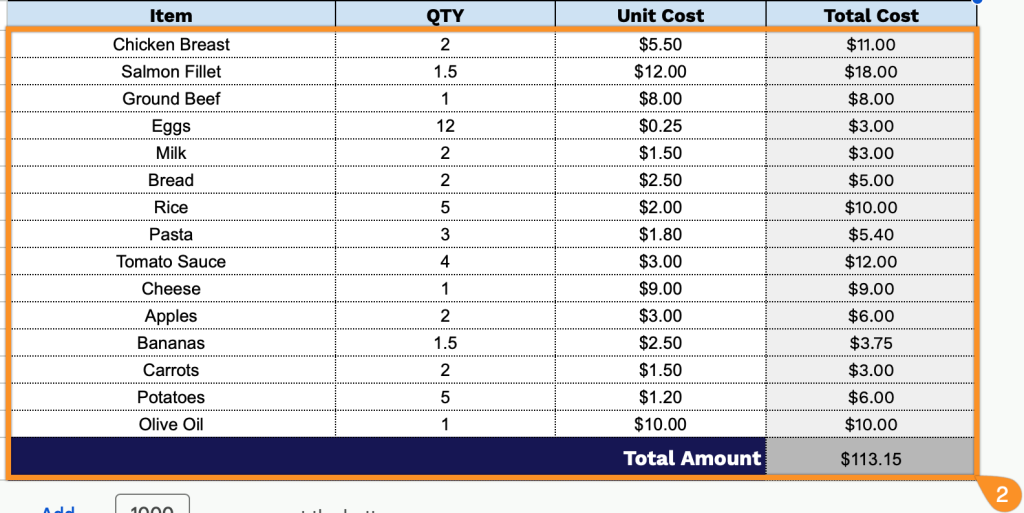
2. Enter each ingredient or item, along with the quantity and cost per unit. The template will automatically calculate the total cost for each item and give you the overall total.