Keep your fundraising information organized with a free, professionally formatted Fundraising Tracking Template.
Choose from Google Sheets, Excel, or PDF, then easily customize the template to track donors, contributions, campaign goals, payment information, and other fundraising activities.
What Is a Fundraising Tracking Template?
A fundraising tracking template is a structured document or spreadsheet used by organizations, nonprofits, or individuals to monitor and manage their fundraising efforts in one centralized location.
By providing a clear overview of all fundraising activity, the template helps teams identify gaps, recognize top donors, and make data-driven decisions to optimize their campaigns and reach their financial goals.
Download Spreadsheet Daddy’s Free Fundraising Tracking Template
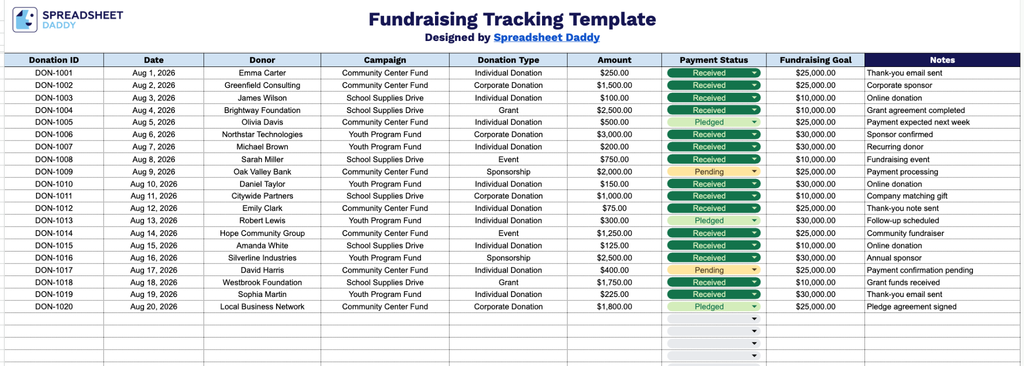
Our Fundraising Tracking Template helps you organize and monitor donations across multiple campaigns in one simple spreadsheet.
What’s included
- Comprehensive donation-tracking fields: The template includes dedicated columns for Donation ID, Date, Donor, and Campaign, providing a clear, organized record of who gave, when, and through which fundraising effort.
- Donation type and amount tracking: Separate fields for Donation Type and Amount let you distinguish between one-time gifts, recurring donations, in-kind contributions, and more, while keeping a running log of exactly how much each donor contributed.
- Payment status monitoring: A Payment Status column lets you mark each donation as pending, completed, or refunded, helping you stay on top of which gifts have been processed and which still need follow-up.
- Fundraising goal reference: A Fundraising Goal field keeps your campaign target visible alongside your donation entries, making it easy to track progress toward your overall fundraising objective.
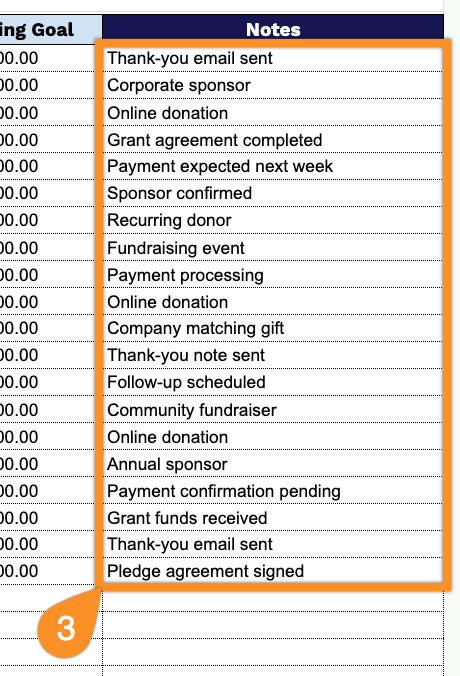
- Notes field for added context: A dedicated Notes column provides space to record extra details for each donation, keeping all relevant information in one place.
You can add or remove columns as needed to fit your organization’s specific tracking requirements.
Choose the format that suits your needs and download a free, ready-to-use blank Fundraising Tracking template below:
How to Use Our Fundraising Tracking Template
1. Access the template in your preferred format by downloading the Excel or PDF version or creating a copy in Google Sheets.
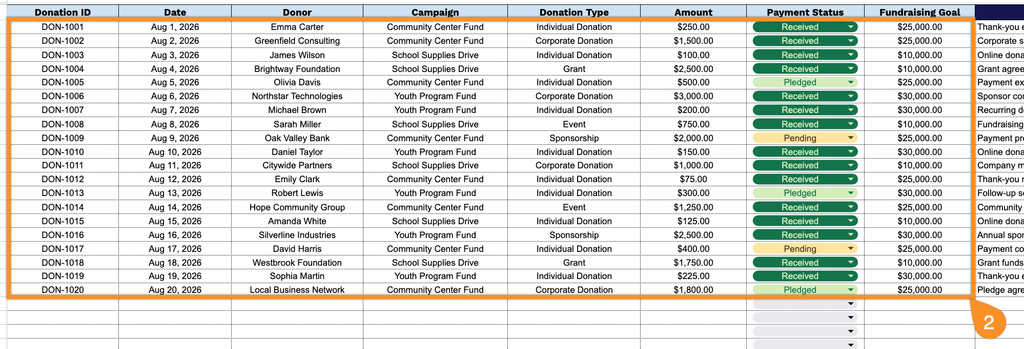
2. Enter key donation details, including the donation ID, date, donor, campaign, donation type, amount, payment status, and related fundraising goal.
3. Use the Notes section to record important information about each donation, donor, campaign, or follow-up action.