Don’t waste time designing your own equipment inspection form.
Download our free Heavy Equipment Checklist Template in Google Sheets, Excel, or PDF format and use it to organize routine inspections, track maintenance issues, and ensure essential equipment checks are completed accurately.
What Is a Heavy Equipment Checklist Template?
Download Spreadsheet Daddy’s Free Heavy Equipment Checklist Template
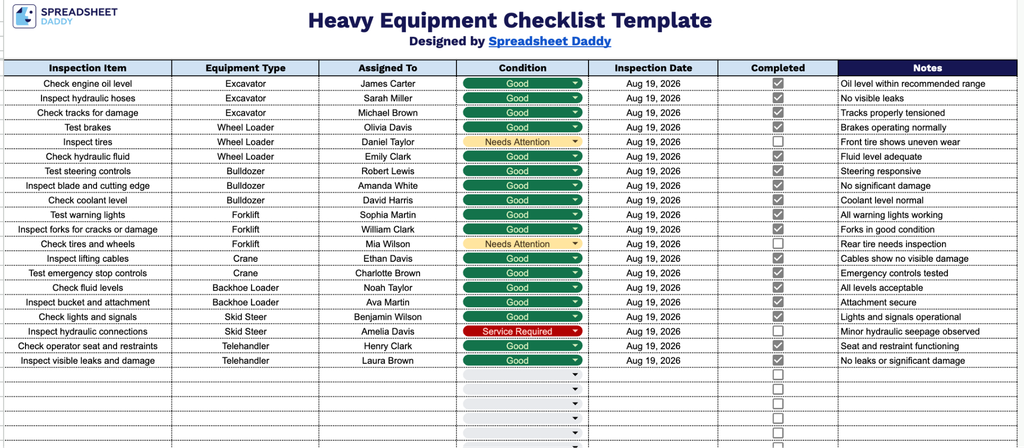
Our Heavy Equipment Checklist Template gives you a simple, organized way to keep track of equipment inspections across your fleet
What’s included
- Inspection Item field: A dedicated column for logging the specific piece of equipment or component being inspected, giving you a clear record of exactly what was checked during each inspection cycle.
- Equipment Type field: An editable column for categorizing machinery (excavators, forklifts, bulldozers, etc.), making it easy to filter or search records by equipment category when reviewing your fleet’s inspection history.
- Assigned To field: A column for recording the name of the technician, operator, or inspector responsible for that inspection, creating accountability and a clear point of contact for follow-up questions.
- Condition and Inspection Date fields: Two columns for noting the current state of the equipment (e.g., good, needs repair, out of service) alongside the date of the inspection, helping you track equipment health and maintenance timelines over time.
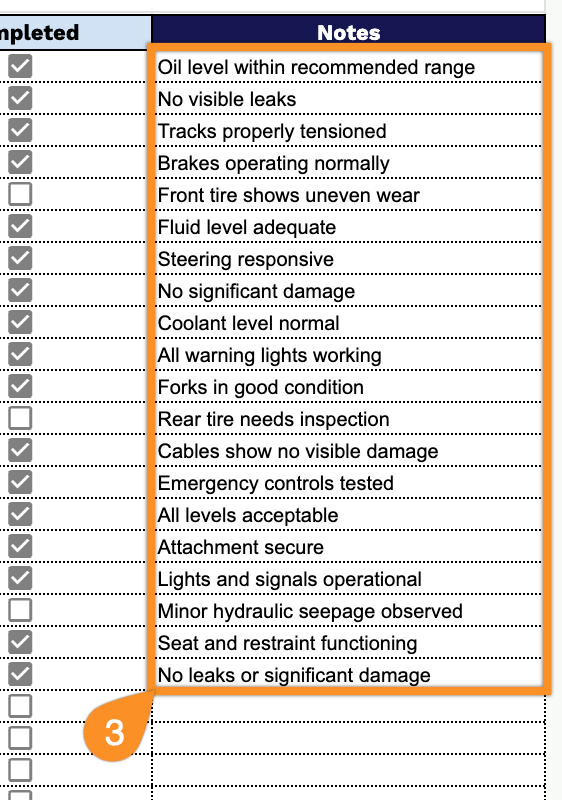
- Completed checkbox and Notes fields: A checkbox to mark whether the inspection has been finished, paired with an open Notes column for recording additional observations, defects, or follow-up actions needed for that item.
Simply add or remove columns to match the specific equipment and details you need to track.
Use the links below to access a free, blank template and select the format that best fits your needs:
How to Use Our Heavy Equipment Checklist Template
1. Download the checklist as an Excel or PDF file, or create a personal Google Sheets copy that you can edit and update.
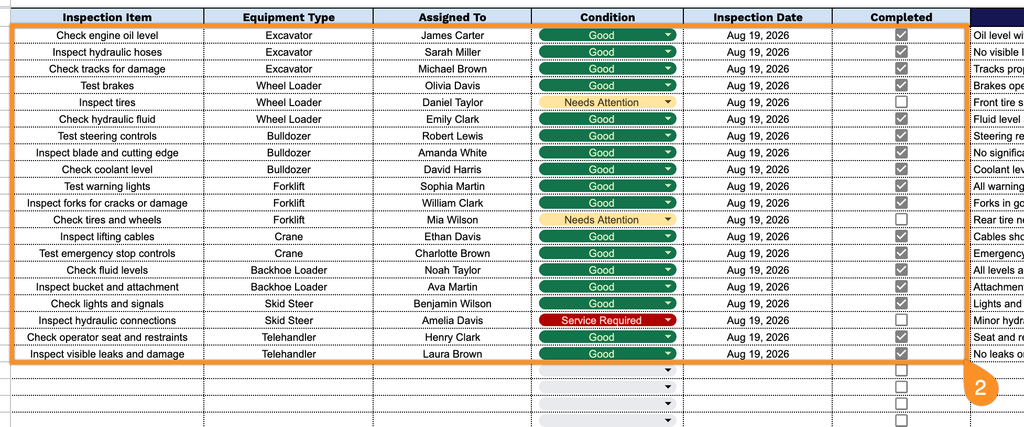
2. Enter the inspection item, equipment type, assigned operator, condition, and inspection date. Mark each checkbox once the equipment has been inspected and the item is complete.
3. Use the Notes section to add additional observations, special instructions, maintenance recommendations, or other important information about the equipment.