Build a clear and consistent IT service catalog with less effort.
Download this free editable template in Google Sheets, Excel, or PDF to list services, define responsibilities, and improve communication between IT teams and end users.
What Is an IT Service Catalog Template?
An IT Service Catalog Template is a structured document or digital framework that organizes and presents all the technology services an IT department offers to its employees or customers, serving as a centralized “menu” of available IT resources.
By standardizing the way services are documented and communicated, the template helps IT teams improve transparency, streamline service delivery, and align their offerings with business needs.
Download Spreadsheet Daddy’s Free IT Service Catalog Template
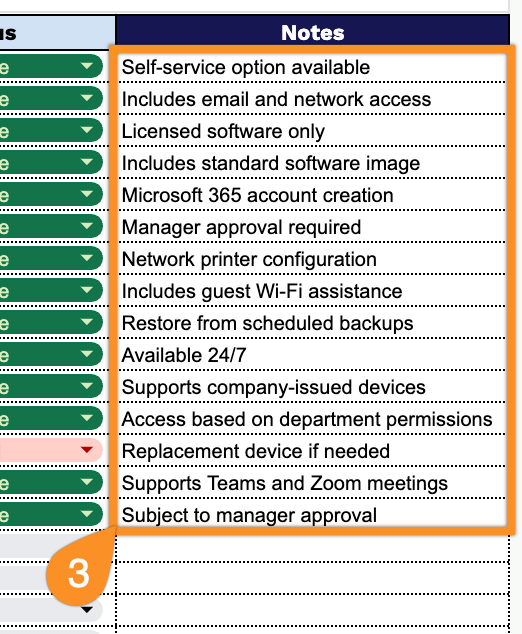
Our IT Service Catalog Template gives you a clean, organized way to track and manage all your IT services in one place.
What’s included
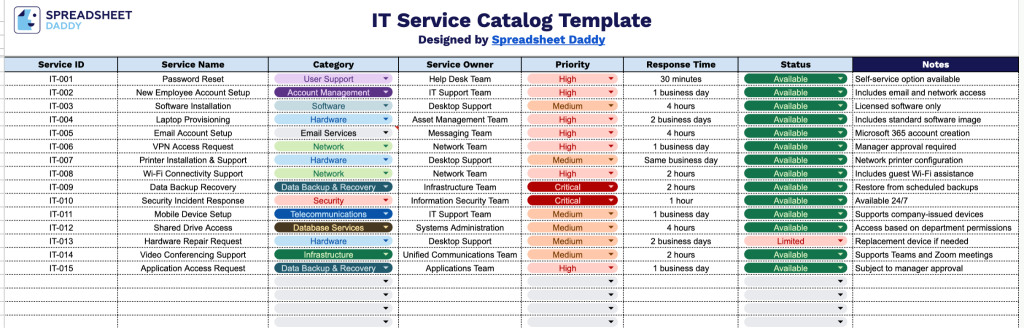
- Unique service identification: The Service ID column lets you assign a distinct identifier to each IT service, making it easy to reference, sort, and track individual entries across the catalog.
- Service naming and categorization: The Service Name and Category columns allow you to clearly label each offering and group it under a relevant category, such as hardware support, software licensing, or network services.
- Ownership assignment: The Service Owner column identifies who is responsible for each service, ensuring accountability and giving employees a clear point of contact when issues arise.
- Priority and response time tracking: The Priority and Response Time columns let you rank services by urgency and document expected turnaround times, helping set clear service-level expectations.
- Status monitoring and additional context: The Status column tracks whether a service is active, under review, or discontinued, while the Notes column provides space for any additional details, special instructions, or context relevant to that service.
You can easily add or remove columns to match your organization’s specific needs.
Pick your preferred format below and download the IT Service Catalog template for free:
How to Use Our IT Service Catalog Template
1. Start with this IT Service Catalog template by downloading the Excel or PDF version, or duplicate it into your Google Sheets account.
2. Fill in the service information, including the service ID, service name, category, responsible owner, priority, response time, and current status.
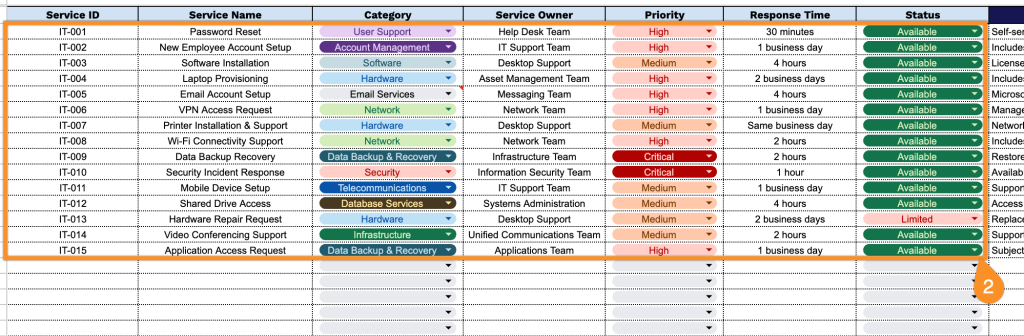
3. Use the Notes section to include additional information, such as service dependencies, maintenance schedules, support contacts, usage guidelines, or other important instructions.