Want to get organized without starting from scratch?
Our free Kanban Board Template is ready to use in Google Sheets, Excel, and PDF.
Easily customizable, it helps you visually track tasks, manage workflows, and boost productivity.
What Is a Kanban Board Template?
A Kanban board template is a pre-structured visual workflow tool that helps teams organize and track tasks through different stages of completion, typically using columns like “To Do,” “In Progress,” and “Done.”
These templates can be physical boards with sticky notes or digital tools, and they’re commonly customized to fit specific project needs and team workflows.
Download Spreadsheet Daddy’s Free Kanban Board Template
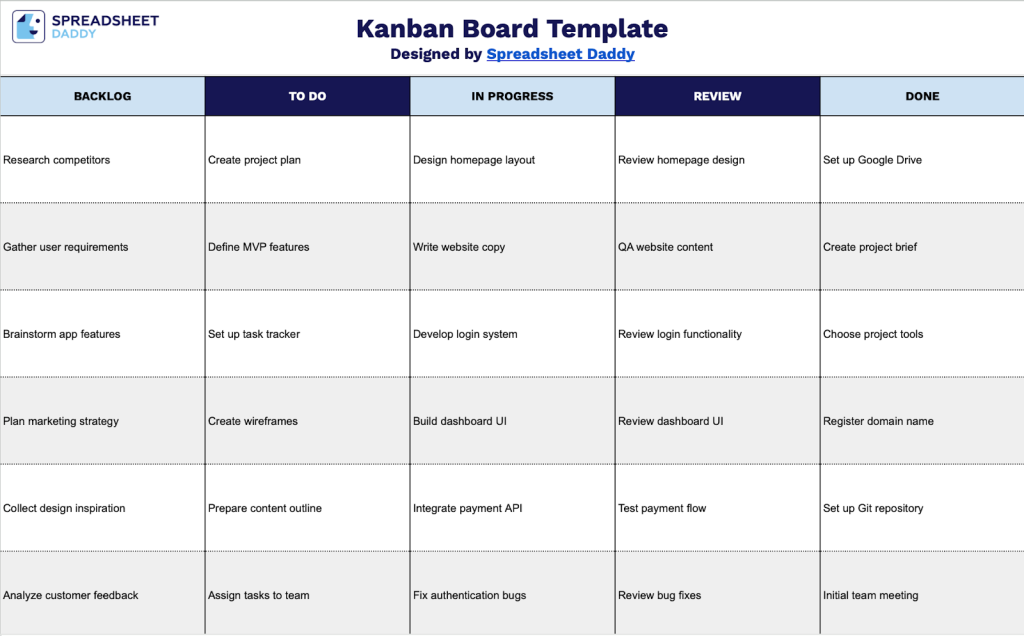
Our Kanban Board Template helps you visualize and organize your workflow by tracking tasks across different stages of completion.
What’s included
- Five-stage workflow columns: The board is organized into Backlog, To Do, In Progress, Review, and Done columns, providing a complete visual system for tracking tasks from initial capture through completion, following proven Kanban methodology for efficient work management.
- Backlog and prioritization section: The leftmost Backlog column serves as a holding area for future tasks and ideas, allowing you to capture all potential work items before moving them into active To Do status based on priority and capacity.
- Active work-tracking columns: The To Do, In Progress, and Review columns create a clear progression path for tasks in progress, helping teams visualize bottlenecks, manage work-in-progress limits, and maintain steady workflow momentum.
- Completion tracking area: The Done column on the right provides a dedicated space to move finished tasks, offering visual confirmation of progress and creating a historical record of completed work for retrospectives and reporting.
- Blank canvas design: The template features clean, unlabeled rows within each column, giving you complete flexibility to add task cards, color coding systems, priority indicators, assignee labels, or any other custom fields that match your team’s specific workflow and project management requirements.
You can customize the board by adding or removing columns to match your specific project needs and workflow preferences.
Select a link below to download a blank Kanban Board template in the format that works best for you:
How to Use Our Kanban Board Template
1. Access the template in Excel or PDF, or duplicate it to your Google Sheets for personal use.
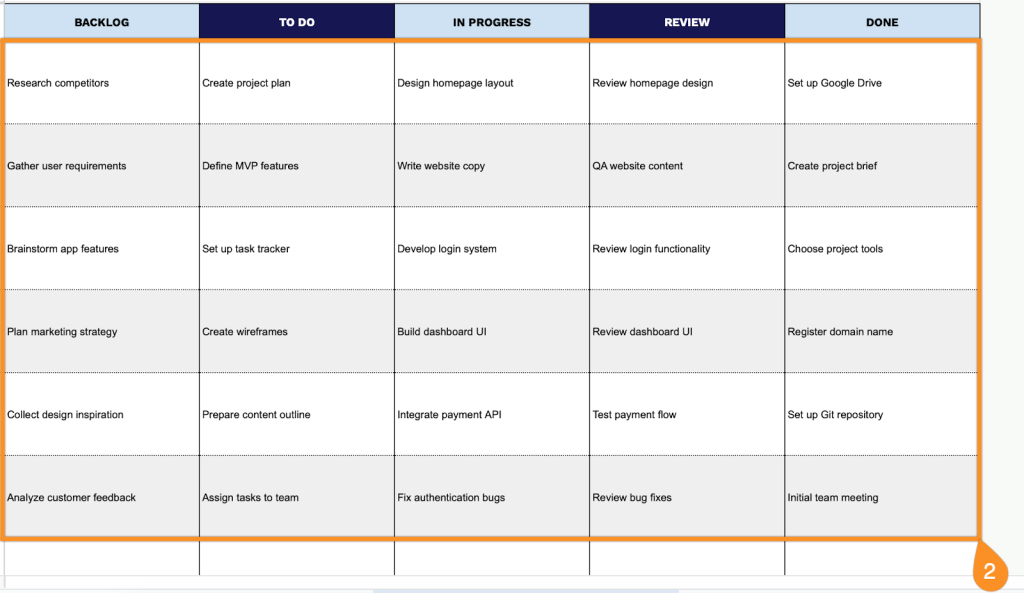
2. Add your tasks, ideas, or projects to the appropriate columns on the board.