Looking for a simple solution to manage your LPC hour records?
Download our free LPC Hours Log Template in Google Sheets, Excel, or PDF format.
With customizable fields and a clean layout, it helps counselors-in-training track completed hours efficiently and stay on top of licensing requirements.
What Is an LPC Hours Log Template?
An LPC (Licensed Professional Counselor) hours log template is a structured document used by counseling students and supervisees to systematically track and record their supervised clinical hours as they work toward licensure requirements.
This template serves as an official record that demonstrates compliance with the specific hour requirements mandated by state licensing boards, making it an essential tool for organizing and verifying progress throughout the licensure process.
Download Spreadsheet Daddy’s Free LPC Hours Log Template
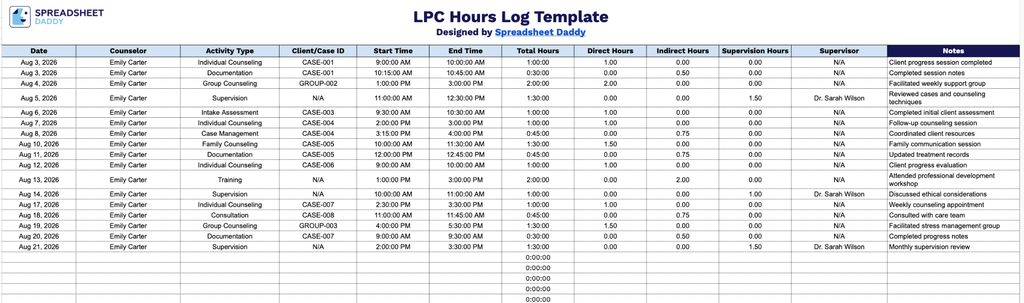
Our LPC Hours Log Template helps counselors track daily activities, session times, and hours worked across direct care, indirect work, and supervision.
What’s included
- Comprehensive session-tracking columns: The main log includes dedicated fields for Date, Counselor, Activity Type, and Client/Case ID, providing a clear, organized record of exactly who provided which type of service to which client for every entry.
- Automated time calculations: Start Time and End Time columns are paired with a Total Hours column formatted in hh:mm:ss, so the duration of each session or activity calculates automatically as soon as you enter your time in and time out.
- Hour-type breakdown for licensure requirements: Direct Hours, Indirect Hours, and Supervision Hours are tracked in separate columns, making it easy to categorize each entry according to the specific hour types most licensing boards require counselors to document separately.
- Supervisor accountability field: A dedicated Supervisor column lets you record the overseeing supervisor for each relevant entry, keeping your documentation audit-ready and easy to verify.
Since every practice logs hours a little differently, you can easily add or remove columns to match your specific tracking needs.
Select the version that suits your needs and download the blank LPC Hours Log template:
How to Use Our LPC Hours Log Template
1. Get started with tracking your LPC hours by downloading the template in Excel, PDF, or Google Sheets format.
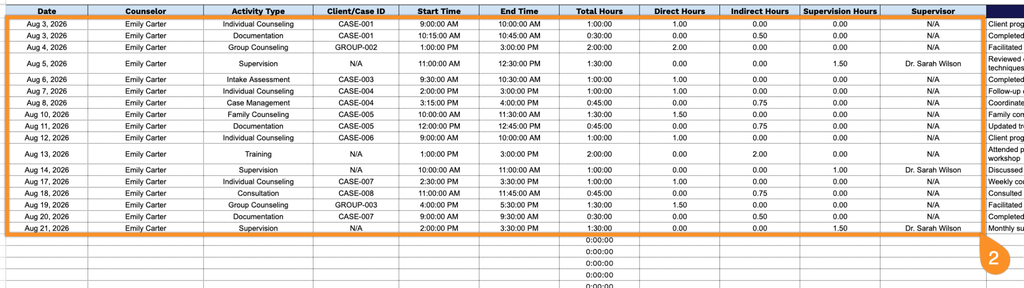
2. Record essential counseling session details by entering the date, counselor name, activity type, client or case ID, start and end times, direct service hours, indirect hours, supervision hours, and supervisor information. The template automatically adds these entries together to calculate the total hours completed.
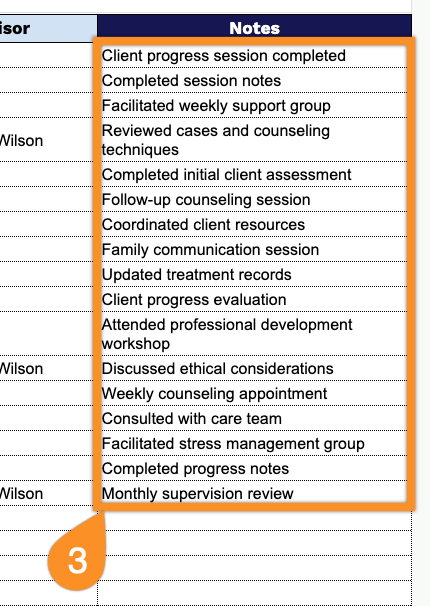
3. Use the Notes section to include supervisor comments, verification details, reminders, or any additional information related to your counseling experience and licensure requirements.