Save time with our free Maintenance Template, available in Google Sheets, Excel, and PDF.
Easily track maintenance tasks, service dates, and repair details in an editable, ready-to-use format.
What Is a Maintenance Template?
A maintenance template is a standardized document that provides a structured framework for recording and tracking maintenance activities on equipment, facilities, or assets.
Using templates ensures consistency across maintenance operations, reduces errors, and helps organizations maintain comprehensive documentation for compliance and operational efficiency.
Download Spreadsheet Daddy’s Free Maintenance Template
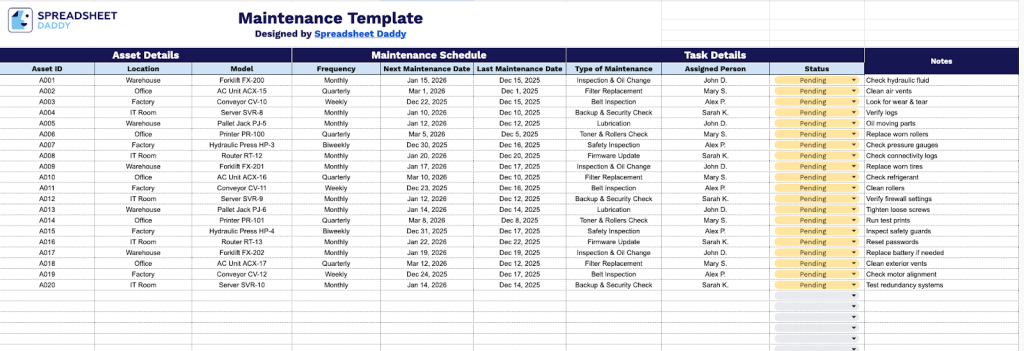
Our Maintenance Template helps you organize and track scheduled maintenance tasks for your equipment and assets.
What’s included
- Comprehensive asset-tracking fields: The template includes dedicated columns for Asset ID, Location, and Model, allowing you to maintain a complete inventory of all equipment and machinery requiring maintenance, with unique identifiers and physical placement details for easy reference.
- Flexible maintenance scheduling system: Built-in columns for Frequency, Next Maintenance Date, and Last Maintenance Date enable you to plan preventive maintenance cycles, track when service was last performed, and automatically schedule upcoming maintenance intervals to prevent equipment downtime.
- Task assignment and status management: Dedicated columns for Type of Maintenance (preventive, corrective, emergency), Assigned Person, and Status (pending, in progress, completed) provide clear accountability and real-time visibility into who is responsible for each task and its current progress.
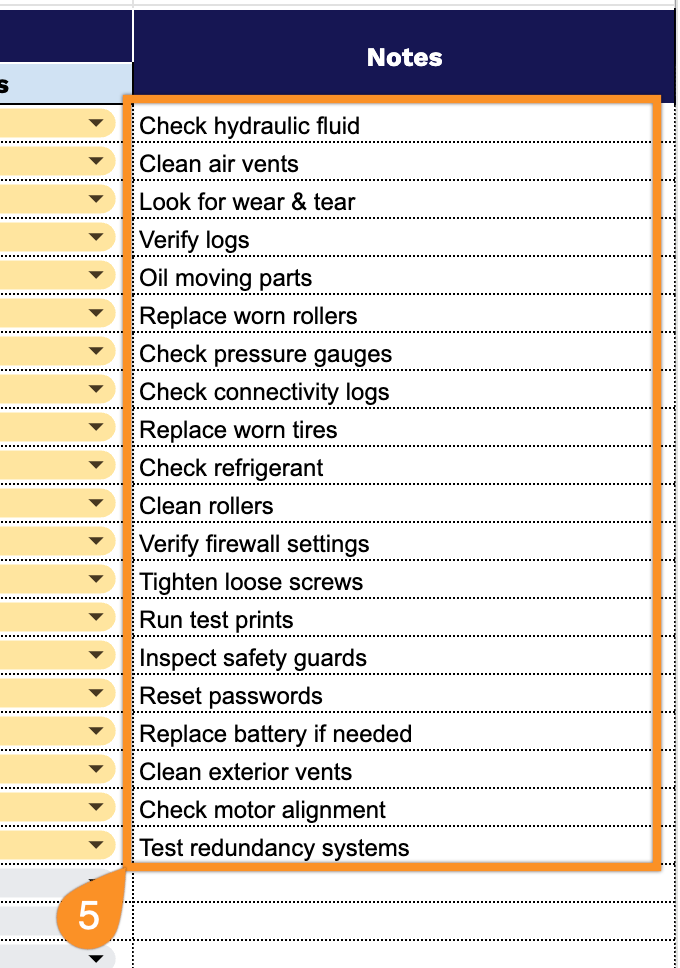
- Integrated notes documentation section: A Notes column allows you to record special instructions, parts required, issues discovered during maintenance, or any additional context specific to each asset, ensuring critical information is preserved for future reference and knowledge transfer.
You can customize it by adding or removing columns to fit your specific requirements.
Use the links below to download a free blank maintenance template in your preferred format:
How to Use Our Maintenance Template
1. Grab this template as an Excel or PDF file, or make a copy in Google Sheets for yourself.
2. Complete the Asset Details section by entering all critical equipment information:
- Asset ID: Enter the unique identifier or serial number assigned to each piece of equipment for tracking purposes.
- Location: Specify the physical location, facility, or department where the asset is installed or stationed.
- Model: Record the manufacturer’s model number and equipment specifications.

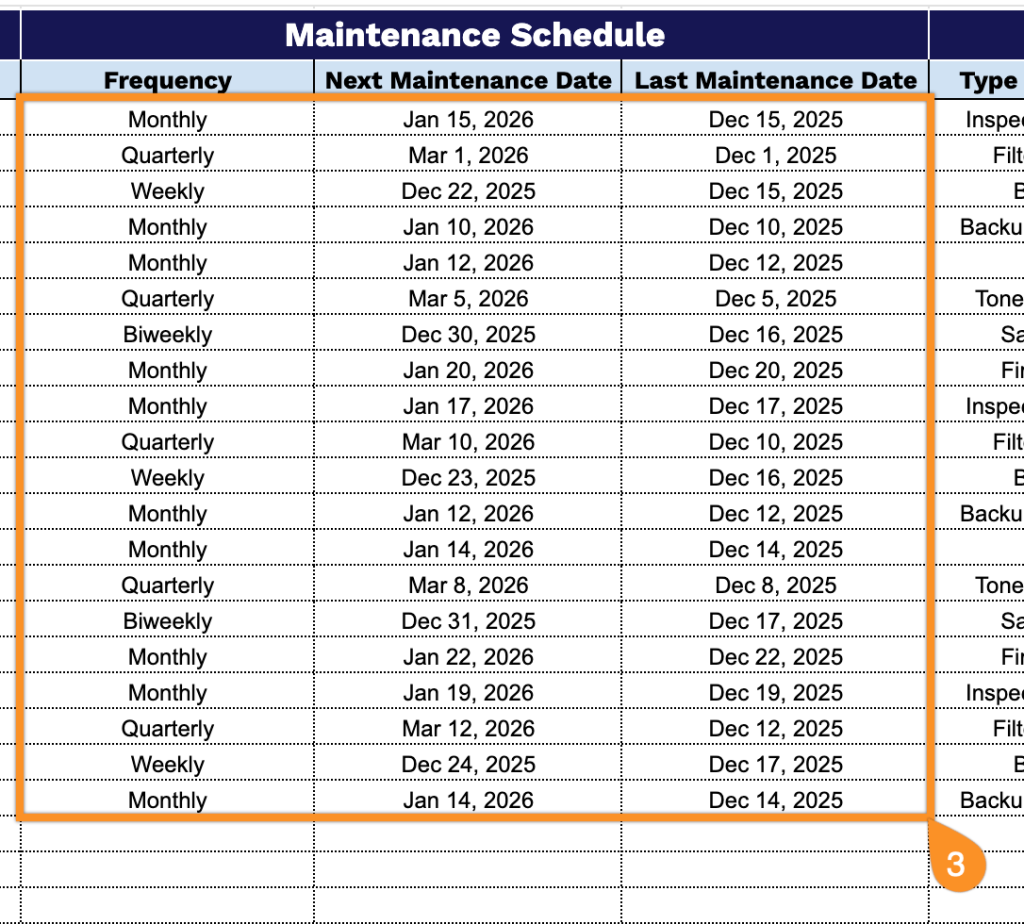
3. Complete the Maintenance Schedule section by defining the service timeline:
- Frequency: Add the maintenance interval (daily, weekly, monthly, quarterly, annually, or as-needed).
- Next Maintenance Date: Set the upcoming scheduled service date to ensure timely maintenance execution.
- Last Maintenance Date: Document the most recent service date to maintain an accurate maintenance history.
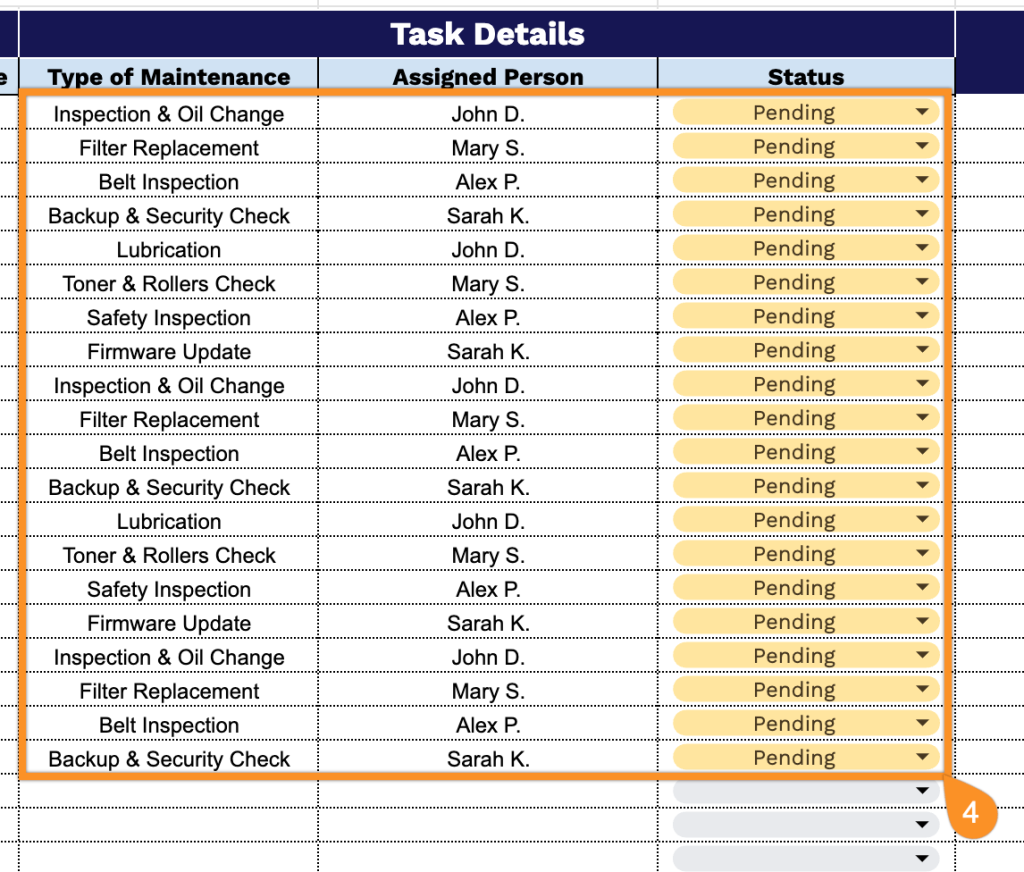
4. Complete the Task Details section by specifying maintenance execution parameters:
- Type of Maintenance: Indicate the service category (preventive, corrective, predictive, or emergency maintenance).
- Assigned Person: Designate the technician, team member, or contractor responsible for completing the task.
- Status: Select the current task state (pending, in progress, completed, overdue, etc.).
5. Use the Notes section to include any additional details or special instructions related to the maintenance service.