Looking for an easy way to record your work activities?
Download our free Work Log Template in Google Sheets, Excel, or PDF and start logging tasks, hours, and project notes in minutes.
Editable and user-friendly, it’s designed for accurate and efficient tracking.
What Is a Work Log Template?
A work log template is a structured document used to systematically record daily work activities, time spent, and progress on various projects.
This template serves as both a personal productivity tracker and a professional record for performance reviews, client billing, and time management.
Download Spreadsheet Daddy’s Free Work Log Template
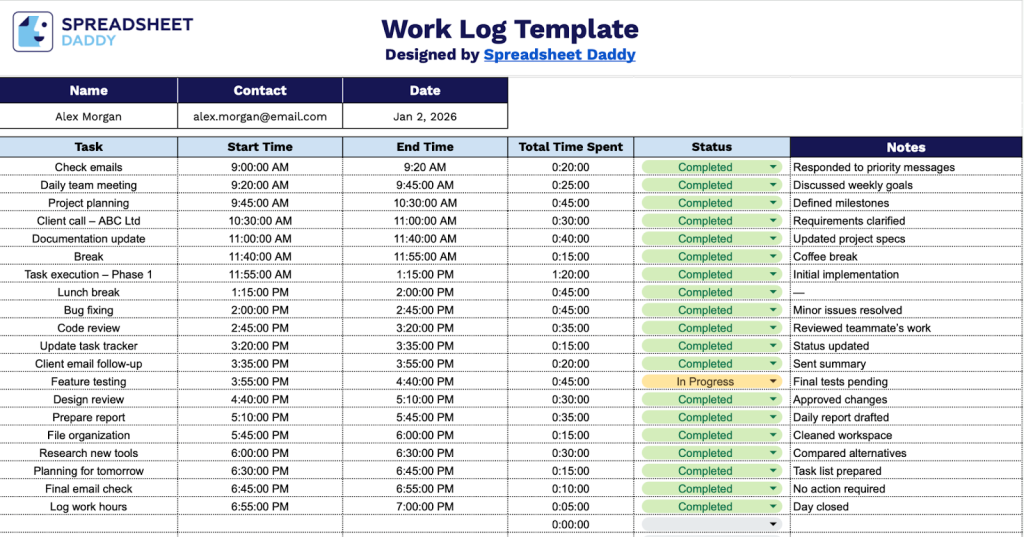
Our Work Log Template helps you track your daily tasks, time spent, and progress throughout the workday.
What’s included
- Personal identification fields: The header section includes editable placeholders for Name, Contact, and Date, allowing you to quickly personalize each work log with your information and track when tasks were completed for professional time management documentation.
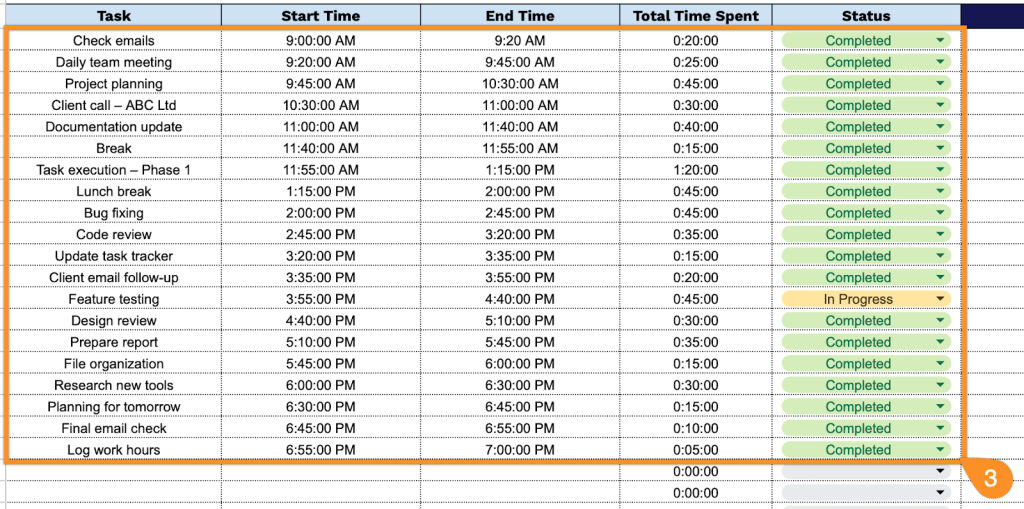
- Comprehensive time-tracking columns: The main table includes dedicated columns for Task description, Start Time, End Time, and Total Time Spent, enabling you to accurately monitor how long each activity takes and maintain detailed records of your daily work hours.
- Status tracking column: A dedicated Status field for each task entry allows you to mark progress levels such as “In Progress,” “Completed,” or “Not Started,” helping you visualize workflow and prioritize outstanding tasks at a glance.
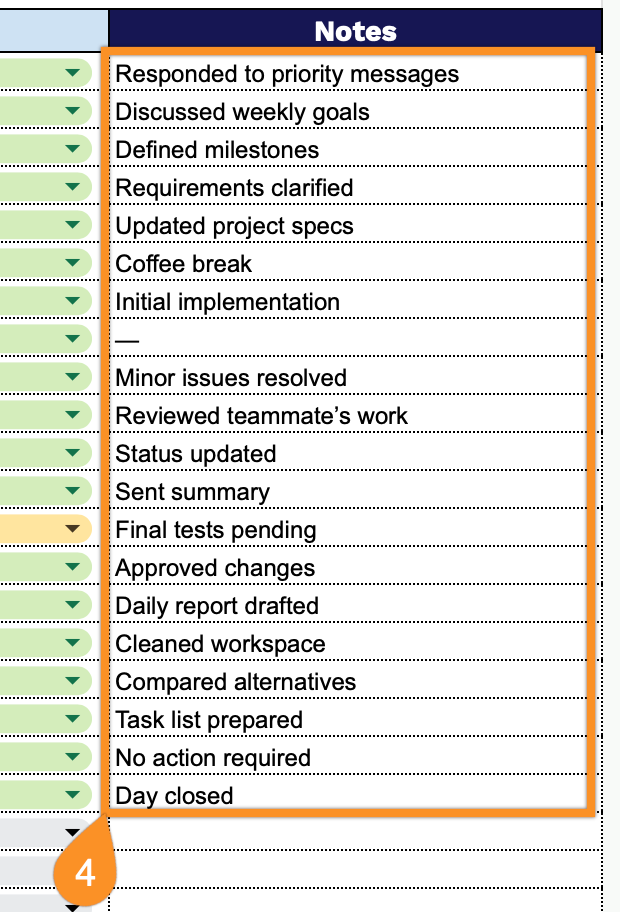
- Notes section for additional context: Each task row includes a Notes column where you can add important details, observations, or follow-up reminders about specific activities, ensuring comprehensive documentation and better reference for future planning or reporting needs.
You can easily customize it by adding or removing columns to fit your specific workflow and tracking needs.
Click one of the links below to access a free blank Work Log template in the format you need:
How to Use Our Work Log Template
1. Grab this template in Excel or PDF format, or create a Google Sheets version for personal use.
2. Enter the employee’s name, contact information, and the date for the log entry.

3. Complete the columns by entering all essential tracking and documentation information:
- Task: Enter the specific activity or assignment being performed during this work session.
- Start Time: Record when you began working on the particular task or activity.
- End Time: Specify when you completed or paused work on the task.
- Total Time Spent: The template automatically calculates the duration between start and end times for accurate time tracking.
- Status: Set the current state of the task (not started, in progress, completed, or on hold).
4. Use the Notes section to record any essential details or special instructions for each task.