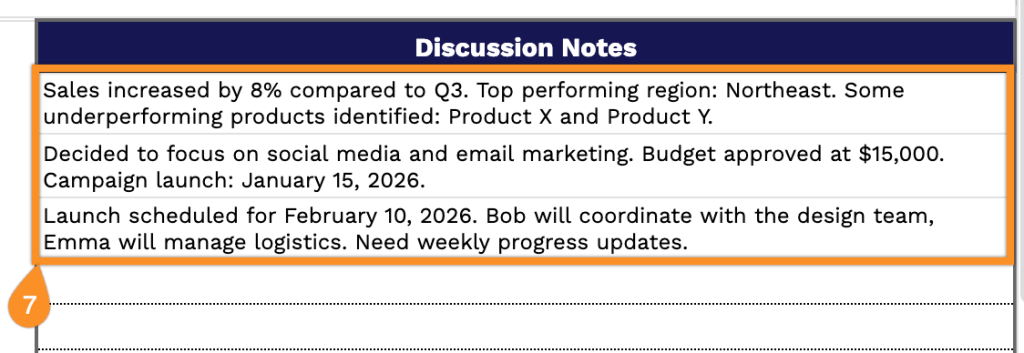
Keep your meetings organized with our ready-to-use Meeting Minutes Template.
Available in Google Sheets, Excel, and PDF, this template makes it simple to record key discussions, decisions, and tasks.
Fully customizable to fit any team or project, it’s the perfect way to stay on top of your meetings.
What Is a Meeting Minutes Template?
A meeting minutes template is a standardized format for recording the key details of a meeting, including attendees, discussion topics, decisions made, and action items assigned.
Using a template saves time and creates uniformity across an organization’s meeting records, making them easier to review and reference later.
Download Spreadsheet Daddy’s Free Meeting Minutes Template
Our Meeting Minutes Template provides a structured format for documenting meaningful discussions, decisions, and action items from your team meetings.
What’s included
- Meeting details section: The header includes editable fields for date, time, location/platform, meeting organizer, objectives, and agenda, allowing you to quickly capture all essential logistics and context for professional documentation of any meeting type.
- Attendees tracking table: A structured table with name and attendance columns lets you document who attended the meeting, making it easy to track participant engagement and maintain accurate records of the meeting composition.
- Discussion notes by topic: An organized section with a topic and notes field lets you systematically record key points, decisions, and conversations for each agenda item, ensuring comprehensive documentation of all discussions throughout the meeting.
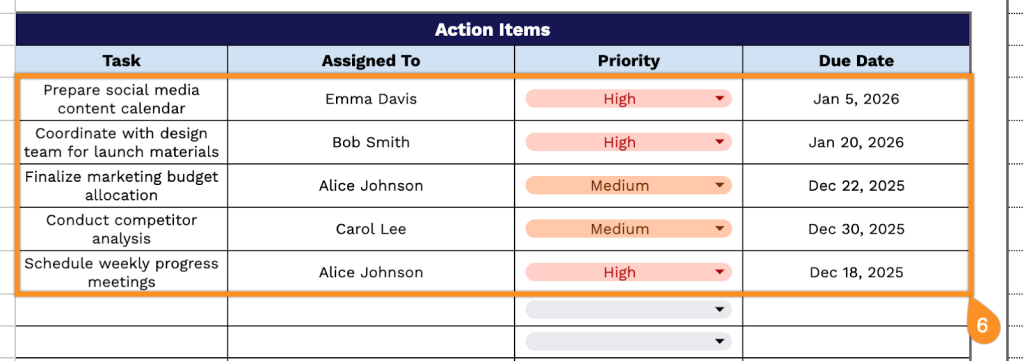
- Action items tracker: A dedicated task management table with columns for task description, assigned person, priority level, and due date ensures clear accountability and follow-up on all meeting outcomes and commitments made during discussions.
The template is fully customizable, allowing you to add or remove columns and rows based on your specific needs and workflow preferences.
Select a link below to download a free blank meeting minutes template in the format that works best for you:
How to Use Our Meeting Minutes Template
1. Download the template in PDF or Excel, or duplicate it to Google Sheets for personal use.
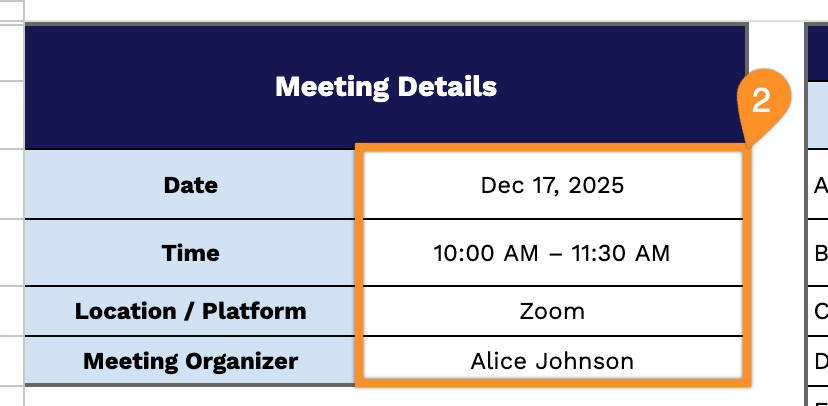
2. Enter the meeting details, such as the date, time, location or platform, and the meeting organizer.
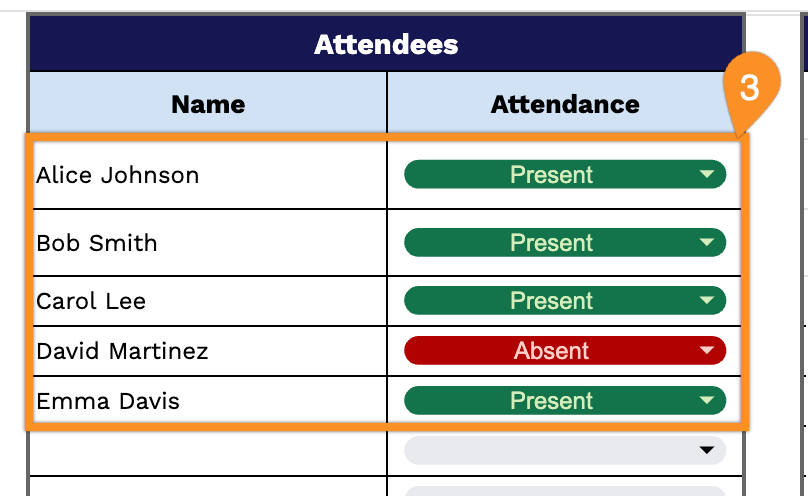
3. List all attendees and mark their attendance.
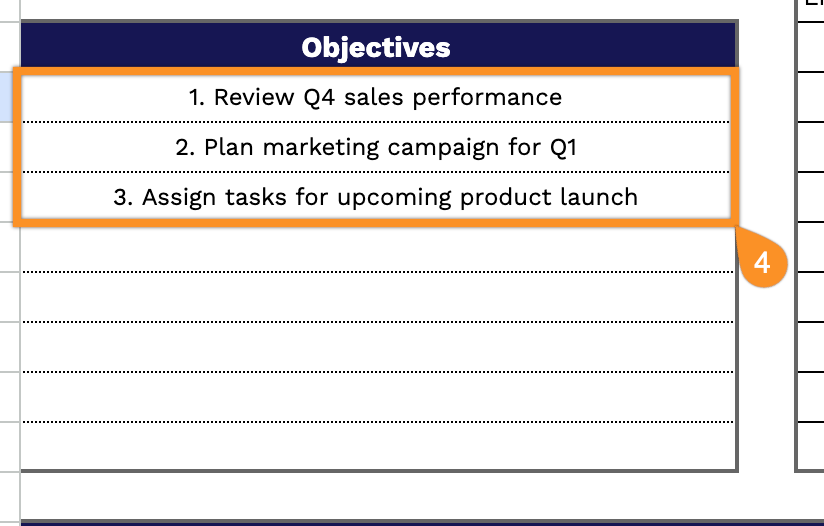
4. Outline the main objectives of the meeting.
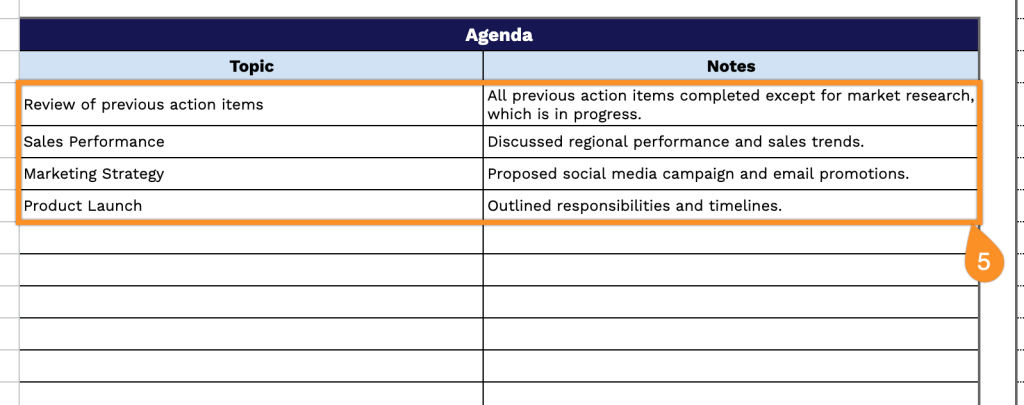
5. In the Agenda section, note each topic along with any key points or discussion notes.
6. In the Action Items section, record each task, who it’s assigned to, its priority, and the due date.
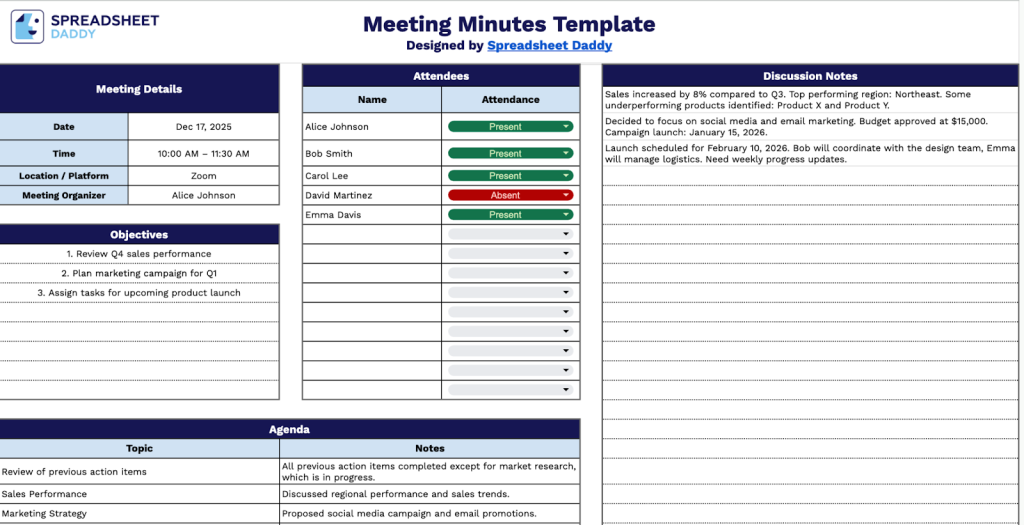
7. Use the Discussion Notes section to capture all essential points, decisions, and follow-ups from the meeting.