Tired of losing track of what you’ve watched?
Our free Movie List Template makes it easy to organize your favorite films, your upcoming watchlist, and personal ratings. Available in Google Sheets, Excel, Word, Google Docs, and PDF, it’s simple to edit and customize for your movie habits.
What Is a Movie List Template?
A movie list template is a pre-formatted document or spreadsheet designed to help you organize and track films you want to watch, have watched, or want to recommend to others.
These templates provide a structured way to catalog your movie preferences, create watchlists, or share curated film recommendations with friends.
Download Spreadsheet Daddy’s Free Movie List Template
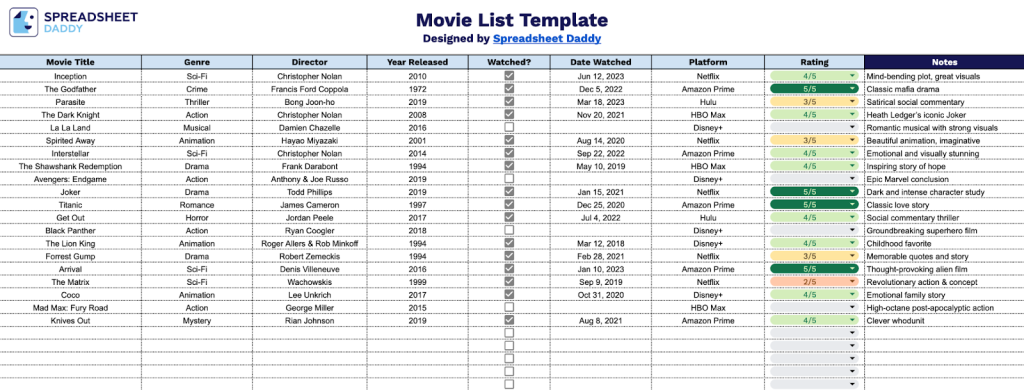
Our Movie List Template helps you organize and track films you’ve watched or plan to watch.
What’s included
- Comprehensive movie tracking fields: The template includes organized columns for movie title, genre, director, year released, watch status, date watched, streaming platform, personal rating, and notes, allowing you to systematically catalog and manage your entire film collection with all essential details in one place.
- Flexible sorting and filtering system: Sort and organize your movie list by any category, including genre, platform, rating, or watch status, to easily find specific films, track what you’ve watched, or plan your subsequent viewing from your curated collection.
- Watch history documentation: Record the exact date you watched each movie and toggle watch status to maintain a complete viewing history and distinguish between films you’ve seen and those on your watchlist for future viewing.
- Personal rating and review space: Dedicated rating column and notes section provide space to assign scores and write detailed thoughts, reactions, or reviews for each film, creating a personalized movie journal alongside your catalog.
- Clean, customizable spreadsheet layout: Simple and intuitive design that’s easy to fill out, edit, and expand as your collection grows, with clearly labeled columns that can be adapted to suit your specific movie tracking preferences and organizational needs.
You can adjust the template by adding or removing columns to fit your personal tracking preferences.
Click any of the links below to download a free blank movie list template in the format that works best for you:
How to Use Our Movie List Template
1. Download our movie list template in Excel or PDF, or create a custom copy in Google Sheets.
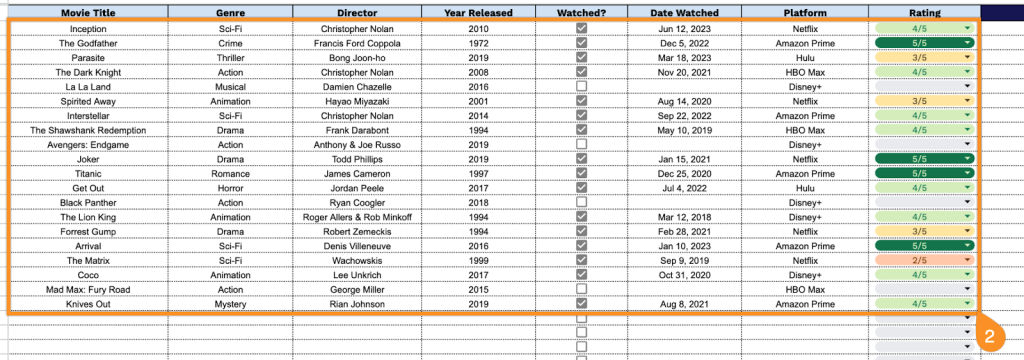
2. Complete the columns by entering all essential film information:
- Movie Title: Enter the complete name of the film as it appears in official releases.
- Genre: Select the primary classification (action, drama, comedy, thriller, sci-fi, etc.).
- Director: Include the name of the filmmaker who directed the movie.
- Year Released: Record the original theatrical or official release year of the film.
- Watched?: Indicate whether you have viewed this movie.
- Date Watched: Document the specific date when you watched the film.
- Platform: Specify where you viewed the movie (Netflix, theater, Disney+, Prime Video, etc.).
- Rating: Assign your personal rating or score for the film.
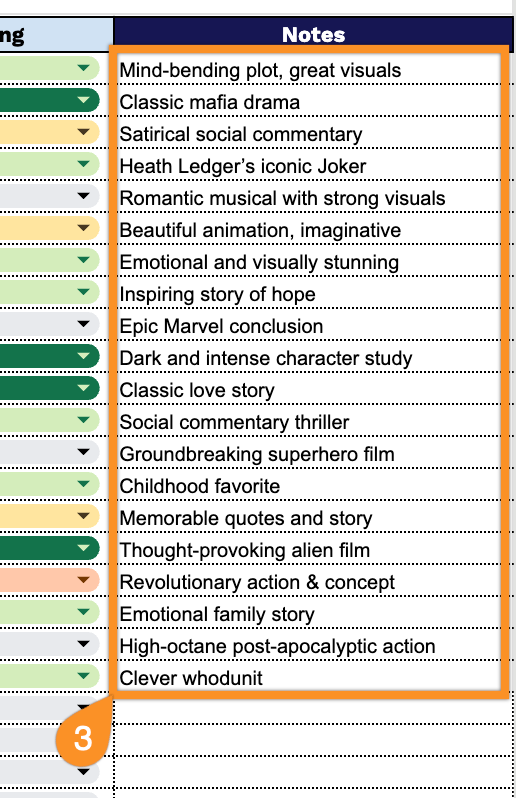
3. Use the Notes section for comments, favorite scenes, or anything meaningful about the movies you want to remember.