Make client onboarding easier with our free New Client Checklist Template.
Choose from Google Sheets, Excel, or PDF and customize the checklist to fit your workflow.
Use it to organize client information, monitor completed tasks, and keep the entire onboarding process on track.
What Is a New Client Checklist Template?
A new client checklist template is a structured document used by businesses or professionals to systematically gather all essential information and complete necessary steps when onboarding a new client.
By standardizing the onboarding process, the template ensures consistency, reduces the risk of overlooking critical steps, and helps create a smooth, professional first impression for every new client relationship.
Download Spreadsheet Daddy’s Free New Client Checklist Template
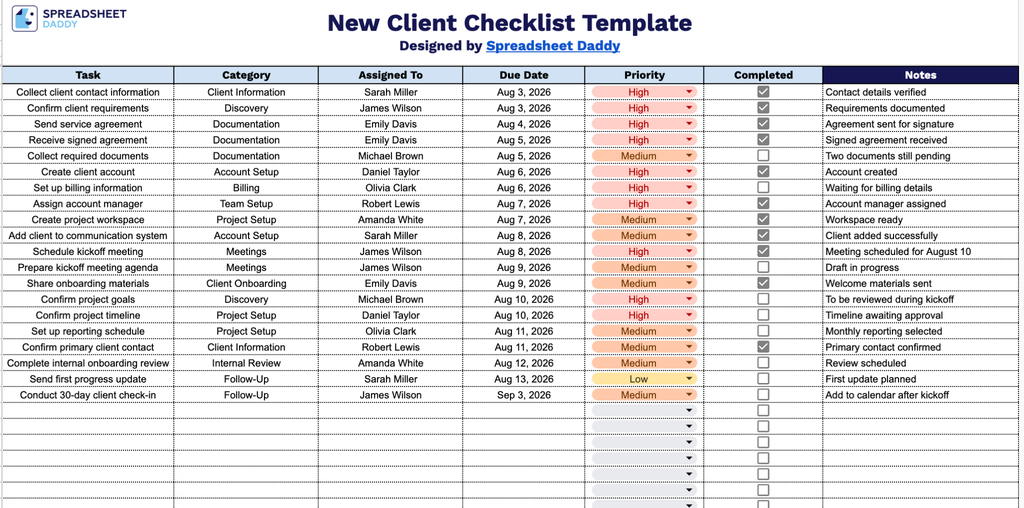
Our New Client Checklist Template helps you track every step of onboarding a new client, from collecting contact details and agreements to setting up accounts and scheduling kickoff meetings.
What’s included
- Structured task-tracking columns: The sheet includes dedicated columns for Task, Category, Assigned To, Due Date, and Priority, providing a clear, organized framework to capture every onboarding step and who’s responsible for each.
- Interactive completion checkboxes: Each row features a clickable checkbox in the Completed column, letting you visually track progress at a glance as you check off tasks throughout the client onboarding process.
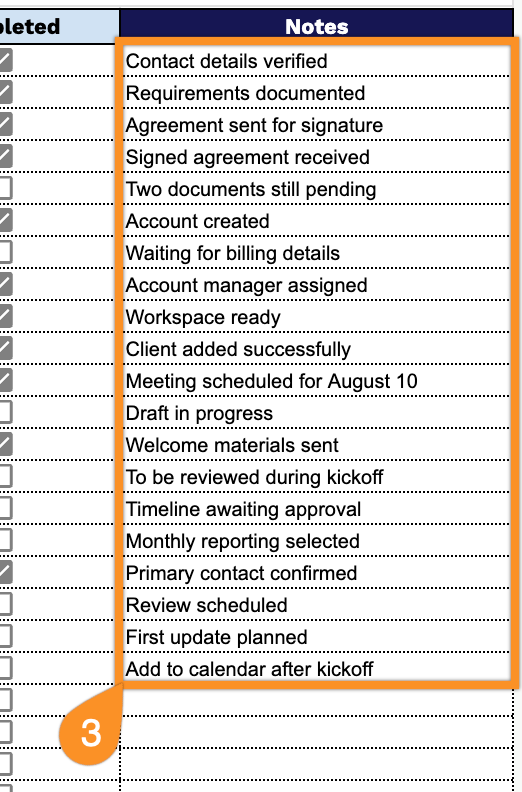
- Dedicated notes column: A wide Notes column on the right-hand side gives you space to log additional context, special instructions, or follow-up details for each task without cluttering the main checklist.
Add or remove columns to match your own workflow.
Select a file format below and download your free New Client Checklist template to start organizing new client information:
How to Use Our New Client Checklist Template
1. Choose the format that works best for you: download the checklist in Excel or PDF, or copy it to Google Sheets for online editing.
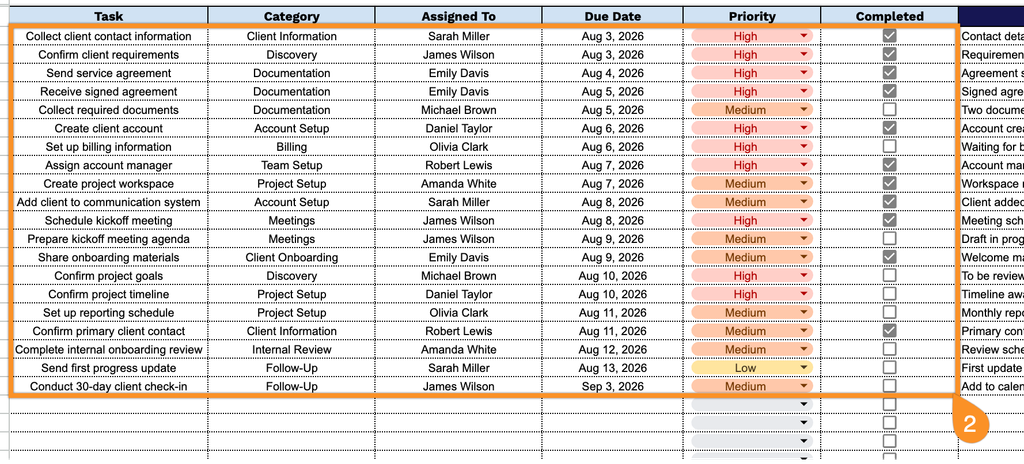
2. Add each client onboarding task, select its category and assignee, set the due date and priority level, and check it off once the task is completed.
3. Use the Notes section to record important client details, special requests, follow-up reminders, or other information that may be useful throughout the onboarding process.