Make employee departures more organized with our free, professionally formatted Offboarding Checklist Template.
Available in Google Sheets, Excel, and PDF, it provides a convenient way to document offboarding tasks, monitor completion, and keep the entire process on track.
What Is an Offboarding Checklist Template?
An offboarding checklist template is a structured document that organizations use to guide the transition of an employee out of the company in a thorough, organized manner.
By standardizing the offboarding experience, the template helps protect company security, maintain compliance, preserve institutional knowledge, and leave departing employees with a positive final impression of the organization.
Download Spreadsheet Daddy’s Free Offboarding Checklist Template
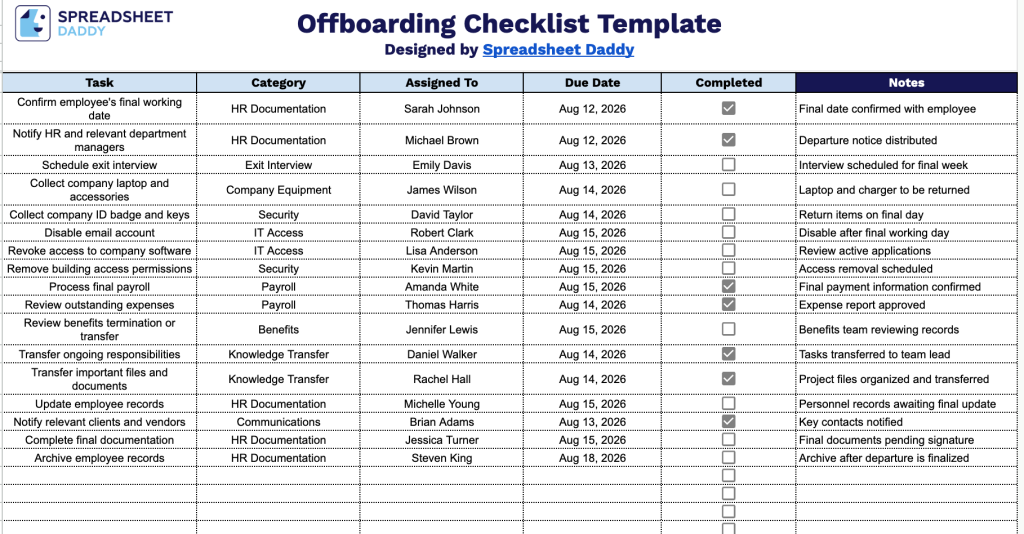
Our Offboarding Checklist Template helps you track every step of an employee’s departure, from final payroll and equipment collection to IT access removal and knowledge transfer.
What’s included
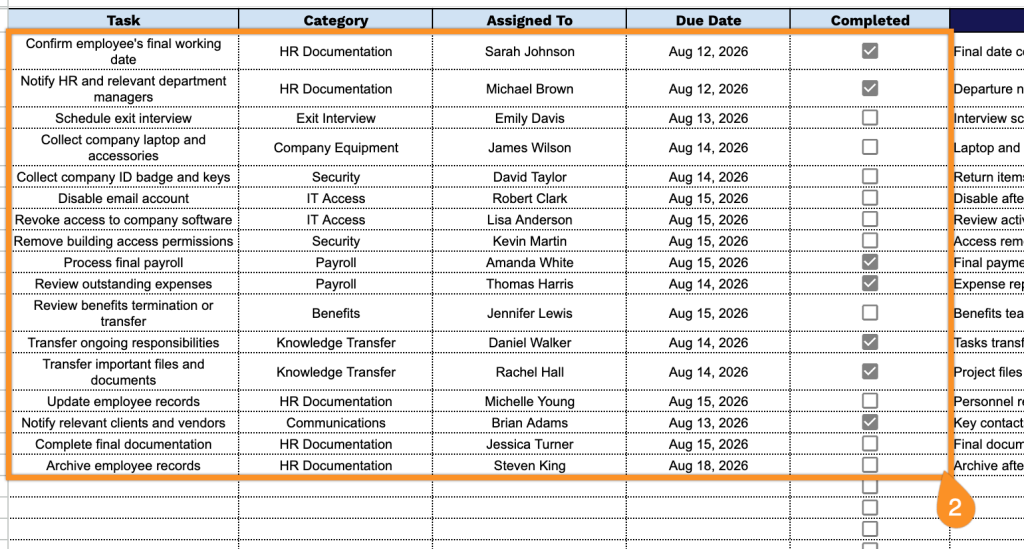
- Task and category organization fields: Each entry includes dedicated fields for the specific offboarding task and its category (e.g., IT, HR, Facilities), allowing you to group related action items together and quickly identify which department or function owns each step.
- Assignment and accountability tracking: The “Assigned To” column lets you designate a specific person or team responsible for completing each task, ensuring clear ownership and eliminating confusion over who’s handling which part of the offboarding process.
- Due date field for deadline management: Each task has a corresponding due date field, helping you keep the offboarding process on schedule and ensuring critical items, such as equipment returns or access revocations, occur within the appropriate timeframe.
- Completion status tracking: A dedicated “Completed” field allows you to mark each task as finished, giving you an at-a-glance view of overall offboarding progress and helping you quickly identify outstanding items.
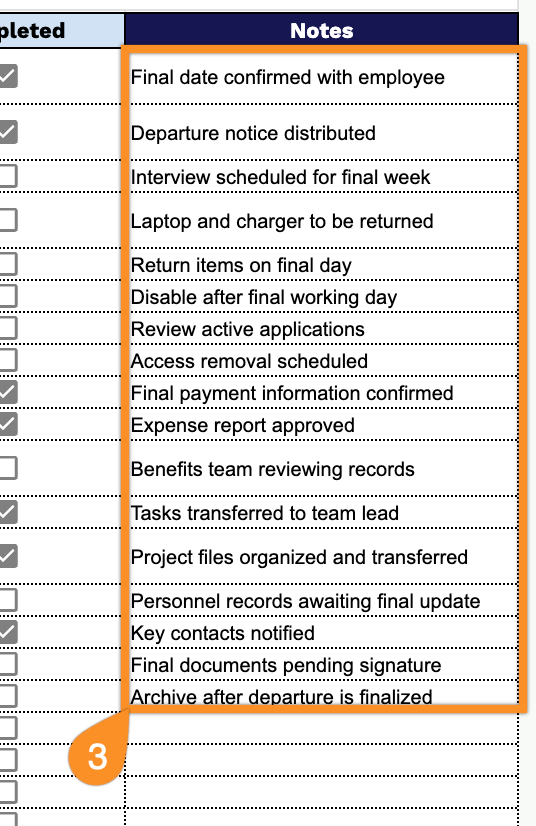
- Open notes field for additional context: The “Notes” column provides space to record extra details, special instructions, or follow-up information related to each task, making the checklist adaptable to unique offboarding situations beyond the standard fields.
You can add or remove columns as needed to fit your own process.
Pick the file format that suits your needs and download a free Offboarding Checklist template:
How to Use Our Offboarding Checklist Template
1. Download the Cleaning Checklist in Excel or PDF, or make your own editable copy in Google Sheets.
2. Enter the offboarding tasks, assign them to the appropriate person, specify the category and due date, and check off each task as it is completed.
3. Use the Notes section to record important details, special instructions, handover information, or follow-up actions related to the employee’s offboarding process.