Don’t waste time creating an oil change receipt from scratch.
Our free, ready-to-use Oil Change Receipt Template is available in Google Sheets, Excel, Word, Google Docs, and PDF. Quickly record service details, payment amounts, and customer information with a clean, professional layout.
Explore our library of free receipt templates for all your automotive documentation needs.
What Is an Oil Change Receipt Template?
An oil change receipt template is a pre-formatted document that auto repair shops and service centers use to provide customers with proof of oil change services performed on their vehicles.
This standardized format helps businesses save time on paperwork while ensuring customers receive clear, professional documentation for their maintenance records and warranty purposes.
Download Spreadsheet Daddy’s Free Oil Change Receipt Template
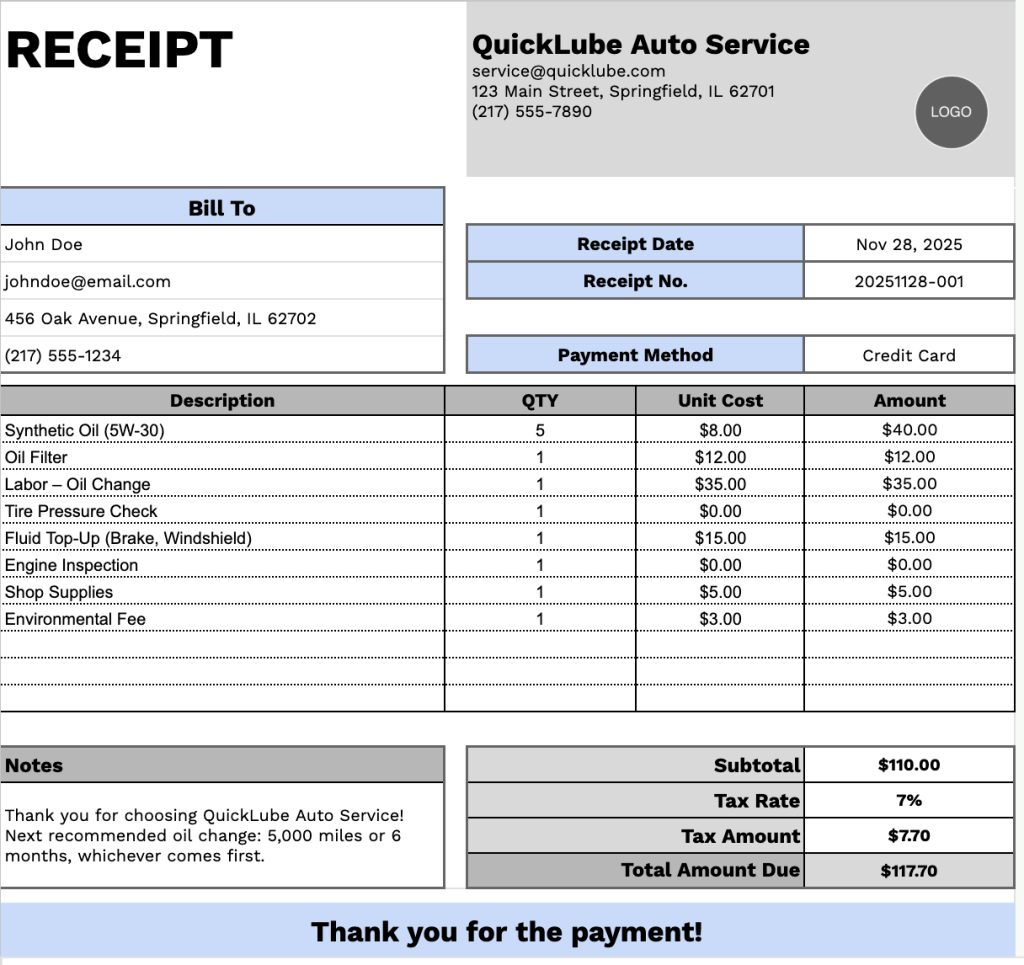
Our Oil Change Receipt Template provides a professional format for documenting automotive service transactions.
What’s included
- Customizable business information fields: The header section includes editable placeholders for company name, email address, physical address, and phone number, allowing you to quickly brand the receipt with your dealership or service center details for professional documentation.
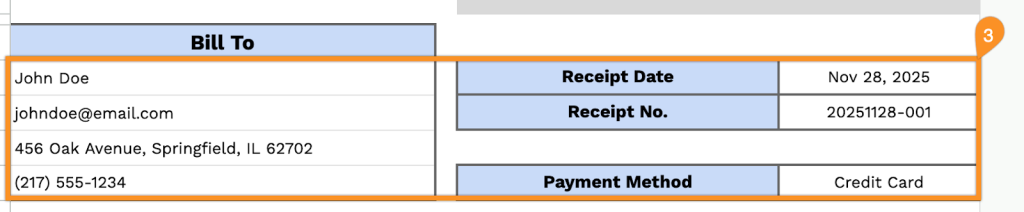
- Dual-section customer billing area: The “Bill To” section features dedicated fields for customer name, email, address, and phone number on the left side, while the right side captures receipt date, receipt number, and payment method for complete transaction tracking and customer record management.
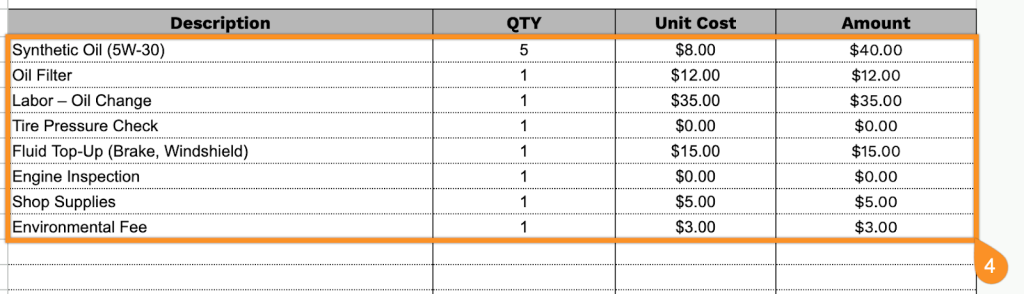
- Multi-line itemized service table: A comprehensive table with four columns (Description, QTY, Unit Cost, Amount) provides pre-formatted rows to itemize oil types, filters, labor charges, fluid top-offs, and additional services, ensuring transparent pricing breakdown for every service performed.
- Automatic calculation summary section: The footer includes a subtotal field, an adjustable tax rate percentage input, a displayed calculated tax amount, and a total amount due line, all values formatted to 2 decimal places for accurate financial reporting and easy reconciliation.
- Print-ready minimalist design: The template features a clean layout with a clear visual hierarchy, well-spaced sections, and a courteous “Thank you for the payment!” closing message, making it suitable for both physical printing and digital delivery to customers.
The customizable layout lets you easily add or remove columns based on your business requirements, making it adaptable to various service packages and pricing structures.
Download a free blank oil change receipt template in your preferred format using the links below:
How to Use Our Oil Change Receipt Template
1. Get this oil change receipt template in Excel, Word, or PDF, or make your own in Google Sheets or Docs.
2. Add your business name, email, address, phone number, and logo at the top of the receipt.

3. Include the “Bill To” information, along with the receipt date, receipt number, and payment method.
4. Record all oil change services, parts, and supplies provided. Enter the quantity and price for each item, and the template will automatically calculate the line totals.
5. Add the applicable tax rate, and the template will automatically calculate the subtotal, tax amount, and total due.

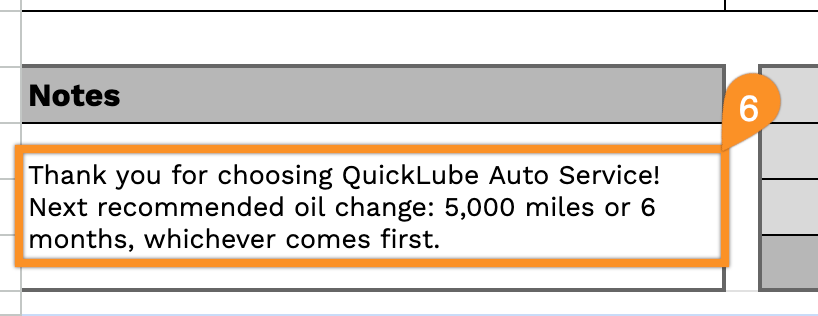
6. Use the Notes section for essential details, such as service recommendations, next oil change date, or special instructions.