Streamline your onboarding without starting from scratch.
Our free Onboarding Template keeps all essential new hire information and onboarding stages neatly organized.
Choose Google Sheets, Excel, or PDF and tailor it to your team.
What Is an Onboarding Template?
An onboarding template is a pre-designed framework or document that guides organizations through the process of integrating new employees into their workplace.
These templates help ensure a consistent, organized onboarding experience while saving time for HR teams and managers.
Download Spreadsheet Daddy’s Free Onboarding Template
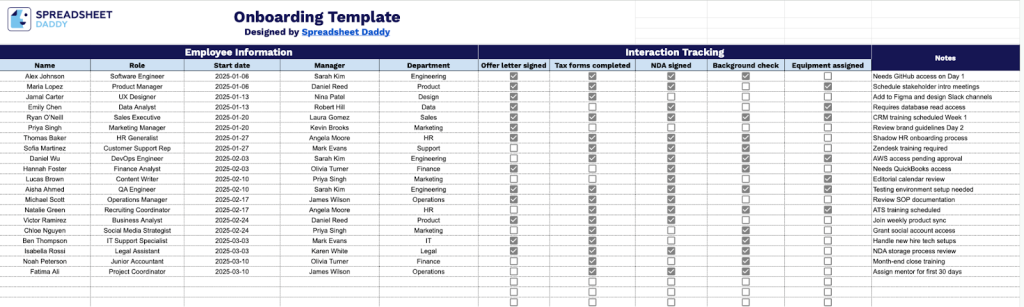
Our Onboarding Template helps you track new employees joining your organization, including their basic information, start dates, and essential setup notes.
What’s included
- Comprehensive employee information fields: The template includes dedicated columns for employee name, role, start date, assigned manager, and department, providing a complete profile for each new hire to facilitate easy identification and organization across your onboarding roster.
- Essential onboarding compliance tracking: Built-in checkbox columns track critical pre-employment requirements, including whether the offer letter is signed, tax forms are completed, the NDA is signed, background check is complete, and equipment is assigned, ensuring all legal and administrative tasks are completed before or on Day 1.
- Interaction tracking section: A dedicated area lets you monitor and document touchpoints, meetings, and engagement activities for each new hire throughout their onboarding journey, helping managers stay connected and responsive during the critical first weeks.
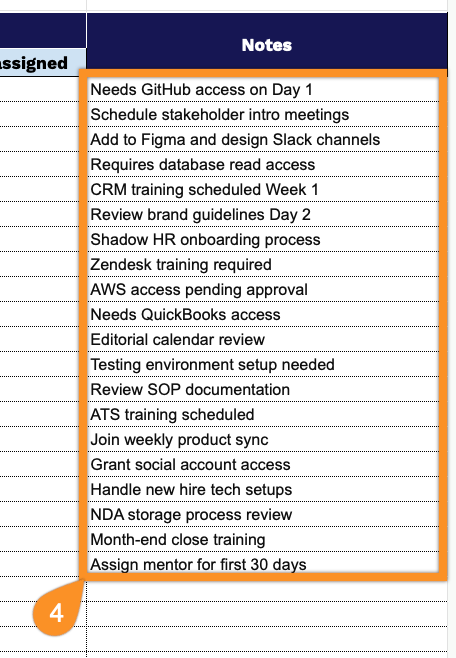
- Flexible notes column for role-specific requirements: Capture customized onboarding needs such as system access requests, training schedules, stakeholder introductions, mentor assignments, and first-week priorities tailored to each employee’s role and department.
The template is fully customizable, allowing you to add or remove columns based on your specific workflow requirements.
Use the links below to download a free blank onboarding template in your chosen format:
How to Use Our Onboarding Template
1. Access your onboarding template in Excel, PDF, or use it directly in Google Sheets.
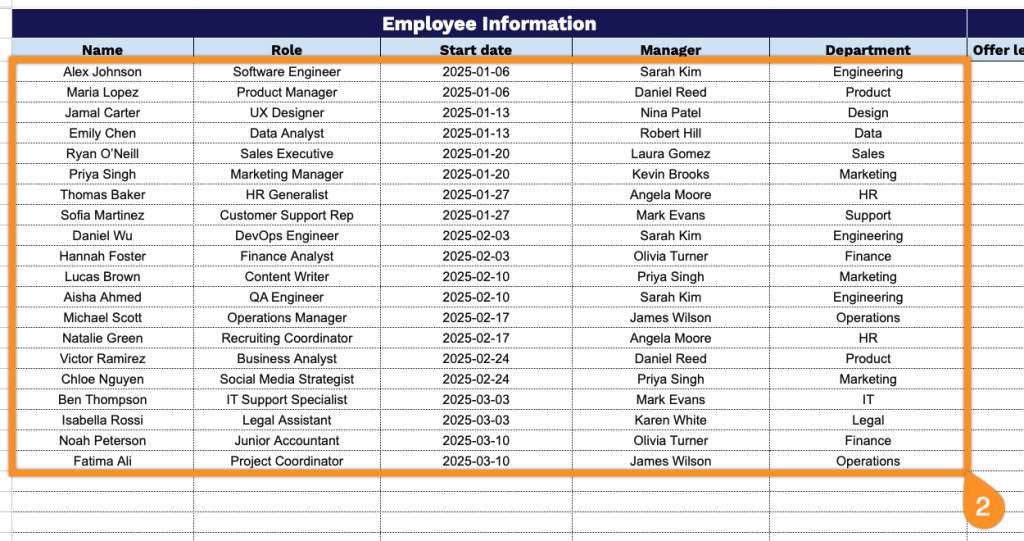
2. Complete the Employee Information section by entering all essential onboarding and identification details:
- Name: Enter the new employee’s full legal name as it appears on official documents.
- Role: Specify the job title and position the employee will be filling within the organization.
- Start Date: Record the official first day of employment when the employee begins working.
- Manager: Identify the direct supervisor or manager who will oversee this employee.
- Department: Indicate the organizational unit or team where the employee will be assigned.
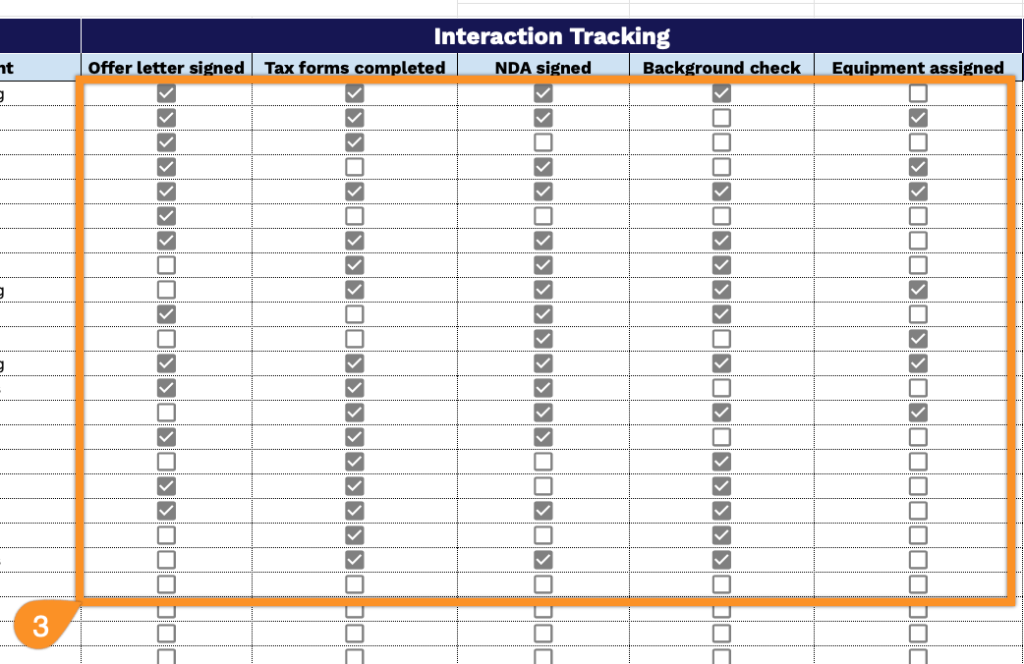
3. Mark the completion status in the Interaction Tracking section by checking each box as the corresponding onboarding task is finalized:
- Offer Letter Signed: Confirm the employee has reviewed and signed the formal employment offer.
- Tax Forms Completed: Verify all required tax documentation (W-4, state forms) has been submitted.
- NDA Signed: Ensure the non-disclosure agreement has been executed to protect confidential information.
- Background Check: Indicate that the background screening process has been completed and that the results are precise.
- Equipment Assigned: Confirm all necessary hardware, software, and tools have been provided to the employee.
4. Use the Notes section to record onboarding progress, special requirements, follow-ups, or any important details for each new employee.