Looking for a quick PTO tracking solution?
Get our free, professionally structured PTO Tracker Template in Google Sheets, Excel, or PDF.
Easily update and track vacation days, sick leave, and other leave types in a clean, user-friendly layout.
What Is a PTO Tracker Template?
A PTO (Paid Time Off) tracker template is a pre-built document or spreadsheet tool that helps organizations and employees systematically record, manage, and monitor vacation days, sick leave, personal days, and other types of employee absences.
By standardizing the tracking process, a PTO tracker template reduces administrative burden, minimizes errors, and ensures transparency between employees and management regarding available and used time off.
Download Spreadsheet Daddy’s Free PTO Tracker Template
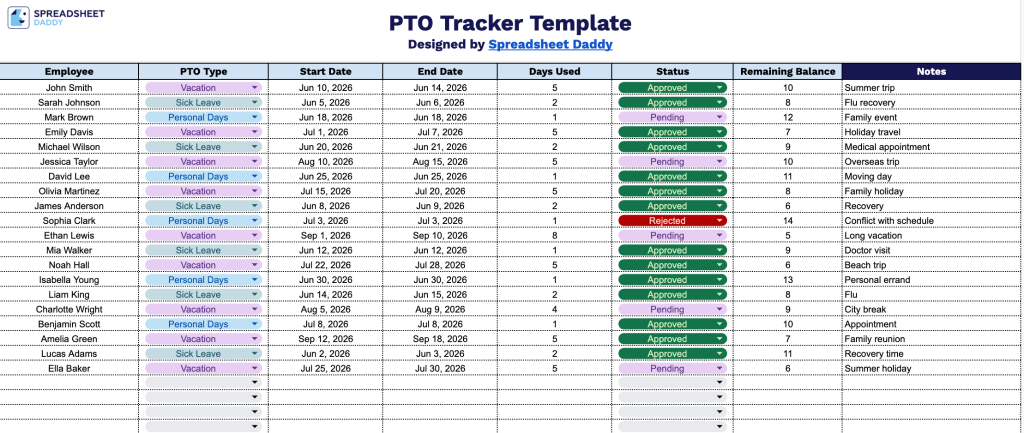
Our PTO Tracker Template provides a straightforward way to monitor employee time-off requests, balances, and statuses all in one place.
What’s included
- Single-sheet layout with employee entry rows: The tracker is built on a single clean worksheet with dozens of pre-formatted rows, each representing an individual PTO request or event, giving HR teams and managers a centralized, scrollable log of all employee time-off activity without having to navigate between multiple tabs.
- Eight structured tracking columns: Each row captures a complete PTO record across eight fields, including Employee, PTO Type, Start Date, End Date, Days Used, Status, Remaining Balance, and Notes, giving you a full picture of every time-off request from submission through resolution in a single horizontal view.
- PTO Type field for categorizing leave: The dedicated PTO Type column lets you distinguish between categories of leave, such as vacation, sick time, personal days, or bereavement, making it easy to filter and analyze how these absences are distributed across your team.
- Status and Remaining Balance columns for real-time tracking: The Status column lets you flag each request as pending, approved, or denied, while the adjacent Remaining Balance column shows how many days each employee has left, creating an at-a-glance approval and balance management system in one place.
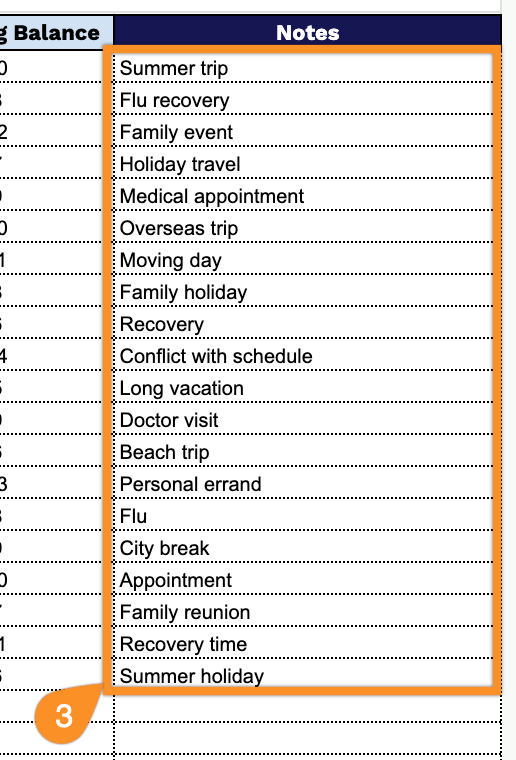
- Notes column for context and exceptions: The final column provides a free-text space to document any relevant details, ensuring nothing important gets lost outside the tracker and keeping all communication tied directly to the record it belongs to.
Whether you need to track additional leave categories, department fields, or manager approvals, you can add or remove columns to fit your team’s time-off management.
Grab a ready-to-use blank PTO Tracker Template by selecting your preferred format from the options below:
How to Use Our PTO Tracker Template
1. Get started by saving this template as Excel or PDF, or copying it into Google Sheets.
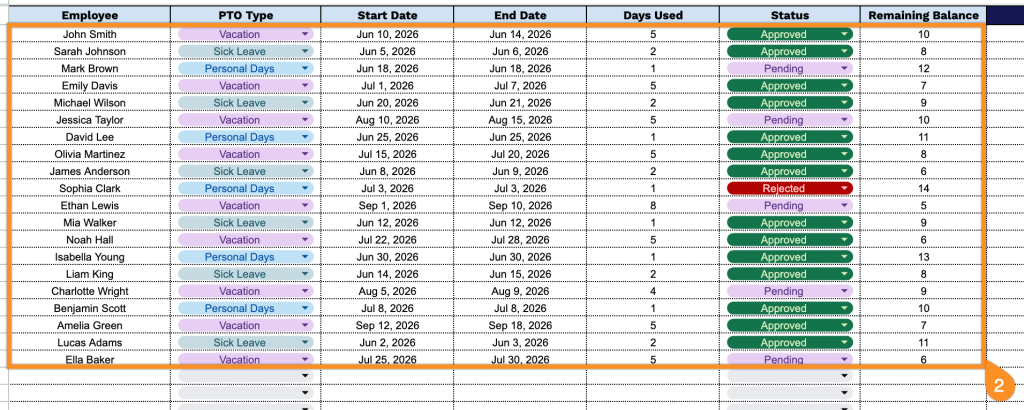
2. Log each employee’s PTO details by entering their name, selecting the type of leave, adding the start and end dates, recording the number of days used, updating the status, and tracking the remaining balance.
3. Use the Notes section to add explanations for special cases, reminders about upcoming leave, or any important details affecting your PTO balance.