Want an easier way to stay on top of rental payments?
Our free Rent Payment Tracker Template gives you a ready-made layout for recording rent due dates, amounts paid, payment status, and tenant details.
Download it as a Google Sheets, Excel, or PDF file and adjust the fields to match your rental management needs.
What Is a Rent Payment Tracker Template?
A rent payment tracker template is a structured document or spreadsheet used by landlords, property managers, or tenants to systematically record and monitor rental payments over time.
By centralizing this financial information in one place, the template helps prevent missed payments, simplifies accounting, and serves as a reliable reference for resolving disputes or preparing financial reports.
Download Spreadsheet Daddy’s Free Rent Payment Tracker Template
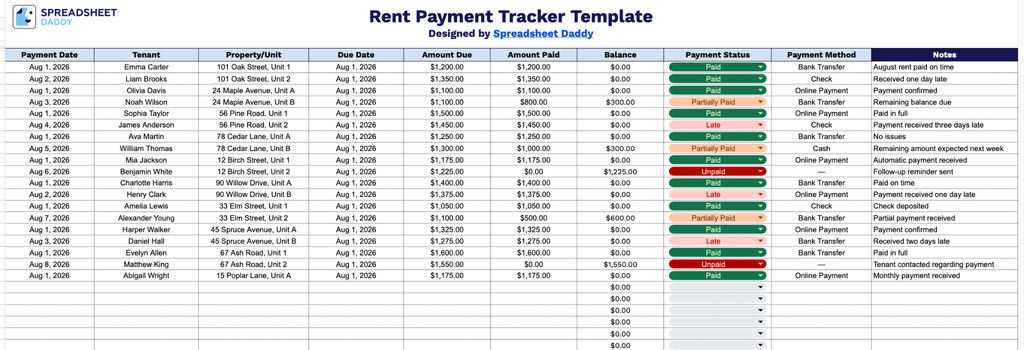
Our Rent Payment Tracker Template gives you a simple, organized way to log tenant payments, due dates, balances, and payment status all in one place.
What’s included
- Comprehensive payment-tracking fields: The template includes columns for Payment Date, Tenant, Property/Unit, and Due Date, allowing you to log exactly who paid, which property, and whether the payment was made on time.
- Detailed financial breakdown per entry: The Amount Due, Amount Paid, and Balance columns let you record the rent owed, what was actually collected, and any remaining balance for each tenant, making shortfalls or overpayments easy to identify.
- Payment status and method tracking: A dedicated Payment Status column lets you note whether rent is paid, pending, or late, while the Payment Method column records how the tenant paid (check, cash, bank transfer, etc.), giving you a clear audit trail.
- Notes field for additional context: The Notes column provides space to document any relevant details about a payment, such as partial payments, special arrangements, or reasons for a late fee.
- Multi-tenant, multi-property support: With separate Tenant and Property/Unit fields, the tracker allows landlords or property managers to monitor rent collection across several tenants or units within a single, organized sheet.
It’s fully customizable, so you can add or remove columns as needed to match how you track rent for your properties.
Choose your preferred file format below and download a free, ready-to-use Rent Payment Tracker template:
How to Use Our Rent Payment Tracker Template
1. Download the Rent Payment Tracker as an Excel or PDF file, or make your own editable copy in Google Sheets.
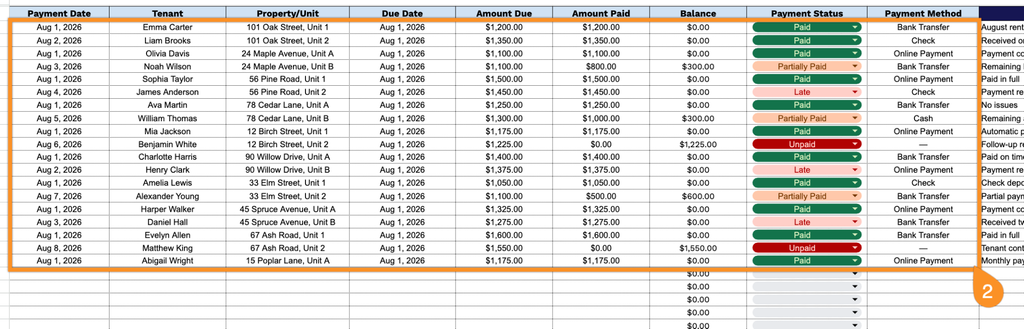
2. Enter key rental details such as the payment date, tenant name, property or unit, due date, amount due, amount paid, payment status, and payment method. The template automatically calculates the remaining balance, making it easy to keep track of outstanding rent.
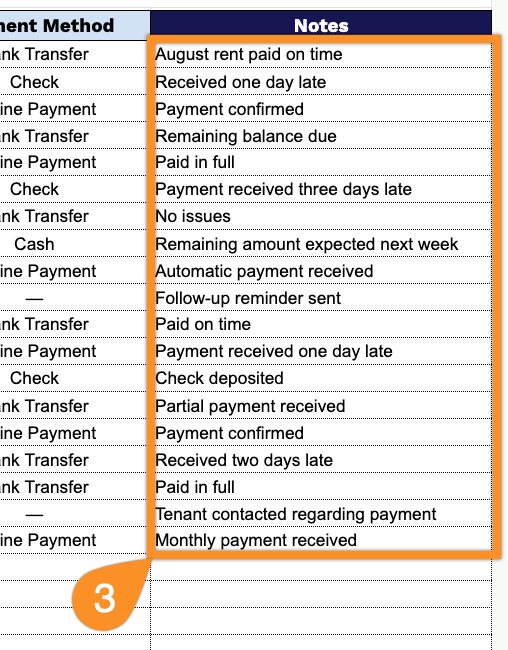
3. Use the Notes section to record important payment details, such as late payments, partial payments, reminders, or other information related to the rental.