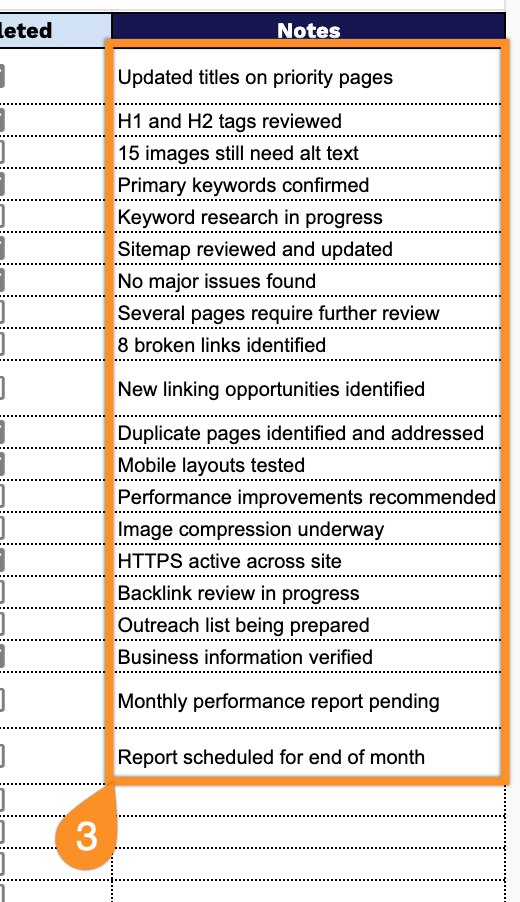
Looking for an easy way to manage your SEO tasks?
Download our free SEO Checklist Template in Google Sheets, Excel, or PDF.
It’s fully editable and designed to help you organize key optimization tasks and track what has been completed.
What Is an SEO Checklist Template?
An SEO checklist template is a structured document that outlines all the essential tasks and best practices needed to optimize a website for search engines, ensuring nothing important is overlooked during the optimization process.
By following a standardized checklist, teams can maintain consistency across their SEO efforts, measure progress effectively, and systematically improve a website’s visibility and ranking in search engine results pages (SERPs).
Download Spreadsheet Daddy’s Free SEO Checklist Template
Our SEO Checklist Template helps you track and manage your SEO tasks in one organized place, from on-page optimization to technical audits, keyword research, and performance reporting.
What’s included
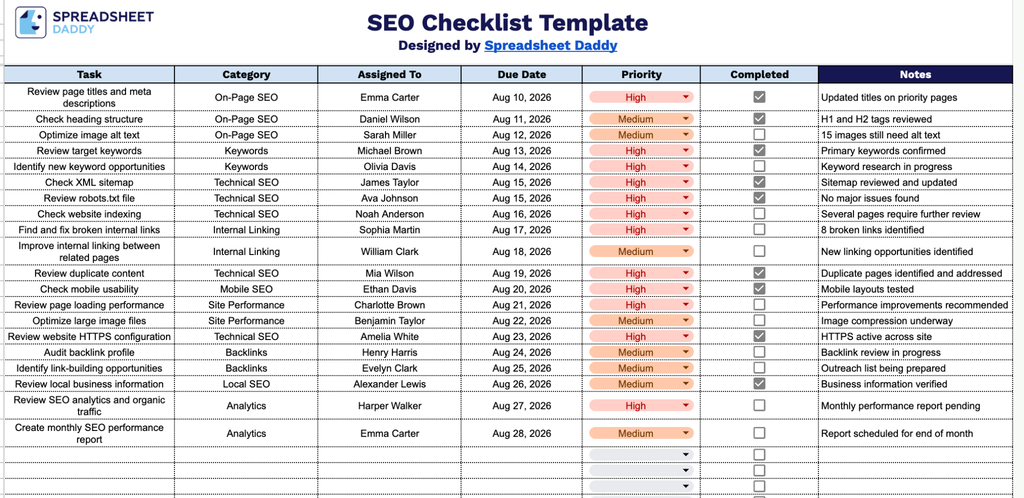
- Task and category tracking: The Task and Category columns let you log every individual SEO action item and group it under a broader focus area, such as on-page optimization, technical SEO, content, or link building.
- Ownership and deadline fields: The Assigned To and Due Date columns let you assign each task to a specific team member and set a clear deadline, keeping accountability and timelines front and center.
- Priority ranking: The Priority column lets you flag each task’s urgency, so you can quickly identify which items need immediate attention versus which can wait.
- Completion tracking: A dedicated Completed column with a checkbox for each task lets you mark items as done, giving you an at-a-glance view of overall progress.
- Notes for context: The Notes column provides space to add extra detail for each task, such as specific instructions, tools used, or results, so nothing gets lost as the checklist grows.
Adjust the columns as needed to match how your team likes to work.
Select a file format below to download your free blank SEO Checklist template:
How to Use Our SEO Checklist Template
1. Download the SEO checklist in Excel or PDF format, or save an editable copy to your Google Sheets account.
2. Add each SEO task along with its category, assignee, due date, and priority level. Check the box as you complete each task to keep track of your SEO progress.
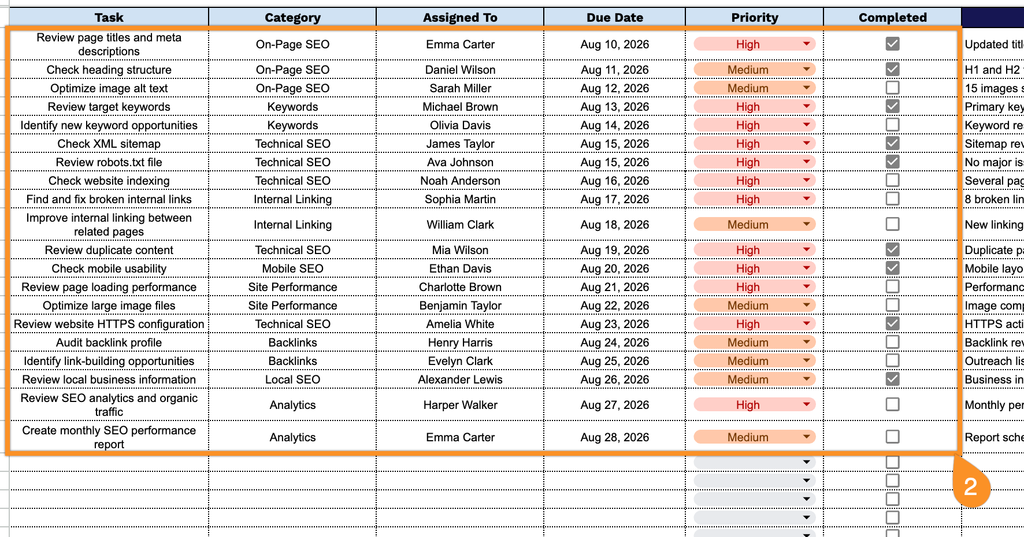
3. Use the Notes section to add recommendations, observations, follow-up tasks, or other important information related to the SEO audit or optimization process.