Planning a server move and need an organized way to manage the process?
Use our free Server Relocation Checklist Template, available in Google Sheets, Excel, and PDF.
The template provides a structured framework for documenting relocation tasks, tracking equipment and dependencies, assigning responsibilities, and monitoring progress from preparation through completion.
What Is a Server Relocation Checklist Template?
A server relocation checklist template is a structured document that guides IT teams through the process of safely moving physical servers from one location to another, ensuring no critical steps are overlooked.
By providing a standardized, repeatable framework, the template helps minimize downtime, reduce the risk of data loss or hardware damage, and ensure alignment among all stakeholders throughout the relocation process.
Download Spreadsheet Daddy’s Free Server Relocation Checklist Template
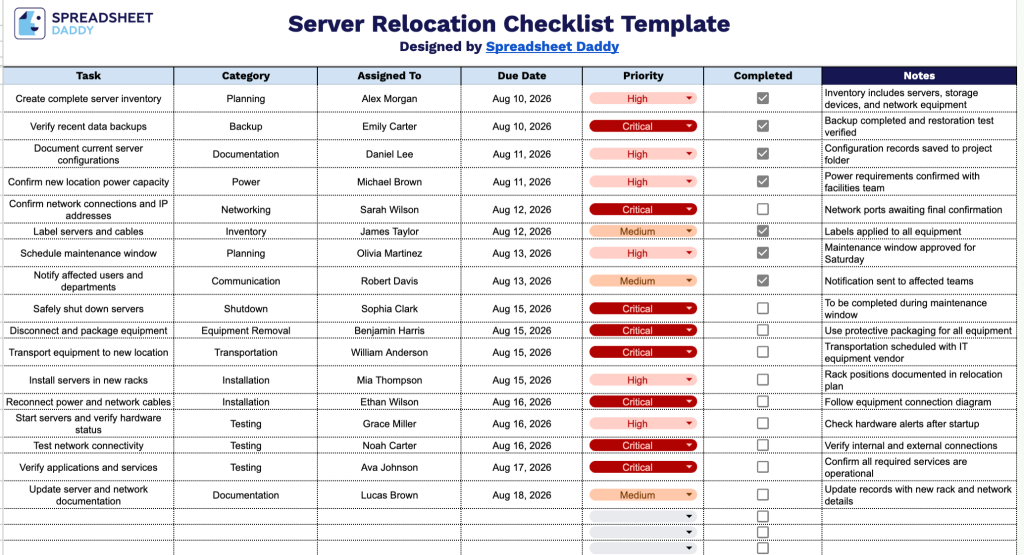
Our Server Relocation Checklist Template lays out every step of a server move in order.
What’s included
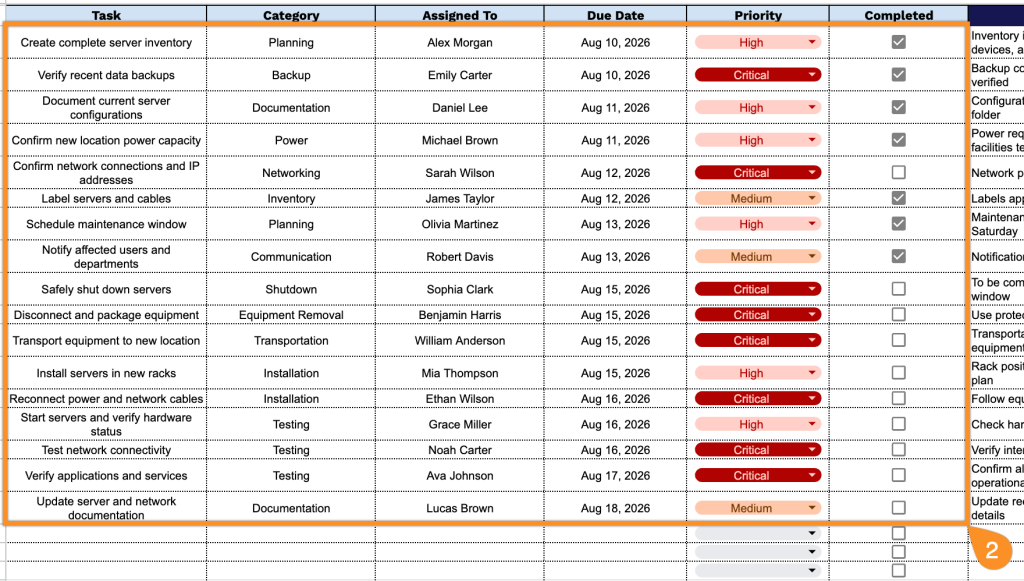
- Structured task-tracking columns: The template includes seven dedicated columns: Task, Category, Assigned To, Due Date, Priority, Completed, and Notes, giving you a clear, organized framework to capture every action item involved in moving server hardware and infrastructure to a new location.
- Interactive completion checkboxes: The Completed column features clickable checkbox icons for each row, letting you quickly track progress and identify which relocation tasks are still outstanding and which are finished.
- Category field for task grouping: A dedicated Category column allows you to organize tasks by type, making it easier to manage different workstreams within the larger relocation project.
- Priority and due date fields for scheduling: The Priority and Due Date columns help you flag urgent tasks and assign clear deadlines, ensuring critical steps in the server move are sequenced and completed on time.
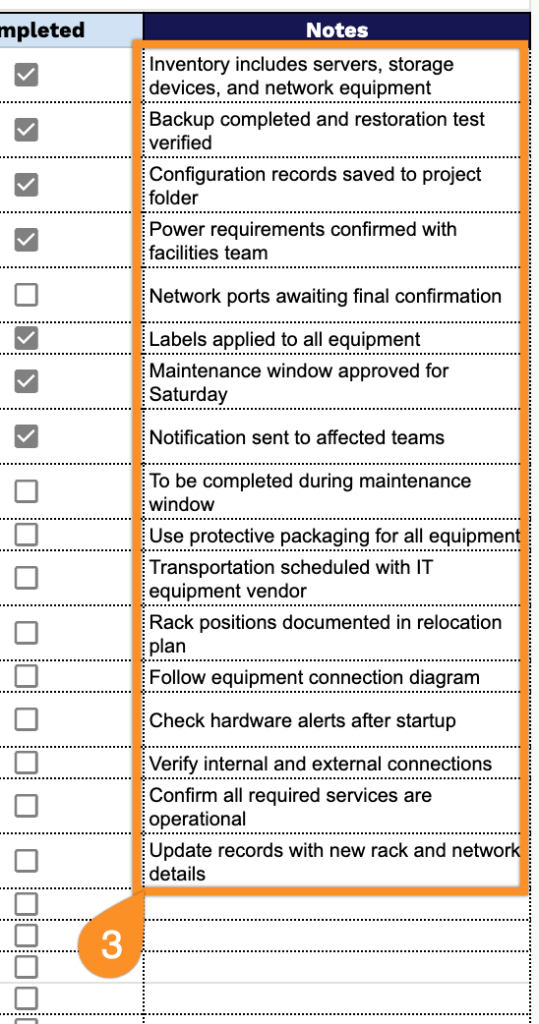
- Assigned To and Notes fields for accountability: The Assigned To column lets you designate ownership for each task, while the Notes column provides space to record additional details, dependencies, or special instructions relevant to that step.
Since every relocation is different, you can easily add or remove columns to fit the exact scope of your project.
Use the links below to get a free blank Server Relocation Checklist Template in your preferred format:
How to Use Our Server Relocation Checklist Template
1. Choose how you want to use the template: download it as an Excel or PDF file, or create a personal copy in Google Sheets.
2. Add each relocation task along with its category, assigned team member, due date, and priority level. Use the checkbox column to mark tasks as completed throughout the server migration process.
3. Use the Notes section to record important technical details, special instructions, dependencies, downtime information, or issues encountered during the server relocation.