Organize your registrations effortlessly with our free Sign Up Template.
Available in Google Sheets, Excel, and PDF, it’s fully editable and ready to use for events, classes, or group activities.
What Is a Sign Up Template?
A sign up template is an organized spreadsheet that systematically collects participant information for events, activities, or services.
This template streamlines the registration process and helps organizers track key participant details in a centralized, easy-to-reference document.
Download Spreadsheet Daddy’s Free Sign Up Template
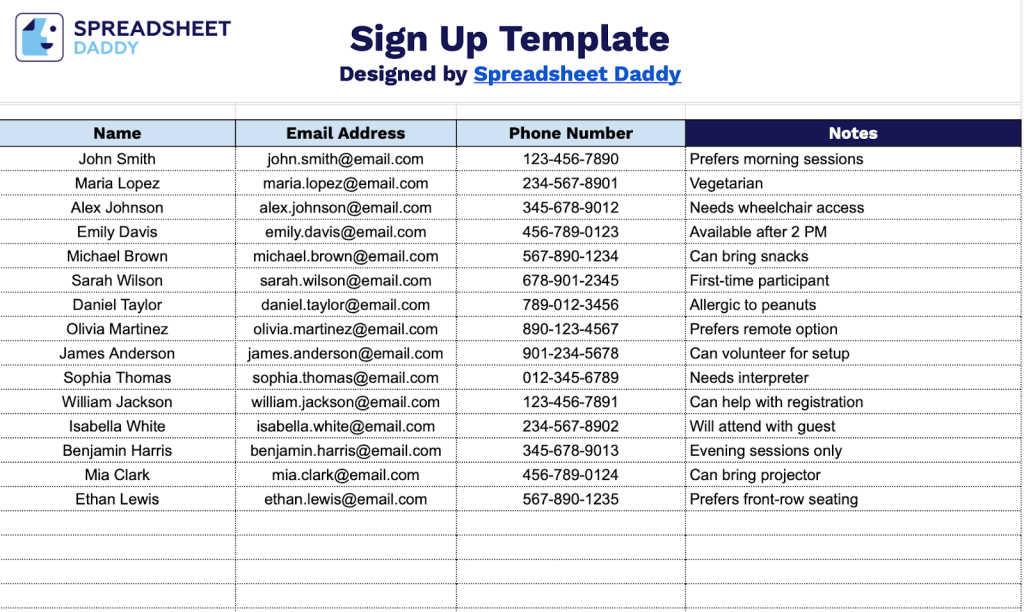
Our Sign Up Template provides a simple and organized way to collect participant information for events, classes, or activities.
What’s included
- Four structured data collection columns: The template features dedicated fields for Name, Email Address, Phone Number, and Notes, providing a comprehensive system for gathering essential participant information in an organized, easy-to-scan format that ensures no critical details are missed.
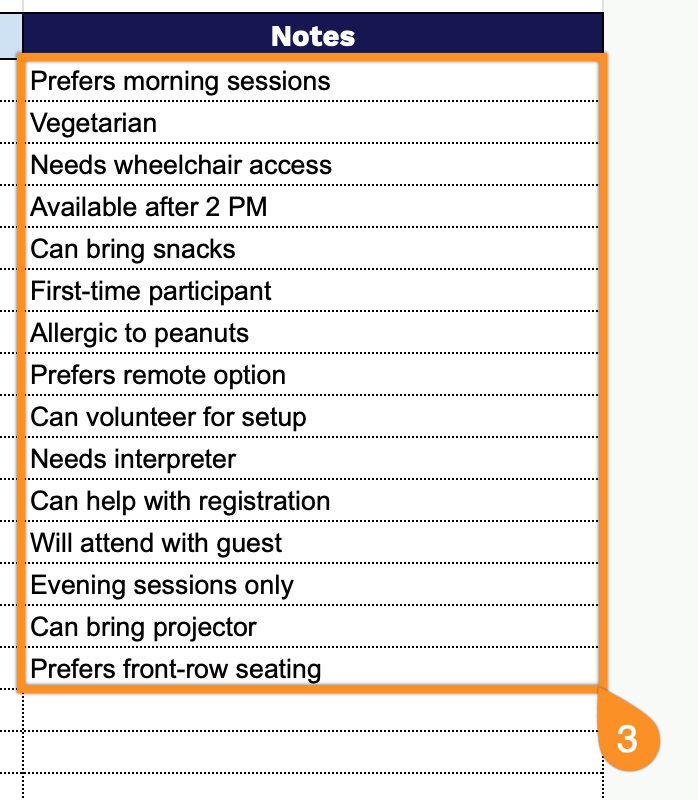
- Flexible Notes field for custom information capture: The rightmost column serves as a flexible space to record event-specific details, such as dietary restrictions, T-shirt sizes, time slot preferences, volunteer roles, or any other supplementary information relevant to your sign-up needs.
- Scalable row structure for unlimited entries: The template provides ample space for multiple participants with easily expandable rows, allowing you to accommodate small gatherings or large-scale events by simply adding additional lines as your sign up list grows.
You can customize it by adding or removing columns to fit your specific needs.
Click one of the links below to download a free blank landscape sign up template in your chosen format:
How to Use Our Sign Up Template
1. Download the template in Excel or PDF, or customize your version in Google Sheets.
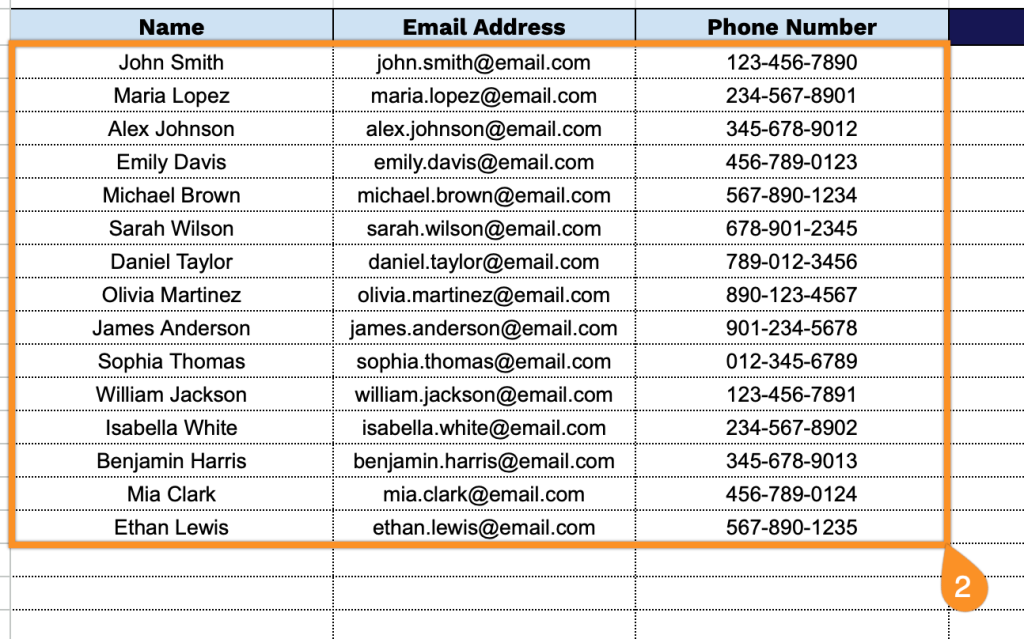
2. Enter each participant’s name, email, and phone number to register them.
3. Use the Notes section for any additional sign-up details, special instructions, or important information about the registration.