Skip the setup and start budgeting right away.
This free Simple Project Budget Template makes it easy to track costs, manage expenses, and stay within budget. Editable in Google Sheets, Excel, and PDF.
What Is a Simple Project Budget Template?
A simple project budget template is a structured document that helps you track and manage all anticipated project costs in one place.
This tool enables project managers to plan finances upfront, monitor spending throughout the project lifecycle, and ensure the project stays within its allocated budget.
Download Spreadsheet Daddy’s Free Simple Project Budget Template
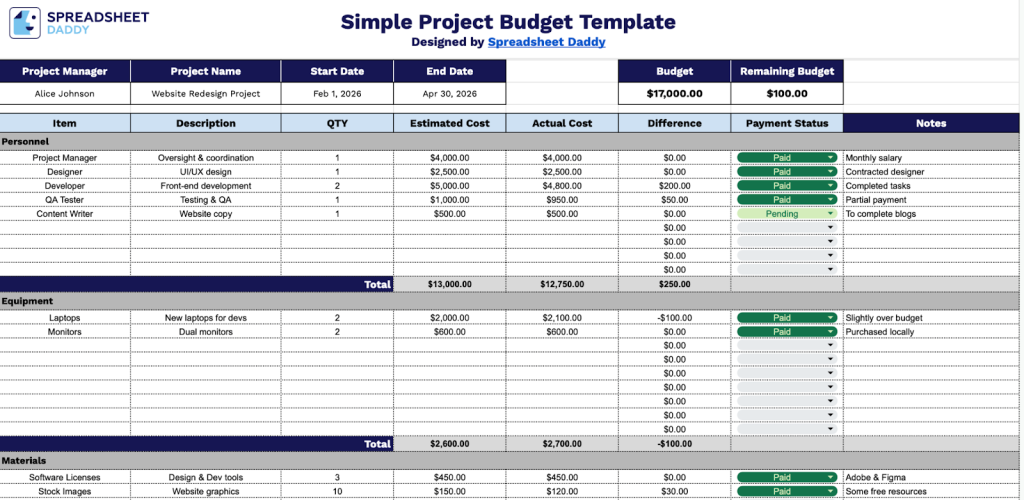
Our Simple Project Budget Template helps you track estimated versus actual costs across different expense categories for your projects.
What’s included
- Comprehensive project header: The top section features editable fields for Project Manager name, Project Name, Start Date, and End Date, plus dynamic Budget and Remaining Budget fields that automatically calculate based on your entries, giving you instant visibility into your project’s financial health.
- Multi-category budget organization: The template includes five separate category sections, each with customizable category labels, allowing you to organize expenses by department, phase, resource type, or any classification system that fits your project structure.
- Detailed line-item tracking: Each category contains 9 rows, with columns for Item Description, QTY (quantity), Estimated Cost, Actual Cost, Difference (automatically calculated), Payment Status, and Notes, enabling granular tracking of every expense and space to document payment progress and important details.
- Automatic variance calculations: The Difference column automatically computes the gap between estimated and actual costs for each line item. At the same time, category subtotals and grand totals roll up automatically, helping you identify budget overruns or savings at a glance without manual calculations.
- Flexible expense documentation: The Notes column provides space to record vendor information, payment dates, approval status, or any contextual details needed for audit trails, while the Payment Status field lets you track whether items are pending, paid, or outstanding across all 45 line items.
The template is fully customizable, allowing you to add or remove columns based on your specific tracking needs.
Access a free, editable Simple Project Budget Template by selecting your preferred file format below:
How to Use Our Simple Project Budget Template
1. Choose to download the template in Excel or PDF, or create a personal copy in Google Sheets.
2. At the top of the sheet, enter the project manager’s name, project title, start and end dates, and the total budget. The remaining budget will be calculated automatically as you add expenses.

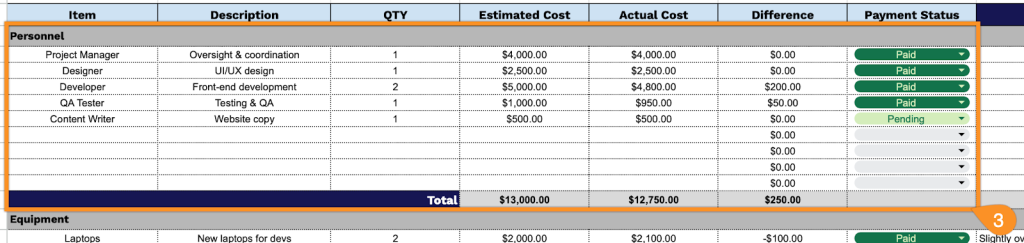
3. Under each category, list the item name, description, quantity, and both the estimated and actual costs. The template will automatically calculate the cost difference and update category and project totals.
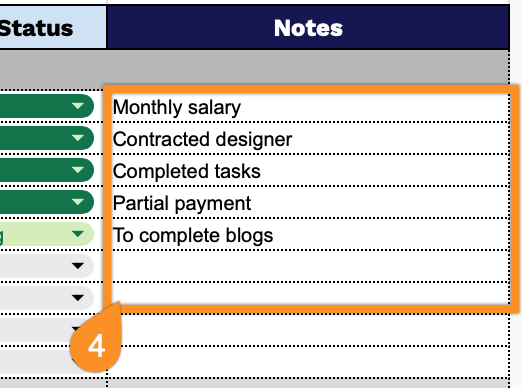
4. Record explanations for unexpected expenses, cost overruns, approval delays, vendor issues, or reminders for upcoming payments in the Notes section.