Want to track your social media performance without building a spreadsheet from scratch?
Download our free, ready-to-use Social Media Analytics Template in Google Sheets, Excel, or PDF.
It’s fully customizable, easy to update, and designed to help you effortlessly monitor reach, engagement, and audience growth.
What Is a Social Media Analytics Template?
A social media analytics template is a pre-structured spreadsheet designed to track, measure, and analyze key performance metrics across various social media platforms in one centralized location.
These templates save time by eliminating the need to build tracking systems from scratch and ensuring consistent measurement of social media performance over time.
Download Spreadsheet Daddy’s Free Social Media Analytics Template
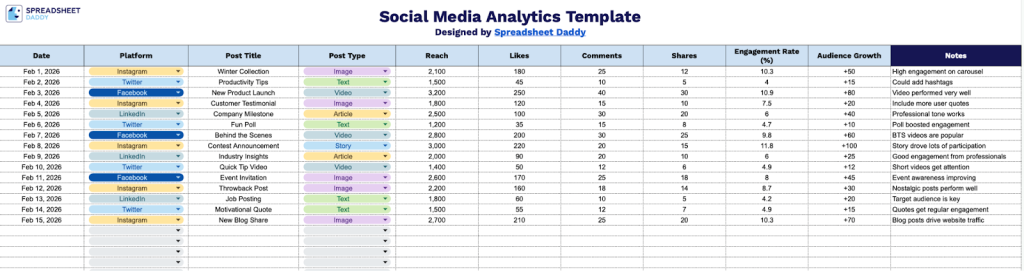
Our Social Media Analytics Template helps you track and analyze your content performance across multiple platforms.
What’s included
- Comprehensive tracking columns: The template features 10 essential data columns, including Date, Platform, Post Title, Post Type, Reach, Likes, Comments, Shares, Engagement Rate (%), and Audience Growth, providing a complete framework for monitoring social media performance across all your channels.
- Multi-platform compatibility: The Platform column lets you track and compare performance across social media channels (Instagram, Facebook, LinkedIn, TikTok, Twitter, etc.) in a single, organized view, making cross-platform analysis seamless and efficient.
- Pre-formatted engagement metrics: Built-in columns for key performance indicators, including Reach, Likes, Comments, and Shares, enable you to quantify audience interaction, while the Engagement Rate (%) column helps you calculate and track the effectiveness of each post at a glance.
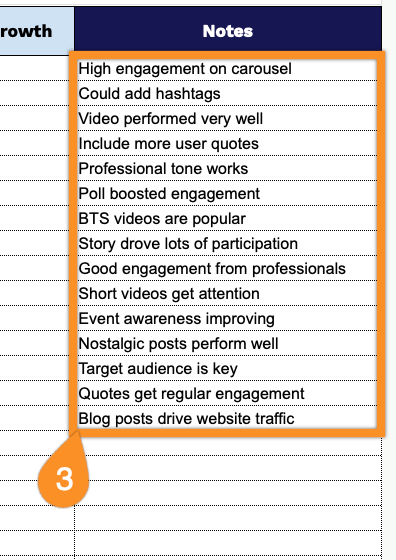
- Flexible notes section: A dedicated Notes column provides space to record important context, such as campaign tags, A/B test variations, posting times, hashtags used, or any other observations that help you understand what drives successful content.
Adjust it by adding or removing columns to match your specific tracking needs.
Get your blank Social Media Analytics Template for free by selecting your desired format from the links below:
How to Use Our Social Media Analytics Template
1. Download the template in Excel or PDF, or save a Google Sheets copy to track your social media metrics.
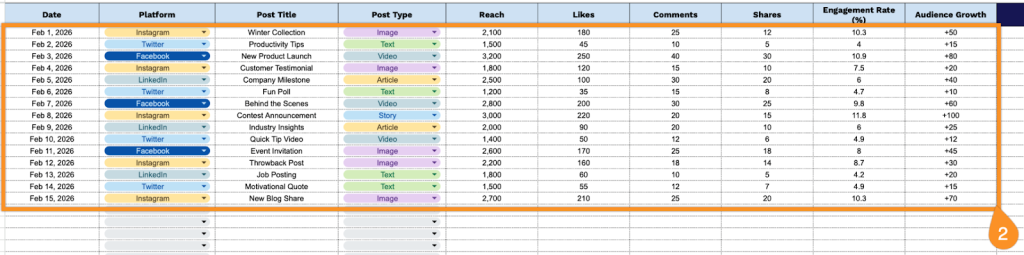
2. Complete the columns by entering all essential performance tracking and engagement data:
- Date: Record when the social media post was published on the platform.
- Platform: Specify the social media channel where the content was shared (Facebook, Instagram, Twitter, LinkedIn, etc.).
- Post Title: Enter a brief description or headline that identifies the specific post content.
- Post Type: Indicate the content format (image, video, carousel, story, link, or text post).
- Reach: Document the total number of unique users who viewed the post.
- Likes: Record the number of reactions or likes the post received from users.
- Comments: Track the total count of comments left by users on the post.
- Shares: Note how many times users shared or reposted the content.
- Engagement Rate (%): Calculate the percentage of interactions relative to reach.
- Audience Growth: Enter the net change in follower count during the reporting period.
3. Record explanations for unusually high or low engagement, special promotions, post timing, or other factors that could affect performance in the Notes section.