Skip the hassle of building a student database from scratch.
With our free Student Data Tracking Template, you can effortlessly manage student names, contact info, grades, and attendance.
Available in Google Sheets, Excel, and PDF, it’s simple to customize for your classroom or school.
What Is a Student Data Tracking Template?
A student data-tracking template is a structured tool that helps educators systematically monitor and record individual student progress across metrics such as grades, attendance, behavior, and skill development.
By centralizing student information in a single, accessible format, these templates streamline the documentation of academic achievement and communication of progress to students, parents, and administrators.
Download Spreadsheet Daddy’s Free Student Data Tracking Template
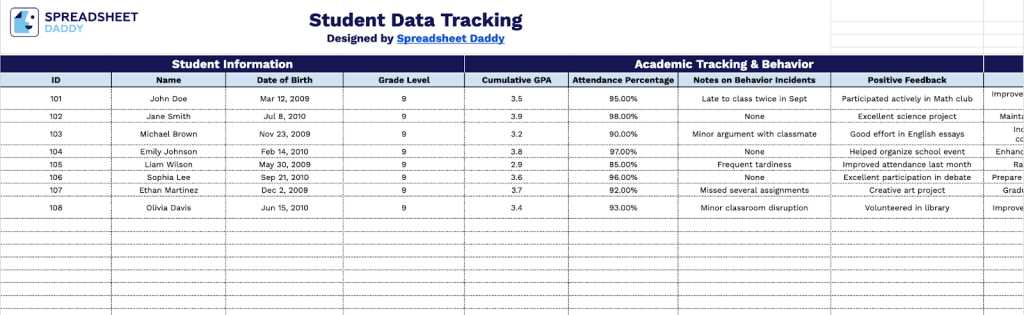
Our Student Data Tracking Template provides a comprehensive system for monitoring academic performance, attendance, behavior, and individual student goals.
What’s included
- Comprehensive student information fields: The template includes dedicated columns for student ID, full name, date of birth, and grade level, providing a complete profile for each student to facilitate easy identification and organization across your roster.
- Academic performance tracking columns: Monitor student success with cumulative GPA and attendance percentage fields that let you track academic achievement and engagement patterns over time, helping you identify students who may need additional support or intervention.
- Dual behavior documentation system: The behavior tracking section includes separate columns for recording behavior incidents and positive feedback, enabling balanced documentation that captures both challenges and achievements while supporting data-driven behavior interventions and positive reinforcement strategies.
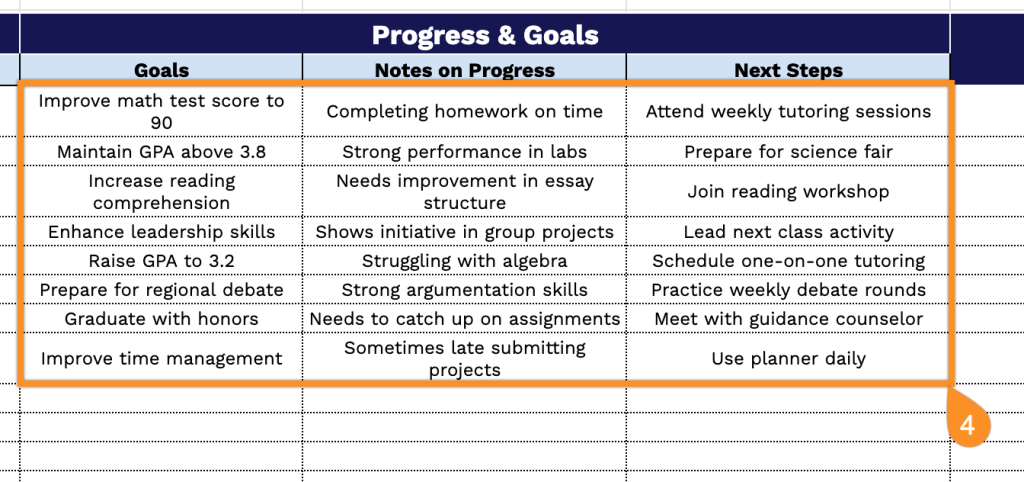
- Goal-setting and progress-monitoring fields: Dedicated columns for establishing specific student goals, documenting ongoing progress notes, and outlining actionable next steps create a structured framework for individualized learning plans, intervention tracking, and measuring student growth over time.
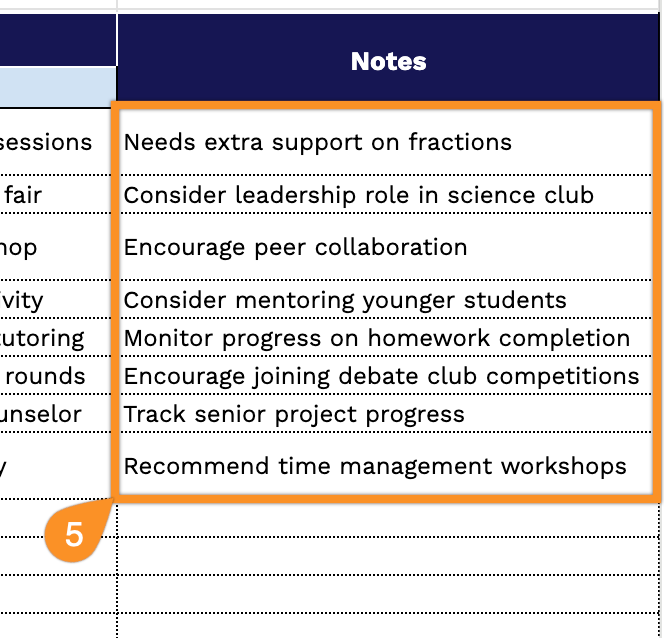
- Flexible notes section for additional documentation: An open-ended notes area provides space to record parent communications, special accommodations, intervention strategies, IEP considerations, and other relevant observations that support comprehensive student record-keeping and informed decision-making.
The flexible structure allows you to customize the spreadsheet by adding or removing columns based on your specific tracking needs.
Download a free blank Student Data Tracking template in your preferred format using the links below:
How to Use Our Student Data Tracking Template
1. Get your own copy of this template in Excel, PDF, or directly in Google Sheets.
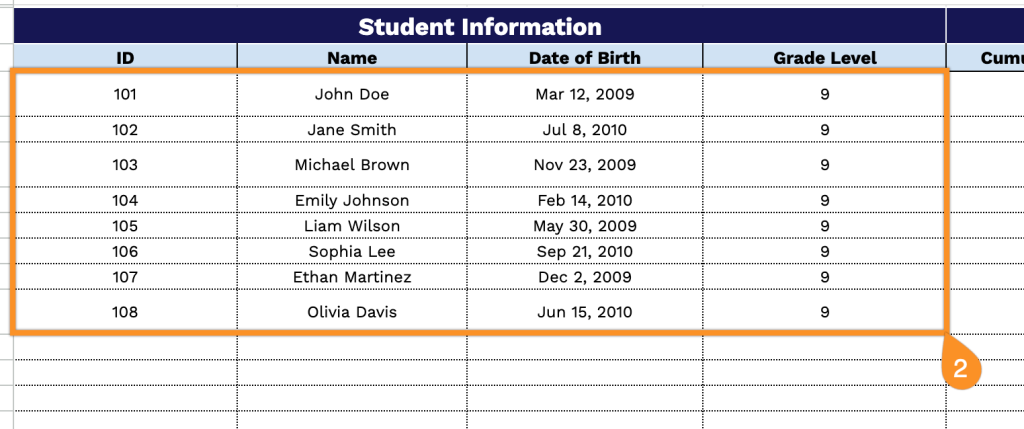
2. Complete the Student Information section by entering all essential identification data:
- ID: Enter the unique identifier assigned to each student for record-keeping and database management.
- Name: Specify the student’s complete legal name as it appears in official school records.
- Date of Birth: Record the student’s birth date to track age-appropriate grade placement and developmental milestones.
- Grade Level: Indicate the current grade or year level the student is enrolled in.
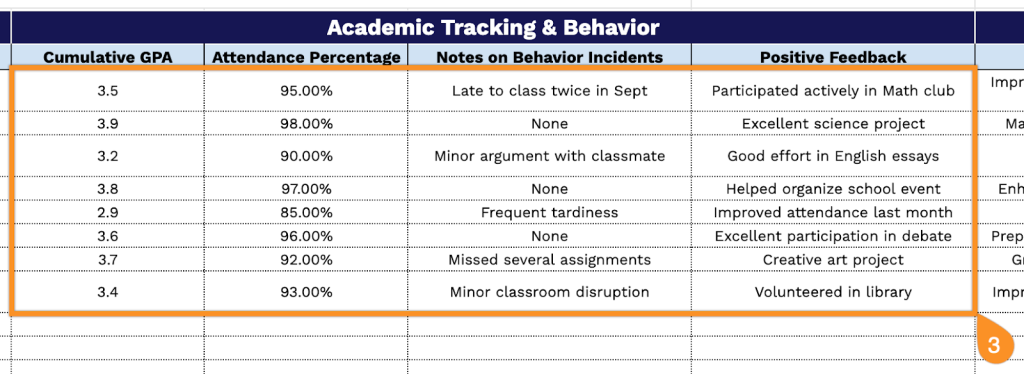
3. Complete the Academic Tracking & Behavior section by documenting performance and conduct information:
- Cumulative GPA: Enter the student’s overall grade point average to monitor academic achievement trends.
- Attendance Percentage: Record the percentage of school days attended to identify potential engagement concerns.
- Notes on Behavior Incidents: Document any disciplinary issues, conflicts, or concerning behaviors that require attention or intervention.
- Positive Feedback: Highlight commendable actions, achievements, or character strengths demonstrated by the student.
4. Fill out the Progress & Goals section:
- Goals: Specify measurable targets and objectives the student is working toward during the current period.
- Notes on Progress: Document ongoing observations about the student’s advancement toward established goals and overall development.
- Next Steps: Outline recommended actions, interventions, or strategies to support continued student growth and success.
5. Use the Notes section for additional observations, reminders, or important details about each student.