Skip the hassle of designing your own temperature tracker.
Our free Temperature Log Template comes in Google Sheets, Excel, and PDF formats and offers a simple, organized layout for recording temperature measurements, dates, times, and additional details.
What Is a Temperature Log Template?
A temperature log template is a pre-formatted document used to systematically record temperature readings for specific items, environments, or equipment over a defined period.
These templates are commonly used in industries such as food service, healthcare, pharmaceuticals, and manufacturing to ensure compliance with safety standards, maintain quality control, and provide an auditable record for regulatory purposes.
Download Spreadsheet Daddy’s Free Temperature Log Template
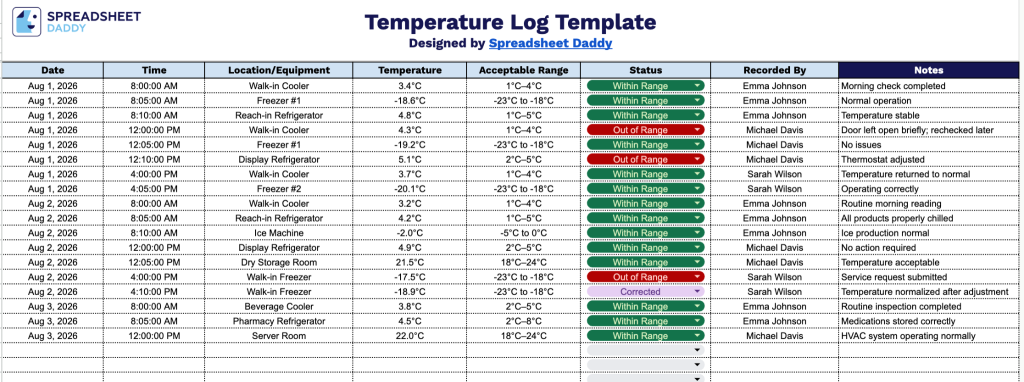
Our Temperature Log Template provides a simple, organized way to track temperature readings across multiple locations or pieces of equipment over time.
What’s included
- Structured seven-column tracking layout: The table includes dedicated columns for Date, Time, and Location/Equipment, providing a clear, chronological record of when and where each temperature reading was taken.
- Built-in temperature and compliance fields: A Temperature column captures the actual recorded reading, while the adjacent Acceptable Range column lets you document the approved threshold for that piece of equipment or location, making it easy to spot readings that fall outside of safe limits.
- Status and accountability tracking: A Status column lets you quickly flag each entry as in range or out of range, while the Recorded By column assigns accountability by documenting which staff member took and logged the reading.
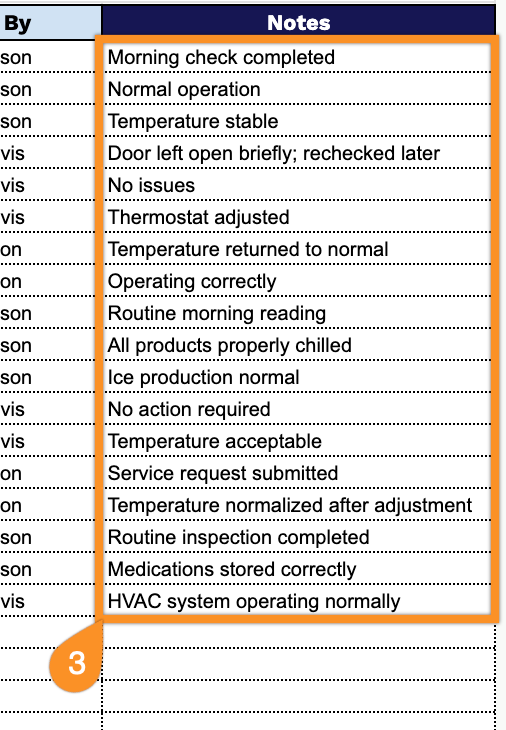
- Open-ended Notes column for detailed documentation: The final column provides space to record corrective actions, equipment issues, or other observations, ensuring a complete audit trail beyond the numeric temperature data.
The layout is fully adjustable, so you can add or remove columns to match exactly what you need to monitor.
Choose your preferred file format and download our free Temperature Log template:
How to Use Our Temperature Log Template
1. Get your free Temperature Log template in Excel or PDF format, or make your own editable version in Google Sheets.
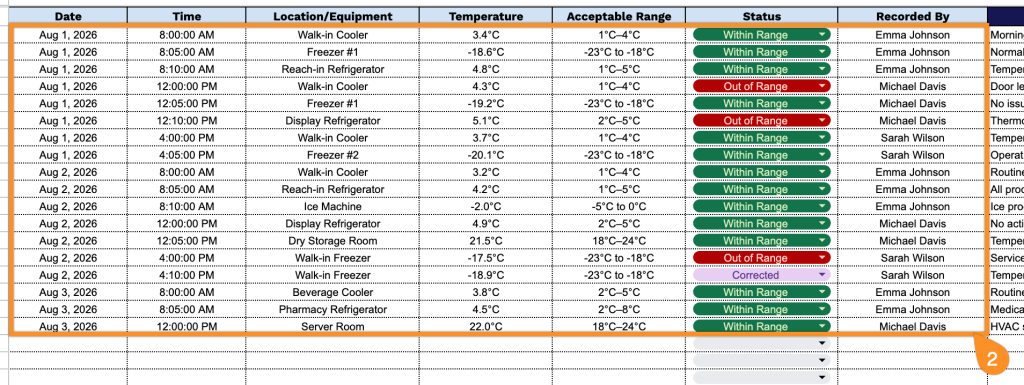
2. Fill in each temperature check by entering the date, time, equipment or storage area, current temperature, required temperature range, compliance status, and the name of the person who completed the check.
3. Use the Notes section to add additional information, such as maintenance details, equipment issues, safety observations, or special instructions related to temperature monitoring.