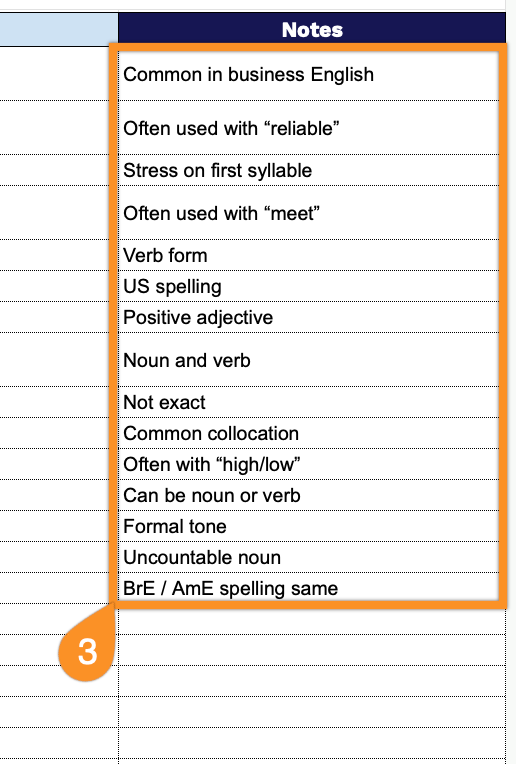
Boost your language skills with our free Vocabulary Template.
Available in Google Sheets, Excel, and PDF, it helps you track words, meanings, translations, and examples, making vocabulary practice simple, structured, and fun.
What Is a Vocabulary Template?
A vocabulary template is a structured format or framework designed to help learners systematically organize and study new words.
These templates serve as practical tools for building vocabulary knowledge by encouraging active engagement with words beyond simple memorization.
Download Spreadsheet Daddy’s Free Vocabulary Template
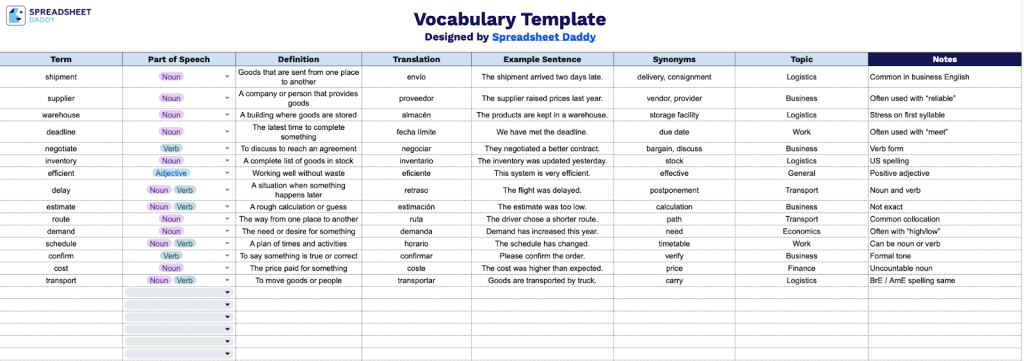
Our Vocabulary Template helps you organize and study new words systematically.
What’s included
- Comprehensive vocabulary tracking columns: The template features seven dedicated columns to capture every aspect of new vocabulary, including Term, Part of Speech, Definition, Translation, Example Sentence, Synonyms, Topic, and Notes, providing a complete framework for thorough language learning and reference.
- Part of speech categorization: A dedicated column allows you to specify grammatical classification (noun, verb, adjective, etc.) for each term, helping you understand proper usage and build stronger grammar foundations alongside vocabulary expansion.
- Bilingual learning support: The Translation column lets you record words in your target language alongside your native language, making this template ideal for foreign language learners, ESL students, or anyone building multilingual vocabulary.
- Contextual learning fields: Example Sentence and Synonyms columns help you understand words in context and expand your vocabulary network by connecting related terms, reinforcing retention through practical application and association.
- Organizational topic tags: The Topic column allows you to categorize vocabulary by subject area, theme, or lesson unit, making it easy to review related terms together and organize your learning by category for more efficient studying and recall.
The spreadsheet format allows you to track important information about each term, and you can easily customize it by adding or removing columns to match your specific learning needs.
Use the links below to access a free blank Vocabulary Template in your chosen format:
How to Use Our Vocabulary Template
1. Download as Excel or PDF, or create a personal Google Sheets version of the template.
2. Complete the columns by filling in all required linguistic information:
- Term: Enter the target word or phrase you’re documenting for language learning purposes.
- Part of Speech: Identify the grammatical category (noun, verb, adjective, adverb, etc.) that classifies the term.
- Definition: Provide a clear, concise explanation of what the term means in context.
- Translation: Record the equivalent word or phrase in your target language for reference.
- Example Sentence: Include a complete sentence demonstrating proper usage of the term in context.
- Synonyms: List alternative words or expressions with similar meanings to expand vocabulary range.
- Topic: Specify the subject area or thematic category (business, travel, education, etc.) where this term is commonly used.
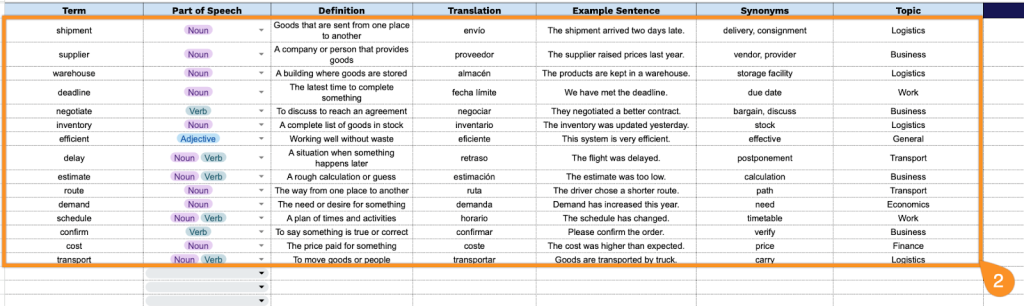
3. Use the Notes section for extra tips, memory aids, or reminders about tricky words.