Starting a weight-loss plan and not sure how to track your progress?
Use our free Weight Loss Template to log your weight, goals, and weekly updates easily.
Designed for clarity and flexibility, it’s available in Google Sheets, Excel, and PDF formats.
What Is a Weight Loss Template?
A weight-loss template is a pre-designed tracking tool or structured plan that helps individuals monitor and organize their weight-loss journey.
These templates provide a convenient framework that eliminates the need to build tracking systems from scratch, making it easier to stay consistent and accountable while working toward weight-loss goals.
Download Spreadsheet Daddy’s Free Weight Loss Template
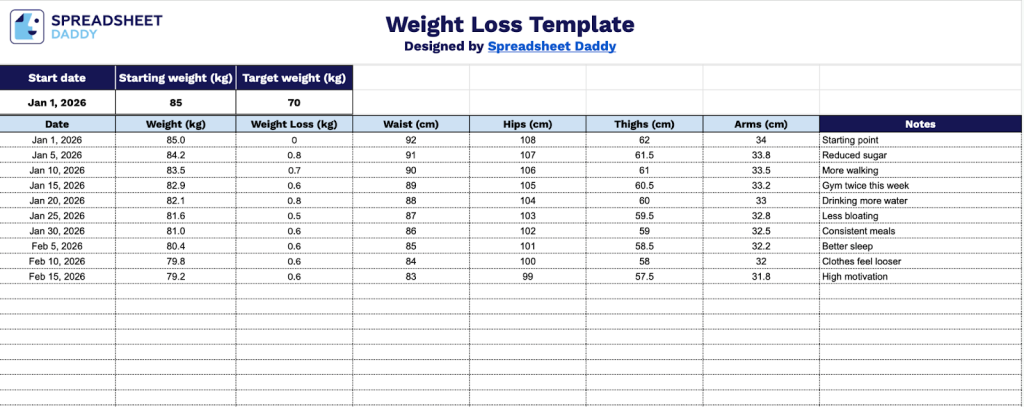
Our Weight Loss Template helps you track your progress over time by recording measurements and observations that matter to you.
What’s included
- Header section with goal tracking: Set your start date, starting weight, and target weight at the top to establish your weight loss journey baseline and objectives.
- Comprehensive measurement columns: Track multiple metrics, including Date, Weight, Weight Loss (calculated automatically), Waist, Hips, Thighs, and Arms measurements to monitor progress across different body areas.
- Progress calculation: Built-in Weight Loss column that automatically calculates the difference from your starting weight, making it easy to see your cumulative progress over time.
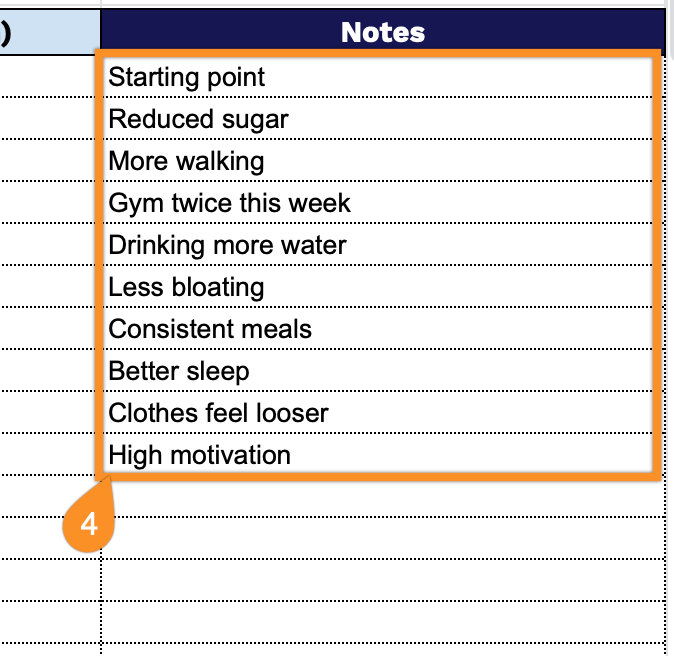
- Notes field for context: A dedicated Notes column allows you to record essential details like workout changes, dietary adjustments, how you felt, or any factors that may have influenced your measurements that day.
You can customize it by adding or removing columns to fit your personal tracking preferences and goals.
Use the links below to download a free weight loss template in your preferred format:
How to Use Our Weight Loss Template
1. Access the template by downloading it in Excel or PDF, or duplicate it into your own Google Sheets workspace.
2. Start by entering your starting date, starting weight, and your target weight at the top of the template.

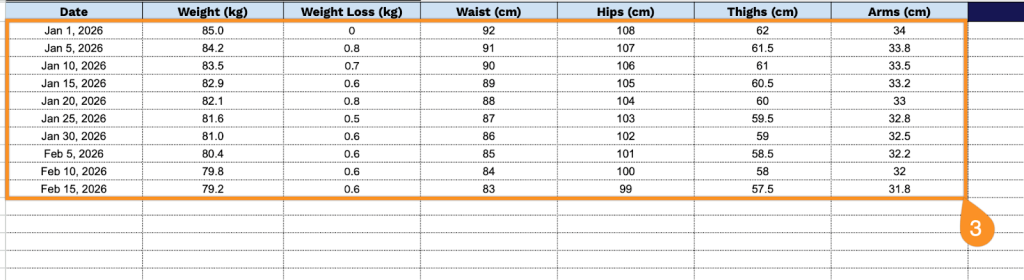
3. Complete columns by recording all essential measurement data:
- Date: Enter the date when you took your measurements and weighed yourself to track your progress over time.
- Weight: Record your current body weight in your preferred unit of measurement.
- Weight Loss: The template automatically calculates the total amount of weight lost since your previous entry.
- Waist: Measure and record your waist circumference at its narrowest point, typically just above the belly button.
- Hips: Document your hip measurement at the widest part of your buttocks for tracking body composition changes.
- Thighs: Record the circumference of your thigh at its widest point to monitor muscle retention and fat loss.
- Arms: Measure and document your upper arm circumference to track changes in arm size and muscle tone.
4. Use the Notes section to add reflections, challenges, motivation, or adjustments to your plan.